Every one of a kind
Get a list of every sprite of a kind, and use a for element loop to do something to each one.
A smart bomb clears the screen, a freeze spell stops every enemy, a magnet pulls in every coin: one press, every sprite of a kind.
In a shooter, aliens are made by a timer and have no names of their own. How can one button do something to all of them? array of sprites of kind (in Sprites) gives a list: every sprite of that kind in the game right now. A for element loop (in Loops) runs its blocks once for each item in the list, with value standing for that item.
- Predict: Read the code and say what it will do before you run anything. A wrong guess is fine: it shows you what to look for.
- Run: Run it and compare the result with your prediction.
- Investigate: Trace how each line of code connects to what you see.
- Modify: Change the code on purpose and check the result.
- Make: Build something new using what you have learned. Expect a few tries; that is normal.
Make your prediction first. Help opens once you've locked it in.
Predict

Show as code
scene.setBackgroundColor(15)
let ship = sprites.create(img`
    . . 1 . .
    . 1 1 1 .
    1 1 1 1 1
    `, SpriteKind.Player)
ship.setPosition(80, 110)
controller.moveSprite(ship, 100, 0)
game.onUpdateInterval(1000, function () {
    let alien = sprites.create(img`
        . 7 . 7 .
        7 7 7 7 7
        7 f 7 f 7
        . 7 . 7 .
        `, SpriteKind.Enemy)
    alien.setPosition(randint(10, 150), 0)
    alien.vy = 20
})
controller.B.onEvent(ControllerButtonEvent.Pressed, function () {
    for (let value of sprites.allOfKind(SpriteKind.Enemy)) {
        value.vy = 0
    }
})
B is enter (or X) on the keyboard.
Run
Wait for a few aliens, then press B.
Show as code
scene.setBackgroundColor(15)
let ship = sprites.create(img`
    . . 1 . .
    . 1 1 1 .
    1 1 1 1 1
    `, SpriteKind.Player)
ship.setPosition(80, 110)
controller.moveSprite(ship, 100, 0)
game.onUpdateInterval(1000, function () {
    let alien = sprites.create(img`
        . 7 . 7 .
        7 7 7 7 7
        7 f 7 f 7
        . 7 . 7 .
        `, SpriteKind.Enemy)
    alien.setPosition(randint(10, 150), 0)
    alien.vy = 20
})
controller.B.onEvent(ControllerButtonEvent.Pressed, function () {
    for (let value of sprites.allOfKind(SpriteKind.Enemy)) {
        value.vy = 0
    }
})
Investigate
Show as code
scene.setBackgroundColor(15)
let ship = sprites.create(img`
    . . 1 . .
    . 1 1 1 .
    1 1 1 1 1
    `, SpriteKind.Player)
ship.setPosition(80, 110)
controller.moveSprite(ship, 100, 0)
game.onUpdateInterval(1000, function () {
    let alien = sprites.create(img`
        . 7 . 7 .
        7 7 7 7 7
        7 f 7 f 7
        . 7 . 7 .
        `, SpriteKind.Enemy)
    alien.setPosition(randint(10, 150), 0)
    alien.vy = 20
})
controller.B.onEvent(ControllerButtonEvent.Pressed, function () {
    for (let value of sprites.allOfKind(SpriteKind.Enemy)) {
        value.vy = 0
    }
})
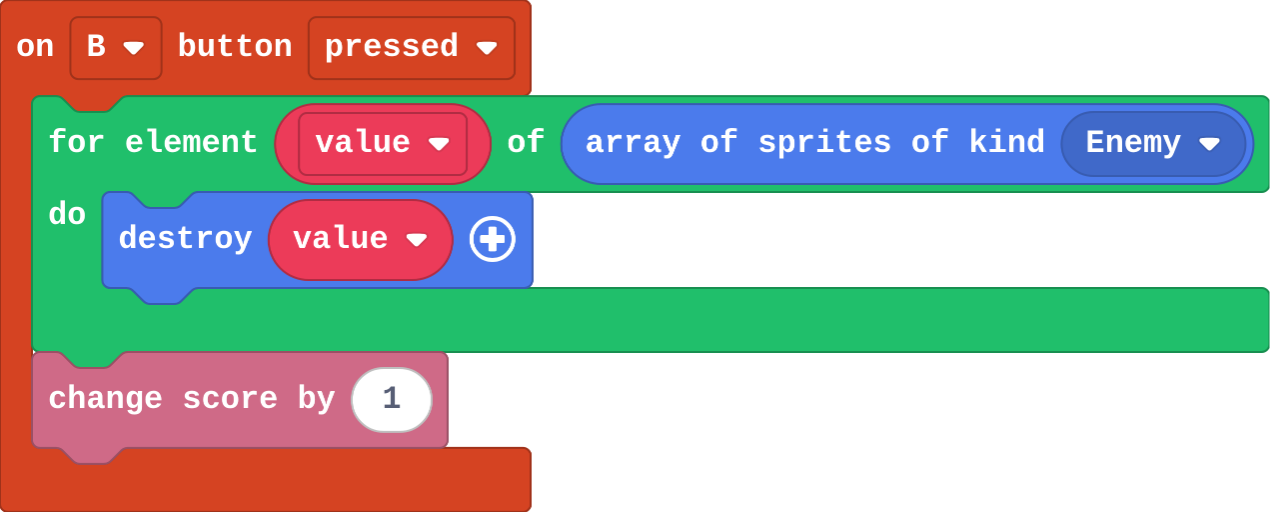
Mia's B event:
Show as code
controller.B.onEvent(ControllerButtonEvent.Pressed, function () {
    for (let value of sprites.allOfKind(SpriteKind.Enemy)) {
        value.destroy()
    }
    info.changeScoreBy(1)
})
def on_b_pressed():
    for value in sprites.all_of_kind(SpriteKind.enemy):
        value.vy = 0
controller.B.on_event(ControllerButtonEvent.PRESSED, on_b_pressed)
There are 4 aliens on the screen when you press B. How many times does set value vy to 0 run?
The loop in Python. Match each part with what it does.
Modify
Make B send every alien back to the top as it freezes them.
Need a hint?
Inside the loop, add set value y to 0 (Sprites).
Make A speed every alien up.
Need a hint?
Drag in on A button pressed. Put another for element loop over array of sprites of kind Enemy inside it.
Another hint
Inside the loop: set value vy to 40.
Make B also send every alien back to the top.
This ticks by itself when your blocks do what is asked.
Make A speed every alien up: vy 40.
This ticks by itself when your blocks do what is asked.
Mix it up
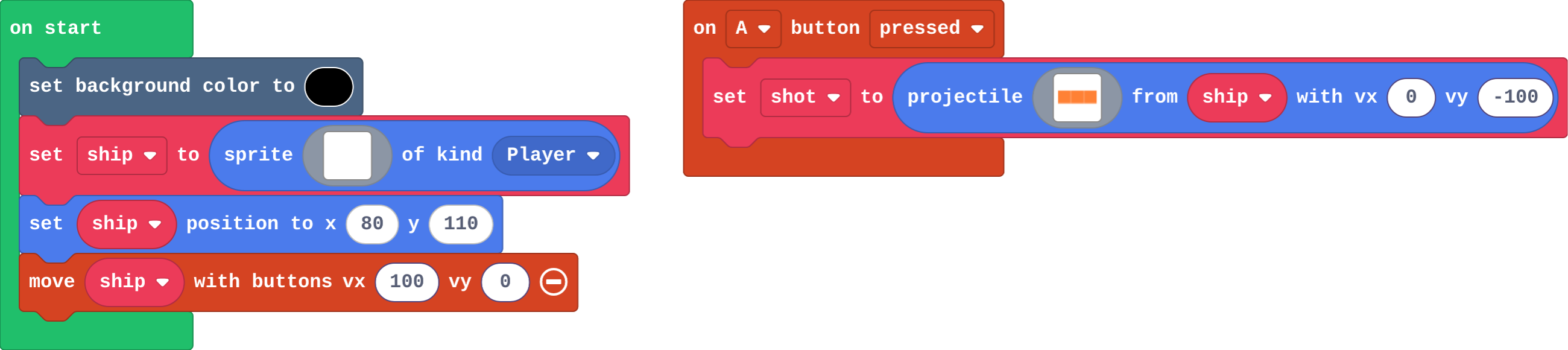
Show as code
scene.setBackgroundColor(15)
let ship = sprites.create(img`
    . . 1 . .
    . 1 1 1 .
    1 1 1 1 1
    `, SpriteKind.Player)
ship.setPosition(80, 110)
controller.moveSprite(ship, 100, 0)
controller.A.onEvent(ControllerButtonEvent.Pressed, function () {
    let shot = sprites.createProjectileFromSprite(img`
        4 4 4
        `, ship, 0, -100)
})
Make
The aliens come twice as fast now. Make a smart bomb on the B button:
- every alien on the screen is destroyed,
- you score one point for each alien.
Count the aliens before you press B, and check the score goes up by that many.
Need a hint?
Start with on B pressed (in Controller). Inside it, a for element loop from Loops.
Another hint
Drag array of sprites of kind (Sprites) into the loop's list slot, and choose Enemy.
Another hint
Inside the loop: destroy value, and change score by 1.
A smart bomb: pressing B destroys every alien on the screen and scores one point for each.
This ticks by itself when your blocks do what is asked.
Change a firework show
A launches a rocket; B makes every rocket in the sky burst off in a random direction. Make the rockets launch faster, and make B also change the background colour, so the sky flashes when they burst.
For teachers
Students get a list of every sprite of a kind with array of sprites of kind, and use a for element loop to do something to each one. About 40 minutes.
Open the teacher guide: answers, solutions, slides and a worksheet.
Students will be able to
- I can do something to every sprite of a kind with one press.
- I can say how many times a for element loop runs.
- I can put blocks inside a loop when they should happen for each sprite.
Before class
A list (an array in MakeCode) is many values in order under one name. array of sprites of kind Enemy (Sprites) is a list of every enemy in the game right now. A for element loop (Loops; MakeCode calls it "for element value of list") runs its blocks once for each item, with value standing for that item each time. That is how one button press can reach sprites that have no names. Blocks inside the loop run once per sprite; blocks after it run once.
Running the lesson
- Predict: some students expect only one alien to stop, or none, because the aliens have no names. Ask the 'no names' group how a teacher could tell every student to sit without naming them.
- Investigate: Mia's smart bomb is the inside-or-after slip: the score goes up once.
- Modify: anything you can do to one sprite goes inside the loop.
- Mix it up: projectiles, from the last course.
- Make: destroy and change score both go inside the loop.
The hard part (on purpose)
Which blocks go inside the loop. Ask: should this happen once, or once for each alien?
When students get stuck
- The smart bomb only scores 1, however many aliens there were. Ask: Is change score inside the loop, or after it? Fix: Inside the loop it runs once per alien. Drag it inside, under destroy value.
- Nothing happens when B is pressed. Ask: Which kind does array of sprites of kind name? Fix: Choose Enemy in its dropdown.
- The loop's value block is missing. Ask: Where does value come from? Fix: Drag value out of the for element block itself.
Stretch and support
Stretch: Make a magnet on A+B: every Food sprite flies towards the player (set value vx and vy, or use follow).
Support: Give students the on B pressed block with an empty for element loop already in it, and ask them only to choose the list and fill the loop.
Where it leads
Next lesson: functions, which name a job such as 'make an enemy' so it can be used in many places. Skillmap: Save the Galaxy (arcade.makecode.com/skillmaps) is a Galaga-style shooter that practises projectiles and enemies.
What each step is for
- Investigate: array of sprites of kind gives a list of every sprite of a kind right now, and a for element loop runs its blocks once for each one, with value as that sprite.
- Modify: Anything you can do to one sprite, the loop can do to every sprite of a kind.
- Mix it up: A projectile is its own kind, and the engine removes it when it leaves the screen.
- Do something to every sprite of a kind with one press.
- Say how many times a for element loop runs.
- Put blocks inside a loop when they should happen for each sprite.