Moves as functions
Name each dance move as a function, then build a routine by calling them.
A dance crew learns named moves (the shuffle, the twirl), then a routine is just the names in order. Robot shows and drone light shows are built the same way.
In micro:bit Foundations you made functions: a named group of blocks that runs when you call it. A robot's moves are a good use for them: build each move once, give it a name, then a dance is just a list of names. You find functions in Advanced › Functions.
- Predict: Read the code and say what it will do before you run anything. A wrong guess is fine: it shows you what to look for.
- Run: Run it and compare the result with your prediction.
- Investigate: Trace how each line of code connects to what you see.
- Modify: Change the code on purpose and check the result.
- Make: Build something new using what you have learned. Expect a few tries; that is normal.
Make your prediction first. Help opens once you've locked it in.
Predict
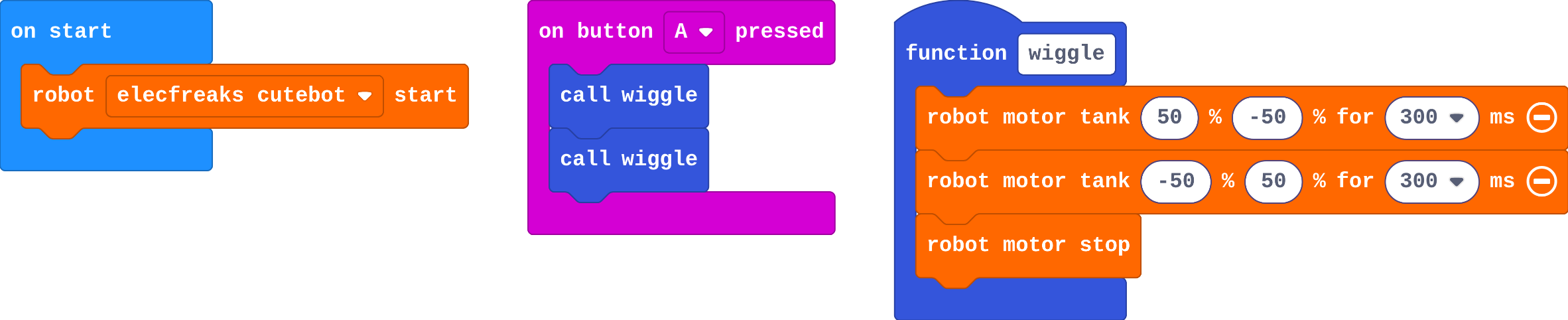
Show as code
function wiggle () {
robot.motorTank(50, -50, 300)
robot.motorTank(-50, 50, 300)
robot.motorStop()
}
input.onButtonPressed(Button.A, function () {
wiggle()
wiggle()
})
robot.elecfreaksCuteBot.start()
wiggle is a function: a quick turn right, a quick turn left, then stop.
Run
Press A on the simulator's micro:bit. Press it again to dance again.
Show as code
function wiggle () {
robot.motorTank(50, -50, 300)
robot.motorTank(-50, 50, 300)
robot.motorStop()
}
input.onButtonPressed(Button.A, function () {
wiggle()
wiggle()
})
robot.elecfreaksCuteBot.start()
Investigate
This version has two moves: wiggle on A and spin on B.
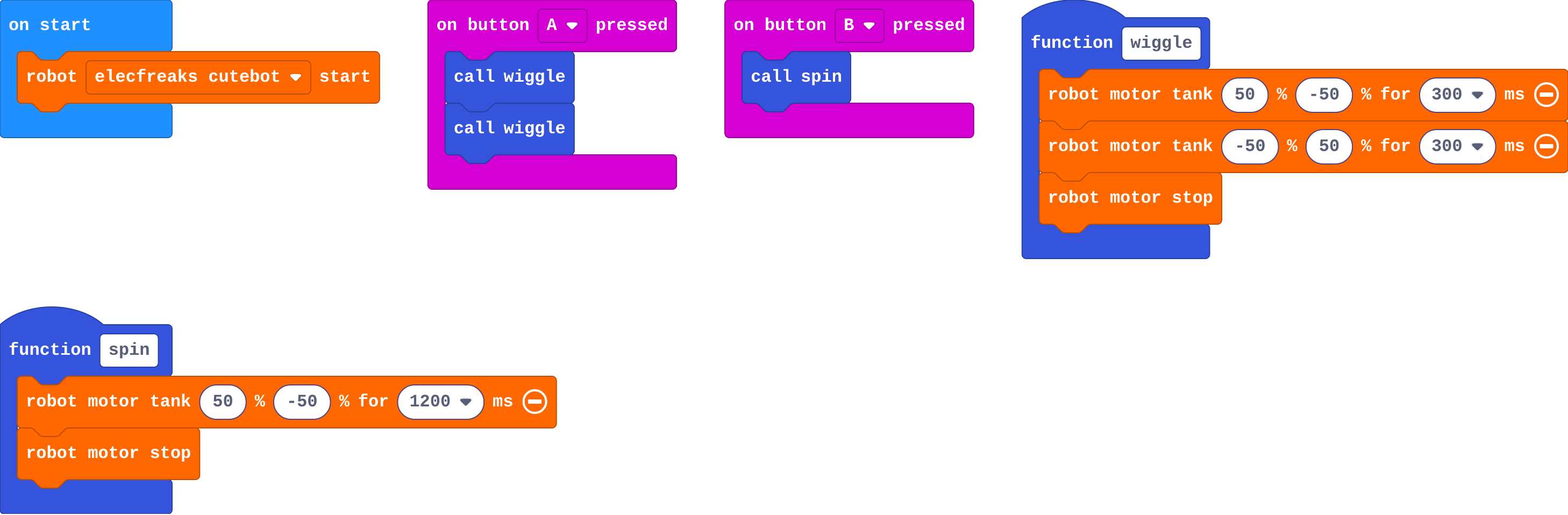
Show as code
function wiggle () {
    robot.motorTank(50, -50, 300)
    robot.motorTank(-50, 50, 300)
    robot.motorStop()
}
function spin () {
    robot.motorTank(50, -50, 1200)
    robot.motorStop()
}
input.onButtonPressed(Button.A, function () {
    wiggle()
    wiggle()
})
input.onButtonPressed(Button.B, function () {
    spin()
})
robot.elecfreaksCuteBot.start()
Press B and watch.
Leo's program:
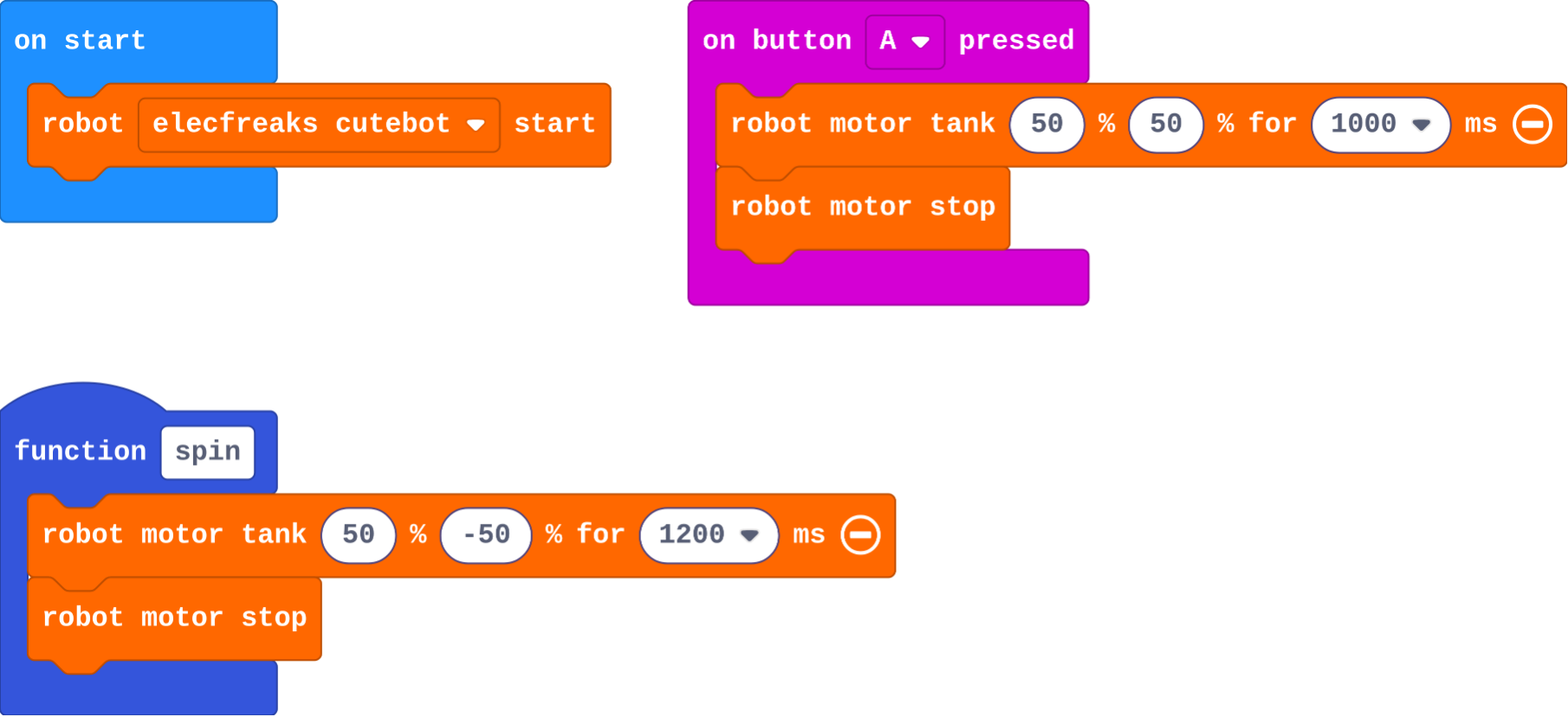
Show as code
function spin () {
    robot.motorTank(50, -50, 1200)
    robot.motorStop()
}
input.onButtonPressed(Button.A, function () {
    robot.motorTank(50, 50, 1000)
    robot.motorStop()
})
robot.elecfreaksCuteBot.start()
Modify
Make a second move: a function called spin that turns for 1200 ms, then stops. Make button B call it.
Need a hint?
In Functions, click Make a Function and call it spin.
Another hint
Inside it: robot motor tank 50 −50 for 1200 ms, then robot motor stop. Then put call spin inside on button B pressed.
Change button A so it dances wiggle, spin, wiggle.
Need a hint?
Inside on button A pressed: call wiggle, call spin, call wiggle.
Make a spin function and call it from button B.
This ticks by itself when your blocks do what is asked.
Make A do a routine: wiggle, spin, wiggle.
This ticks by itself when your blocks do what is asked.
Make
Make a dance routine for a robot show:
- make at least two new moves, each its own function
- on A+B, call your moves in order, with one move used twice
Name your moves so a reader can picture them, like shuffle or twirl.
Need a hint?
Make two new functions, each a short move that ends with robot motor stop. Ideas: a shuffle (forward then back), a twirl (spin the other way).
Another hint
Use on button A+B pressed (change A to A+B). Call your moves in order, using one of them twice.
A dance: at least two new moves of your own, and a routine on A+B that calls them, one move twice.
This ticks by itself when your blocks do what is asked.
On a real robot
Real robots dance differently from the simulator: on a smooth desk they slide, on carpet they turn less. Tune each move's times on your floor. Because each move is a function, you fix it in one place and every call in the routine gets the fix. Later in the course, music and radio cues let several robots dance together.
For teachers
Students name robot moves as functions (wiggle, spin) and build a dance routine by calling them in order, revisiting functions from micro:bit Foundations in a new setting. About 45 minutes.
Open the teacher guide: answers, solutions, slides and a worksheet.
Students will be able to
- I can make a function for a robot move and call it.
- I can build a routine from calls in order.
- I can explain why making a function alone does not move the robot.
Before class
A function is a named group of blocks that runs when it is called. Students met functions in micro:bit Foundations (flashHeart); here each function is a move: a few motor blocks that end with robot motor stop. A routine is then a list of calls, which is easy to read and easy to change. The classic slip returns: making a function does nothing until something calls it (Leo's robot).
Functions are in Advanced › Functions (Make a Function…, then a call block appears). Each move should end with robot motor stop, or the next move starts from a moving robot. MOVE Motor classes can build the same moves from the Kitronik blocks with pauses.
Running the lesson
- Predict: most say twice. A few say nothing (they confuse making with calling): good to hear before Leo's robot.
- Run: press A on the simulator's micro:bit, not the keyboard.
- Investigate: Leo's robot is the define-not-call slip from Foundations. Ask: where is spin called?
- Modify: the call blocks appear in Functions after the function is made.
- Make: encourage names that describe the move. The check needs three functions (wiggle plus two), A+B, and one move called twice.
- Real robot (optional): fix a move once and every call in the routine changes.
The hard part (on purpose)
Making a function doesn't move the robot; calling it does. When nothing happens, ask where the call block is.
When students get stuck
- Pressing the button does nothing. Ask: Is there a call block inside the button event? Fix: Drag call <your move> into on button … pressed.
- The robot spins forever after the dance. Ask: Does every move end with robot motor stop? Fix: Add robot motor stop at the end of each function.
- Moves blur into each other. Ask: What happens between moves? Fix: Add a short pause (basic pause 200 ms) at the end of a move for a beat between moves.
Stretch and support
Stretch: Add robot set color to each move so the lights change with the dance, or play a tone at the start of each move.
Support: Give students the shuffle function made; they make one more move and the A+B routine.
Where it leads
Next unit: Sense. Later, lesson 8 uses radio so one micro:bit can cue several robots to dance together. Class idea: a short robot dance-off, with each group's routine read aloud as a list of move names first.
What each step is for
- Investigate: A function is a named move. Making it does nothing on its own; calling it runs the move, as often as you like.
- Modify: Once a move has a name, a routine is just calls in order.
- Make a function for a robot move and call it.
- Build a routine from calls in order.
- Explain why making a function alone does not move the robot.