Moves as functions
Students name robot moves as functions (wiggle, spin) and build a dance routine by calling them in order, revisiting functions from micro:bit Foundations in a new setting.
Classroom resources
Load these into Waypoints Prepare: choose Load URL and paste the copied address, or download the file and import it. In Prepare, the worksheet's Teacher edition shows the answers; the student copy hides them.
Students will be able to
- I can make a function for a robot move and call it.
- I can build a routine from calls in order.
- I can explain why making a function alone does not move the robot.
Timing
Predict and Run 7 min · Investigate 8 min · Modify 12 min · Make 15 min · Real robot 3 min (optional)
Before class
A function is a named group of blocks that runs when it is called. Students met functions in micro:bit Foundations (flashHeart); here each function is a move: a few motor blocks that end with robot motor stop. A routine is then a list of calls, which is easy to read and easy to change. The classic slip returns: making a function does nothing until something calls it (Leo's robot).
Functions are in Advanced › Functions (Make a Function…, then a call block appears). Each move should end with robot motor stop, or the next move starts from a moving robot. MOVE Motor classes can build the same moves from the Kitronik blocks with pauses.
Running the lesson
- Predict: most say twice. A few say nothing (they confuse making with calling): good to hear before Leo's robot.
- Run: press A on the simulator's micro:bit, not the keyboard.
- Investigate: Leo's robot is the define-not-call slip from Foundations. Ask: where is spin called?
- Modify: the call blocks appear in Functions after the function is made.
- Make: encourage names that describe the move. The check needs three functions (wiggle plus two), A+B, and one move called twice.
- Real robot (optional): fix a move once and every call in the routine changes.
The hard part (on purpose)
Making a function doesn't move the robot; calling it does. When nothing happens, ask where the call block is.
When students get stuck
| What you will see | A question to ask | The fix |
|---|---|---|
| Pressing the button does nothing. | Is there a call block inside the button event? | Drag call <your move> into on button … pressed. |
| The robot spins forever after the dance. | Does every move end with robot motor stop? | Add robot motor stop at the end of each function. |
| Moves blur into each other. | What happens between moves? | Add a short pause (basic pause 200 ms) at the end of a move for a beat between moves. |
Answers to the checks
- Predict: What happens when you press A?
It wiggles twice, then stops. Button A calls wiggle two times, and each wiggle turns right, turns left, then stops. - Spin once: This version has a second move, spin. How many times does each block inside spin run when you press B once?
Once
B calls spin once, so its blocks run once: turn for 1.2 seconds, then stop. - Leo's robot: Leo made a spin function. When he presses A, his robot only drives forward. Why?
Nothing calls spin: button A has drive blocks instead of a call to spin
Making a function only names the move. Its blocks run when something calls it, and nothing calls spin. Button A needs call spin.
Solutions
One possible solution for each task. Other correct programs are fine.
Modify › A new move
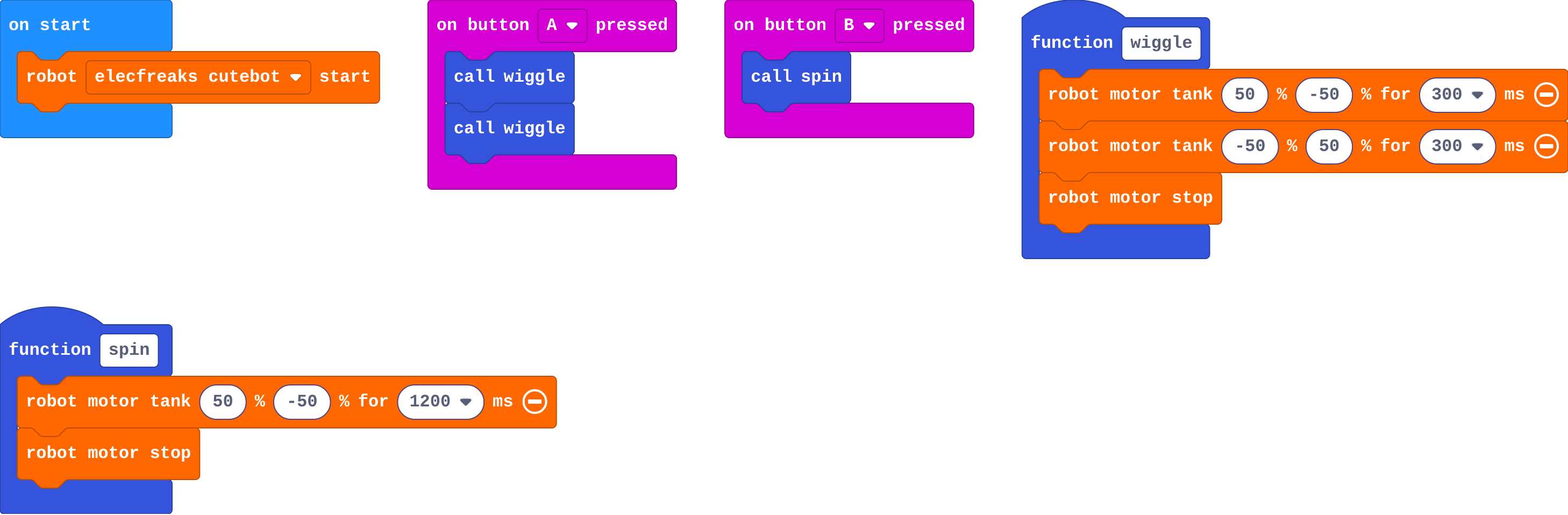
Show as code
function wiggle () {
    robot.motorTank(50, -50, 300)
    robot.motorTank(-50, 50, 300)
    robot.motorStop()
}
function spin () {
    robot.motorTank(50, -50, 1200)
    robot.motorStop()
}
input.onButtonPressed(Button.A, function () {
    wiggle()
    wiggle()
})
input.onButtonPressed(Button.B, function () {
    spin()
})
robot.elecfreaksCuteBot.start()
Modify › A routine
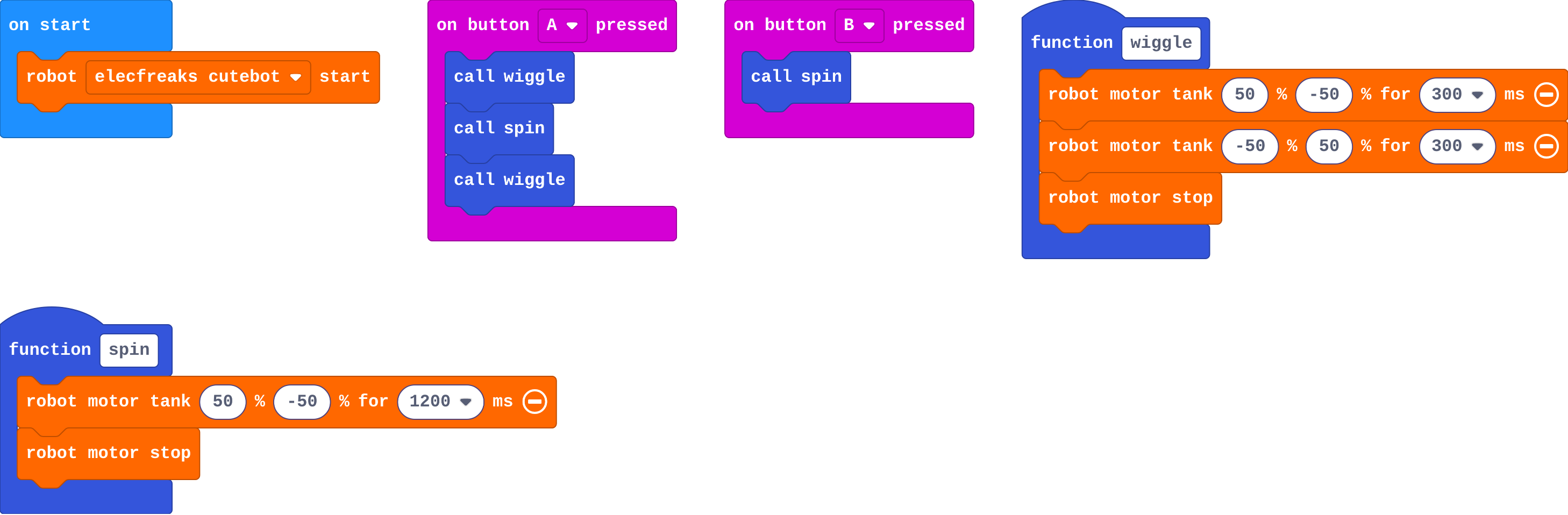
Show as code
function wiggle () {
    robot.motorTank(50, -50, 300)
    robot.motorTank(-50, 50, 300)
    robot.motorStop()
}
function spin () {
    robot.motorTank(50, -50, 1200)
    robot.motorStop()
}
input.onButtonPressed(Button.A, function () {
    wiggle()
    spin()
    wiggle()
})
input.onButtonPressed(Button.B, function () {
    spin()
})
robot.elecfreaksCuteBot.start()
Make
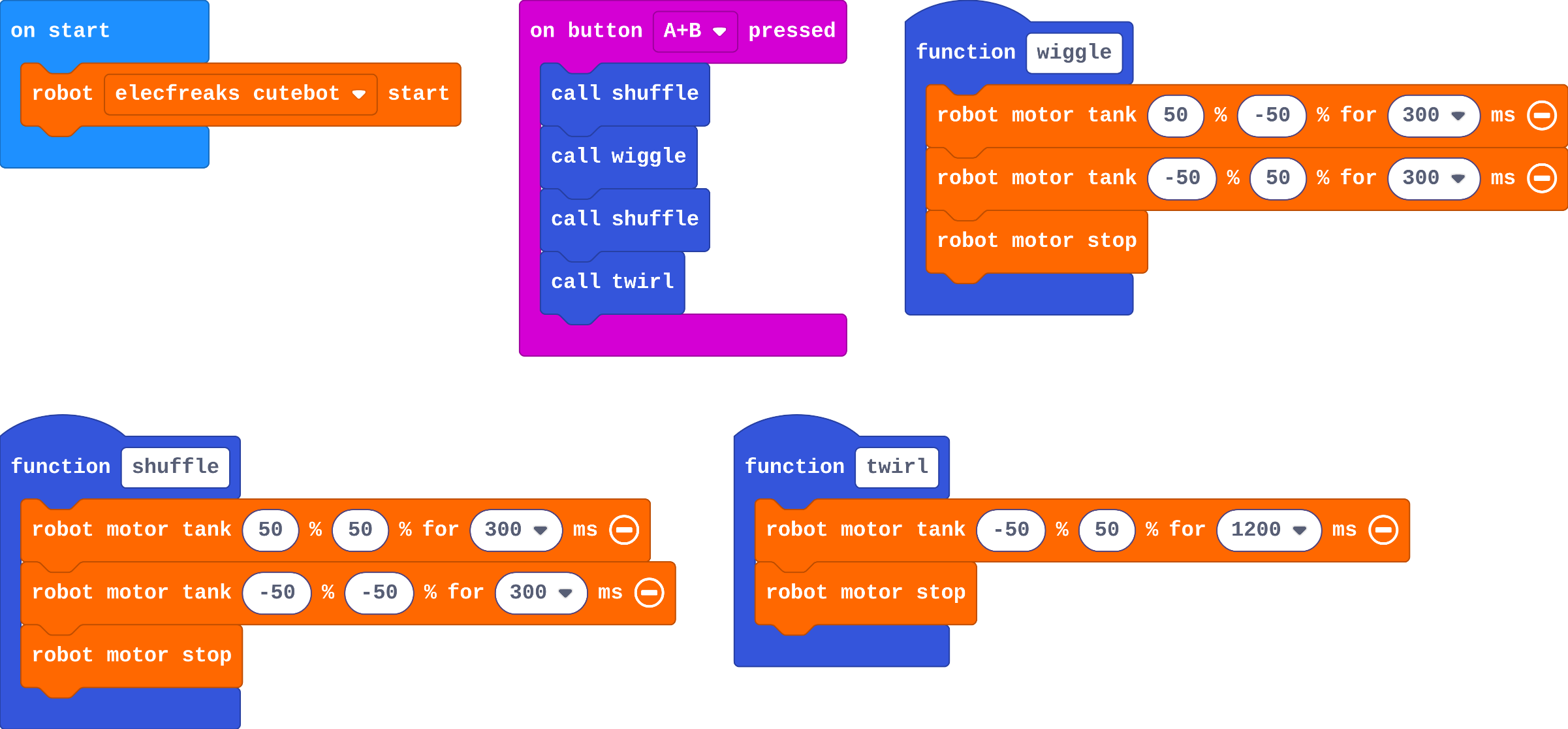
Show as code
function wiggle () {
    robot.motorTank(50, -50, 300)
    robot.motorTank(-50, 50, 300)
    robot.motorStop()
}
function shuffle () {
    robot.motorTank(50, 50, 300)
    robot.motorTank(-50, -50, 300)
    robot.motorStop()
}
function twirl () {
    robot.motorTank(-50, 50, 1200)
    robot.motorStop()
}
input.onButtonPressed(Button.AB, function () {
    shuffle()
    wiggle()
    shuffle()
    twirl()
})
robot.elecfreaksCuteBot.start()
Stretch and support
Stretch: Add robot set color to each move so the lights change with the dance, or play a tone at the start of each move.
Support: Give students the shuffle function made; they make one more move and the A+B routine.
Exit ticket
Why is a dance easier to change when each move is a function?
You change a move in one place, and every call to it in the routine changes too. The routine itself reads as a list of names.
What each step is for
- Investigate: A function is a named move. Making it does nothing on its own; calling it runs the move, as often as you like.
- Modify: Once a move has a name, a routine is just calls in order.
Where it leads
Next unit: Sense. Later, lesson 8 uses radio so one micro:bit can cue several robots to dance together. Class idea: a short robot dance-off, with each group's routine read aloud as a list of move names first.