Avoid and explore
Turn away when something is close, and keep exploring, choosing between two moves with if and else.
A robot vacuum never plans a route round your living room. It drives until it senses something, turns, and drives again, and in time it covers the whole floor.
Last lesson the robot stopped before a box. A robot that only stops is not much use for cleaning a floor. This time, when something is close, the robot turns away and keeps going: an if … else chooses between the two moves, again and again.
- Predict: Read the code and say what it will do before you run anything. A wrong guess is fine: it shows you what to look for.
- Run: Run it and compare the result with your prediction.
- Investigate: Trace how each line of code connects to what you see.
- Modify: Change the code on purpose and check the result.
- Make: Build something new using what you have learned. Expect a few tries; that is normal.
Make your prediction first. Help opens once you've locked it in.
Predict
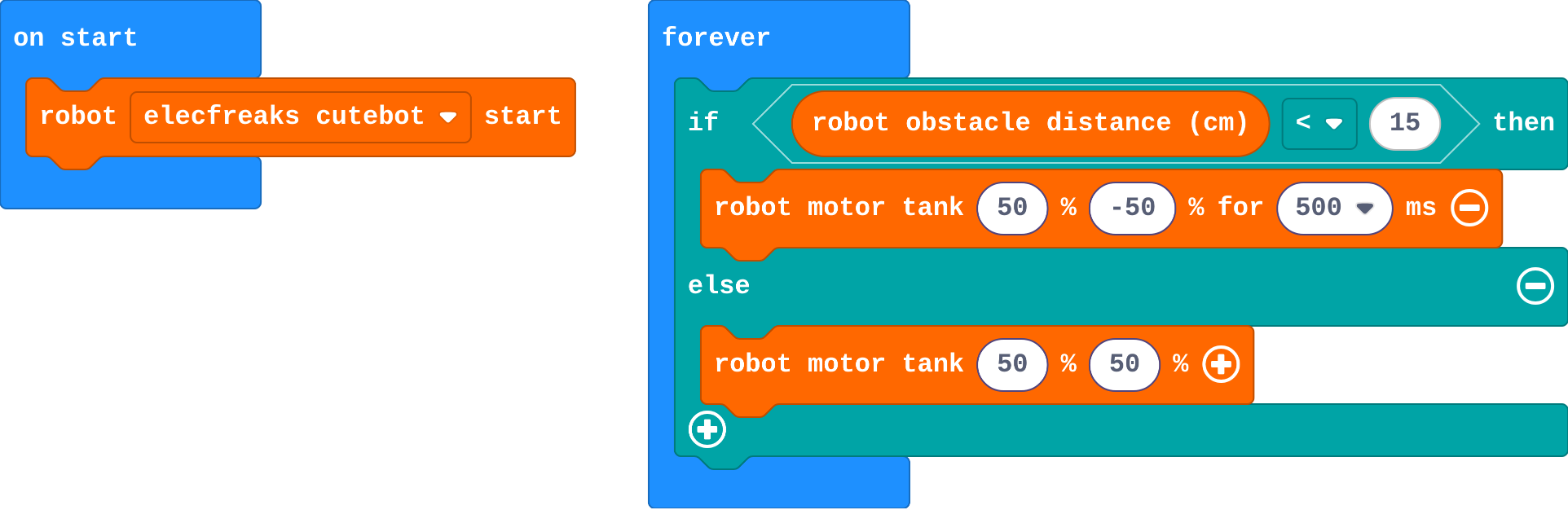
Show as code
robot.elecfreaksCuteBot.start()
basic.forever(function () {
    if (robot.obstacleDistance() < 15) {
        robot.motorTank(50, -50, 500)
    } else {
        robot.motorTank(50, 50)
    }
})
Run
Let the robot drive around for a while. Drag the boxes into its path. The arena has walls, but this simulator's sensor only sees boxes and other robots, so it may bump into a wall and slide along it. A real robot's sensor would see the wall too.
Show as code
robot.elecfreaksCuteBot.start()
basic.forever(function () {
    if (robot.obstacleDistance() < 15) {
        robot.motorTank(50, -50, 500)
    } else {
        robot.motorTank(50, 50)
    }
})
Investigate
Show as code
robot.elecfreaksCuteBot.start()
basic.forever(function () {
    if (robot.obstacleDistance() < 15) {
        robot.motorTank(50, -50, 500)
    } else {
        robot.motorTank(50, 50)
    }
})
Watch the robot turn, then think about what forever does next.
Zara's program:
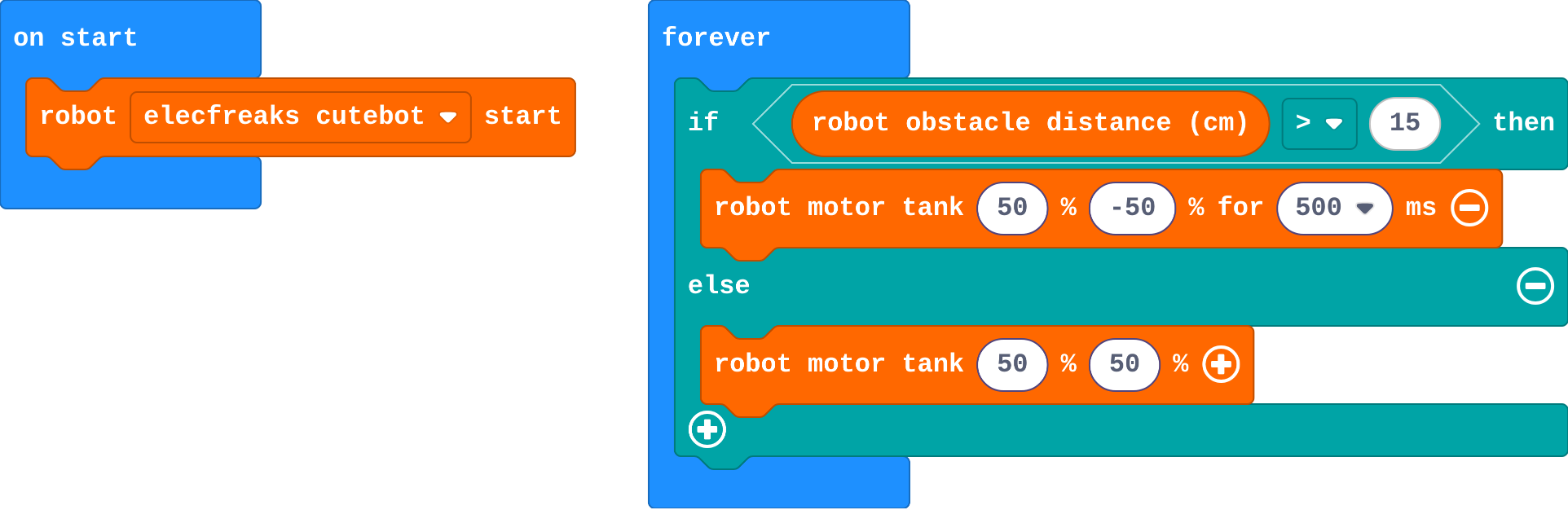
Show as code
robot.elecfreaksCuteBot.start()
basic.forever(function () {
    if (robot.obstacleDistance() > 15) {
        robot.motorTank(50, -50, 500)
    } else {
        robot.motorTank(50, 50)
    }
})
Modify
Real robot vacuums back up a little before they turn, so they do not scrape the furniture. Add that to the if.
Need a hint?
Inside the if, before the turn: robot motor tank −50 −50 for 300 ms.
Show red lights while the robot is turning away and green while it drives, like a warning light on a forklift.
Need a hint?
robot set color is in Robot. Click the colour to choose one.
Another hint
One at the top of the if (red), one at the top of the else (green).
Back up a little before turning away.
This ticks by itself when your blocks do what is asked.
Red lights when it turns away, green lights when it drives.
This ticks by itself when your blocks do what is asked.
Make
A robot that always turns the same way can get stuck going round the same corner. Make a robot vacuum that turns a random way:
- when something is close: back up, then turn left or right at random
- otherwise: drive forward
pick random 0 to 1 (in Math) gives 0 or 1, like a coin toss.
Need a hint?
Put a second if … else inside the first if, after the back-up: one branch turns right, the other turns left.
Another hint
Its question: pick random 0 to 1 (in Math) = 0.
A robot vacuum: when something is close, back up, then turn left or right at random.
This ticks by itself when your blocks do what is asked.
On a real robot
On a real floor, try your vacuum in a box or a corner of the room built from books. Things to notice:
- A real sensor sees walls, and a robot that approaches a wall at an angle may get a weak echo: it can scrape along before it turns.
- Soft things (cushions, clothes) return weak echoes too. Real robot vacuums add bump sensors for the things their eyes miss.
- If it turns too little to get clear, make the turn longer.
For teachers
Students use if … else inside forever so the robot turns away from close objects and keeps exploring, then add a random turn to make a robot vacuum. About 45 minutes.
Open the teacher guide: answers, solutions, slides and a worksheet.
Students will be able to
- I can use if … else in forever so the robot chooses between two moves.
- I can put a short routine (back up, then turn) in a branch.
- I can use a random choice so the robot does not always turn the same way.
Before class
This lesson builds on Stop before you crash: the same distance question, but the answer is now a choice of two moves. if the distance is less than 15, turn away; else, drive forward. Inside forever, the robot checks and chooses again every time round, so it explores without a plan, which is how simple robot vacuums cover a floor.
In this simulator the distance sensor only sees boxes and other robots, not the arena's walls, so robots may bump a wall and slide along it. Say so up front; it is a good discussion of how a simulation differs from the real thing. A real sensor sees walls, but weakly at an angle.
pick random 0 to 1 (in Math, randint in code) gives 0 or 1. A second if … else inside the first picks the turn direction. Schools with MOVE Motor robots can use Kitronik's measure distance with the same logic on the real robot.
Running the lesson
- Predict: most predict it turns away. Ask what makes it drive forward again afterwards.
- Run: drag boxes into its path. Mention the walls before anyone asks.
- Investigate: Zara's robot is the < and > mix-up from micro:bit Foundations; it is very visible here.
- Modify: −50 −50 backs up. Colours: robot set color, click the swatch.
- Make: an if … else inside an if is new for some. Draw the decision as a tree on the board: close? then coin toss: left or right.
- Real robot (optional): book walls work well. Soft objects are hard for ultrasonic sensors.
The hard part (on purpose)
if … else chooses a move every time round, with no plan. Ask them to read the question aloud and say when it is true.
When students get stuck
- The robot spins in the open and hits boxes. Ask: Read the question aloud: when is it true? Fix: Use < (less than): turn when the distance is small.
- The robot gets stuck turning back and forth. Ask: Does it turn far enough to see past the box? Fix: Make the turn longer (700 ms), or back up first.
- It always turns the same way. Ask: Where does the random choice go? Fix: Inside the first if: if pick random 0 to 1 = 0, turn right, else turn left.
Stretch and support
Stretch: Count how many times the robot has turned away (a variable, change by 1) and show it on the micro:bit.
Support: Give the random if … else with its question already set; students put a turn in each branch.
Where it leads
Next: follow a line instead of exploring at random. Real-world link: early robot vacuums worked like this; newer ones map the room.
What each step is for
- Investigate: Inside forever, if … else chooses one of two moves every time round. The robot never plans: it keeps checking and choosing.
- Modify: Each branch can hold a short routine, not just one move.
- Use if … else in forever so the robot chooses between two moves.
- Put a short routine (back up, then turn) in a branch.
- Use a random choice so the robot does not always turn the same way.