Projectiles
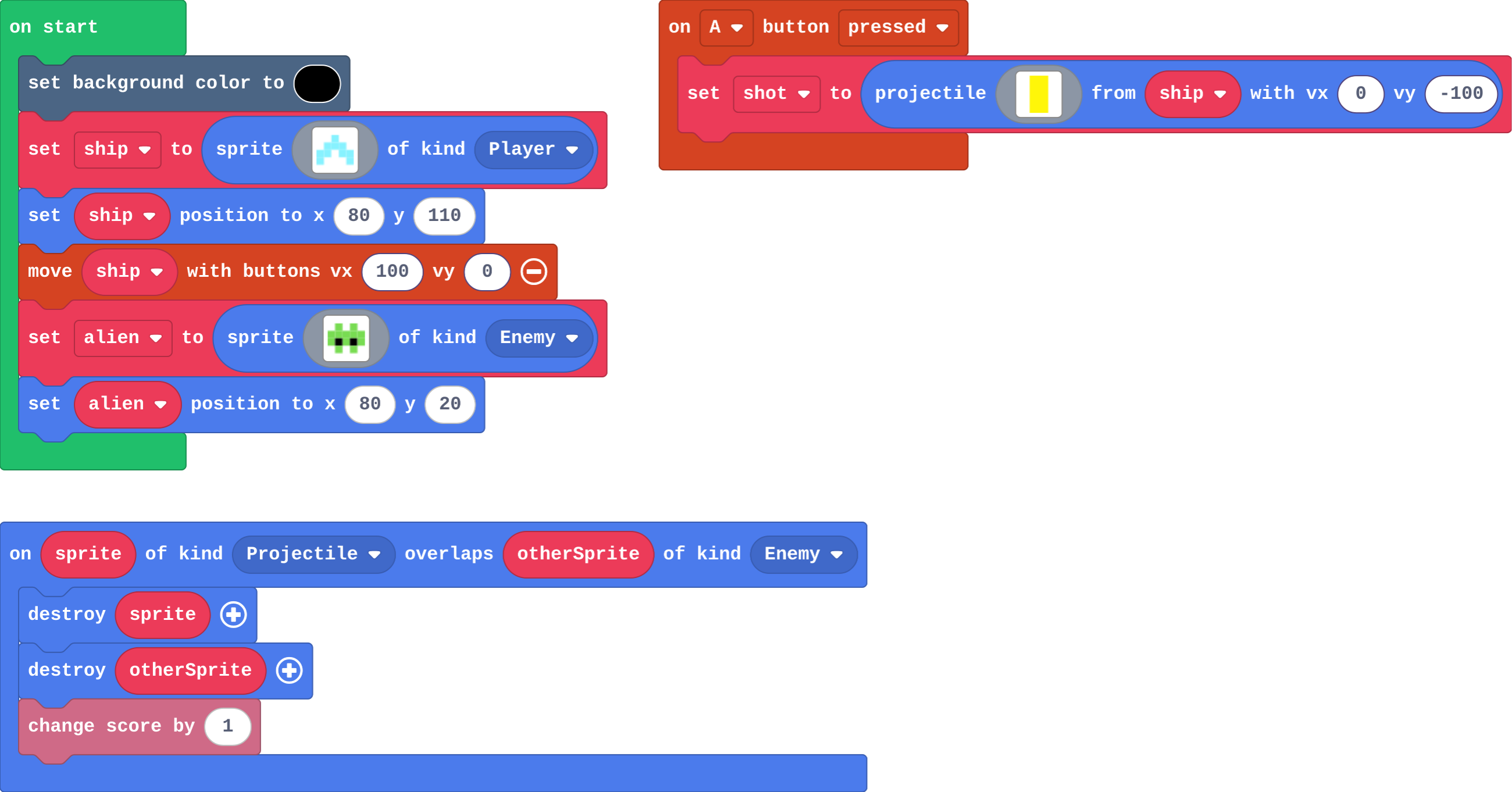
Fire a projectile with the A button. It is its own kind, so a hit is an overlap of Projectile and Enemy.
Space Invaders, Galaga and every 'shoot 'em up' since: you fire, and the game has to notice when a shot hits.
A projectile (in Sprites) is a sprite fired from another sprite, with its own speed: projectile from ship with vx 0, vy -100 goes straight up. It is its own kind: Projectile, not part of the ship. The engine removes it when it leaves the screen.
- Predict: Read the code and say what it will do before you run anything. A wrong guess is fine: it shows you what to look for.
- Run: Run it and compare the result with your prediction.
- Investigate: Trace how each line of code connects to what you see.
- Modify: Change the code on purpose and check the result.
- Make: Build something new using what you have learned. Expect a few tries; that is normal.
Make your prediction first. Help opens once you've locked it in.
Predict
Show as code
scene.setBackgroundColor(15)
let ship = sprites.create(img`
    . . 9 . .
    . 9 9 9 .
    9 9 1 9 9
    9 . . . 9
    `, SpriteKind.Player)
ship.setPosition(80, 110)
controller.moveSprite(ship, 100, 0)
let alien = sprites.create(img`
    . 7 . 7 .
    7 7 7 7 7
    7 f 7 f 7
    . 7 . 7 .
    `, SpriteKind.Enemy)
alien.setPosition(80, 20)
controller.A.onEvent(ControllerButtonEvent.Pressed, function () {
    let shot = sprites.createProjectileFromSprite(img`
        5
        5
        `, ship, 0, -100)
})
sprites.onOverlap(SpriteKind.Projectile, SpriteKind.Enemy, function (sprite, otherSprite) {
    sprite.destroy()
    otherSprite.destroy()
    info.changeScoreBy(1)
})
The overlap event names two kinds: Projectile and Enemy.
Run
Press the A button (space on the keyboard). Then move the ship to one side and fire again: where does the shot go?
Show as code
scene.setBackgroundColor(15)
let ship = sprites.create(img`
    . . 9 . .
    . 9 9 9 .
    9 9 1 9 9
    9 . . . 9
    `, SpriteKind.Player)
ship.setPosition(80, 110)
controller.moveSprite(ship, 100, 0)
let alien = sprites.create(img`
    . 7 . 7 .
    7 7 7 7 7
    7 f 7 f 7
    . 7 . 7 .
    `, SpriteKind.Enemy)
alien.setPosition(80, 20)
controller.A.onEvent(ControllerButtonEvent.Pressed, function () {
    let shot = sprites.createProjectileFromSprite(img`
        5
        5
        `, ship, 0, -100)
})
sprites.onOverlap(SpriteKind.Projectile, SpriteKind.Enemy, function (sprite, otherSprite) {
    sprite.destroy()
    otherSprite.destroy()
    info.changeScoreBy(1)
})
Investigate
Show as code
scene.setBackgroundColor(15)
let ship = sprites.create(img`
    . . 9 . .
    . 9 9 9 .
    9 9 1 9 9
    9 . . . 9
    `, SpriteKind.Player)
ship.setPosition(80, 110)
controller.moveSprite(ship, 100, 0)
controller.A.onEvent(ControllerButtonEvent.Pressed, function () {
    let shot = sprites.createProjectileFromSprite(img`
        5
        5
        `, ship, 0, -100)
})
game.onUpdateInterval(1000, function () {
    let alien = sprites.create(img`
        . 7 . 7 .
        7 7 7 7 7
        7 f 7 f 7
        . 7 . 7 .
        `, SpriteKind.Enemy)
    alien.setPosition(randint(10, 150), 0)
    alien.vy = 20
})
sprites.onOverlap(SpriteKind.Projectile, SpriteKind.Enemy, function (sprite, otherSprite) {
    sprite.destroy()
    otherSprite.destroy()
    info.changeScoreBy(1)
})
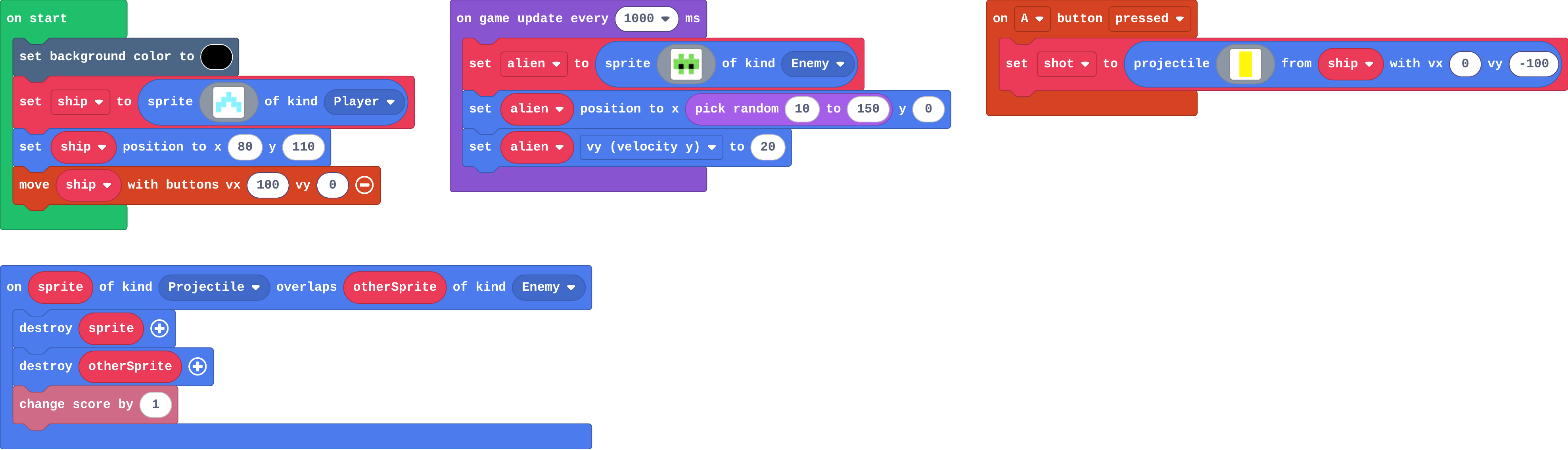
Play the game, then match each part with its job.
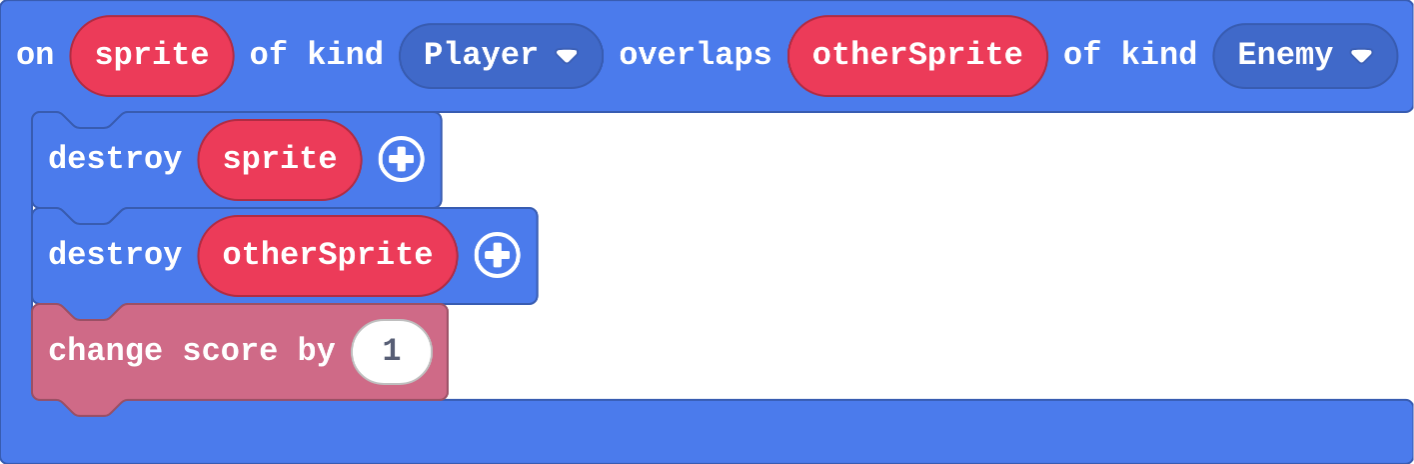
Ben's hit event:
Show as code
sprites.onOverlap(SpriteKind.Player, SpriteKind.Enemy, function (sprite, otherSprite) {
    sprite.destroy()
    otherSprite.destroy()
    info.changeScoreBy(1)
})
Match each part of this game with what it does.
Modify
The shots in this game pass through everything. Add the overlap that turns a shot into a hit.
Need a hint?
on overlap is in Sprites › Overlaps. Choose the kinds Projectile and Enemy.
Another hint
Inside: destroy sprite, destroy otherSprite, change score by 1.
Now the aliens can reach the ship without anything happening. Make a crash cost a life.
Need a hint?
Add a second on overlap, with the kinds Player and Enemy.
Another hint
Destroy the alien (otherSprite), and change life by -1.
Make the shots work: a shot that hits an alien destroys both and scores a point.
This ticks by itself when your blocks do what is asked.
When an alien crashes into the ship, the alien is destroyed and you lose a life.
This ticks by itself when your blocks do what is asked.
Mix it up
Show as code
let mouse = sprites.create(img`
    . . . . d d
    . d d d d f
    d d d d d d
    . d . d . .
    `, SpriteKind.Player)
mouse.setPosition(40, 60)
let cat = sprites.create(img`
    f . . f .
    f f f f .
    f 5 f 5 f
    f f f f f
    . f . f .
    `, SpriteKind.Enemy)
cat.setPosition(100, 60)
game.onUpdate(function () {
    if (cat.x < mouse.x) {
        cat.vx = 40
    } else {
        cat.vx = -40
    }
})
Make
The aliens fall already. Make it a shooter:
- A fires a shot straight up from the ship
- a shot that hits an alien destroys both and scores 1
Need a hint?
on A button pressed (Controller): projectile from ship with vx 0 and vy -100 (Sprites).
Another hint
on overlap (Sprites › Overlaps) with the kinds Projectile and Enemy. Inside: destroy sprite, destroy otherSprite, change score by 1.
A shooter: A fires a shot up from the ship, and a shot that hits an alien destroys both and scores.
This ticks by itself when your blocks do what is asked.
Change a firework show
A launches a rocket into the night sky. Make the rockets launch faster, then make B launch a rocket that goes up at a slant.
For teachers
Students fire projectiles with A and find that a projectile is its own kind, so a hit needs a Projectile–Enemy overlap. About 40 minutes.
Open the teacher guide: answers, solutions, slides and a worksheet.
Students will be able to
- I can fire a projectile from a sprite with the A button.
- I can explain why a hit needs a Projectile–Enemy overlap, not Player–Enemy.
- I can make a crash and a hit do different things.
Before class
A projectile is a sprite fired from another sprite, with a speed across (vx) and down (vy); vy -100 goes straight up. It is a sprite of its own kind, Projectile, not part of the ship, and the engine removes it when it leaves the screen. So a hit needs an overlap event between Projectile and Enemy. Students often pick Player, because "the player shoots": that is the planted misconception (Ben's shots pass straight through). In an overlap event, sprite is the sprite of the first kind (the shot) and otherSprite the second (the alien). The keyboard: A is space (or Z), B is enter (or X).
Running the lesson
- Predict: most get this right. Ask: which kind is the shot? (Projectile.)
- Run: shots go straight up wherever the ship is: the projectile starts at the ship's position.
- Investigate: Ben's shots: read the kinds aloud.
- Modify: the first task is the hit event; the second is a separate Player–Enemy event. Two pairs of kinds, two events.
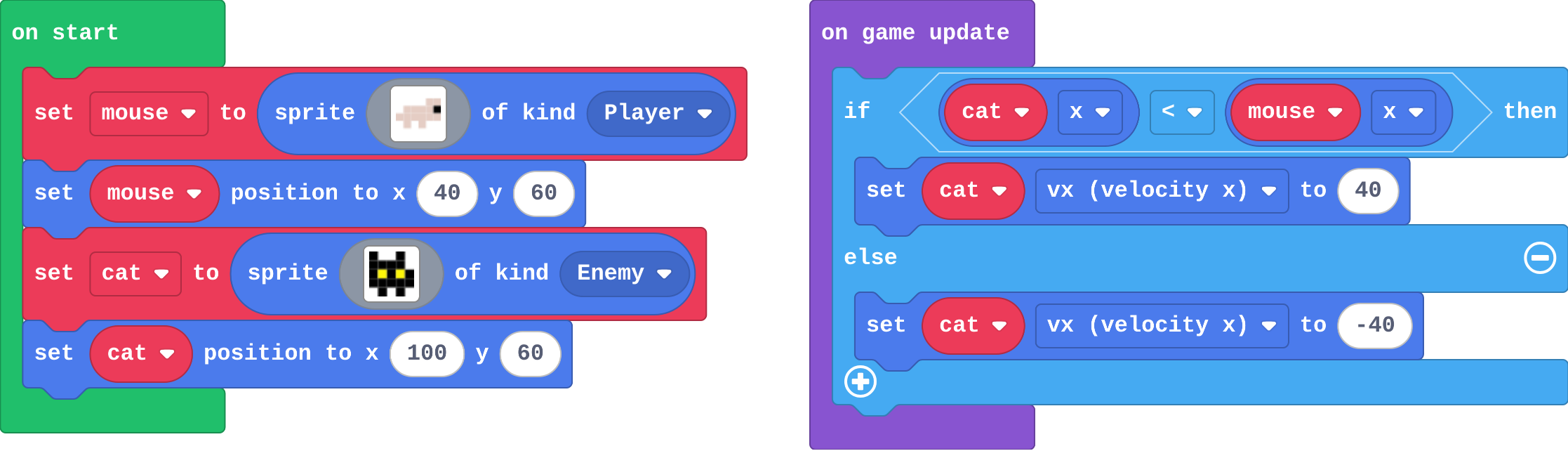
- Mix it up: the chaser from last lesson, worked by hand.
- Make: fire in A, hit in the Projectile–Enemy overlap.
The hard part (on purpose)
The overlap must name Projectile. Ask which two kinds touch when a shot hits.
When students get stuck
- Shots pass straight through the aliens. Ask: Which two kinds does your overlap event name? Fix: The shot is a Projectile. Change the first kind to Projectile.
- The ship disappears when it shoots. Ask: In the overlap event, which sprite is destroyed? Fix: The event is probably Player–Enemy and destroys sprite (the ship). Use Projectile–Enemy.
- Shots go down, not up. Ask: Which way does a negative vy go? Fix: y counts down, so up is a negative vy: -100.
Stretch and support
Stretch: Make B fire two shots at a slant, one left and one right.
Support: Give students the on A pressed block with the projectile in it, and ask them only to build the hit event.
Where it leads
Next lesson: read a whole game and find the blocks for each job, before the final challenge. Class idea: a two-way shooter (shots left and right with a second button).
What each step is for
- Investigate: A projectile is its own kind (Projectile), so the overlap that catches a hit names Projectile, not Player, and the engine removes a shot that leaves the screen.
- Modify: Each pair of kinds has its own overlap event: Projectile–Enemy is a hit, Player–Enemy is a crash.
- Mix it up: Comparing two positions with if … else sets exactly one direction every frame.
- Fire a projectile from a sprite with the A button.
- Explain why a hit needs a Projectile–Enemy overlap, not Player–Enemy.
- Make a crash and a hit do different things.