Projectiles
Students fire projectiles with A and find that a projectile is its own kind, so a hit needs a Projectile–Enemy overlap.
Classroom resources
Load these into Waypoints Prepare: choose Load URL and paste the copied address, or download the file and import it. In Prepare, the worksheet's Teacher edition shows the answers; the student copy hides them.
Students will be able to
- I can fire a projectile from a sprite with the A button.
- I can explain why a hit needs a Projectile–Enemy overlap, not Player–Enemy.
- I can make a crash and a hit do different things.
Timing
Predict and Run 7 min · Investigate 10 min · Modify 9 min · Mix it up 3 min · Make 8 min · Fireworks 3 min
Before class
A projectile is a sprite fired from another sprite, with a speed across (vx) and down (vy); vy -100 goes straight up. It is a sprite of its own kind, Projectile, not part of the ship, and the engine removes it when it leaves the screen. So a hit needs an overlap event between Projectile and Enemy. Students often pick Player, because "the player shoots": that is the planted misconception (Ben's shots pass straight through). In an overlap event, sprite is the sprite of the first kind (the shot) and otherSprite the second (the alien). The keyboard: A is space (or Z), B is enter (or X).
Running the lesson
- Predict: most get this right. Ask: which kind is the shot? (Projectile.)
- Run: shots go straight up wherever the ship is: the projectile starts at the ship's position.
- Investigate: Ben's shots: read the kinds aloud.
- Modify: the first task is the hit event; the second is a separate Player–Enemy event. Two pairs of kinds, two events.
- Mix it up: the chaser from last lesson, worked by hand.
- Make: fire in A, hit in the Projectile–Enemy overlap.
In class
On the slides at these points. Students can do the whole lesson on their own; these are for the room. In the deck, the Run, Modify and Make slides have the live playground in them (the tutorial link is the backup), and the notes above are in each slide's speaker notes.
- Whose kind? (investigate, 3 min)
A student is the ship and throws a paper ball (the shot) at another (the alien). The class says which two kinds touched.
The ball touched the alien, not the ship: Projectile and Enemy.
The hard part (on purpose)
The overlap must name Projectile. Ask which two kinds touch when a shot hits.
When students get stuck
| What you will see | A question to ask | The fix |
|---|---|---|
| Shots pass straight through the aliens. | Which two kinds does your overlap event name? | The shot is a Projectile. Change the first kind to Projectile. |
| The ship disappears when it shoots. | In the overlap event, which sprite is destroyed? | The event is probably Player–Enemy and destroys sprite (the ship). Use Projectile–Enemy. |
| Shots go down, not up. | Which way does a negative vy go? | y counts down, so up is a negative vy: -100. |
Answers to the checks
- Predict: You press A (space on the keyboard) once, with the ship right under the alien. What happens?
The shot and the alien both disappear, and the score goes up by 1. The shot is a Projectile, the alien an Enemy, so the Projectile–Enemy overlap runs: sprite is the shot, otherSprite the alien. - What does each part do?: Match each part of this game with what it does.
projectile from ship with vx 0, vy -100 → A. fires a shot straight up from the ship; on game update every 1000 ms → B. makes a new alien each second; on Projectile overlaps Enemy → D. runs when any shot touches any alien; sprite (in the overlap) → E. the shot that hit; otherSprite (in the overlap) → C. the alien that was hit - A missed shot: A shot misses every alien and flies off the top of the screen. What happens to it?
The engine removes it
A projectile is removed by the engine as soon as it leaves the screen, so missed shots do not pile up. - Ben's shots: Ben wrote his own hit event (below). He fires at the aliens, but every shot passes straight through. Why?
A projectile is its own kind, Projectile, so a Player–Enemy overlap never notices a shot
The shot is made by the ship, but it is not the ship: it is a sprite of kind Projectile. Ben's event waits for a Player to touch an Enemy, which only happens if the ship itself crashes into an alien. The first kind should be Projectile. - Mix it up: The cat is at x 100 and the mouse at x 40. Which way does the cat go?
Left (vx is set to -40)
Is cat x (100) less than mouse x (40)? No, so the else part runs: vx -40, to the left, towards the mouse.
Solutions
One possible solution for each task. Other correct programs are fine.
Modify › Make the shots work
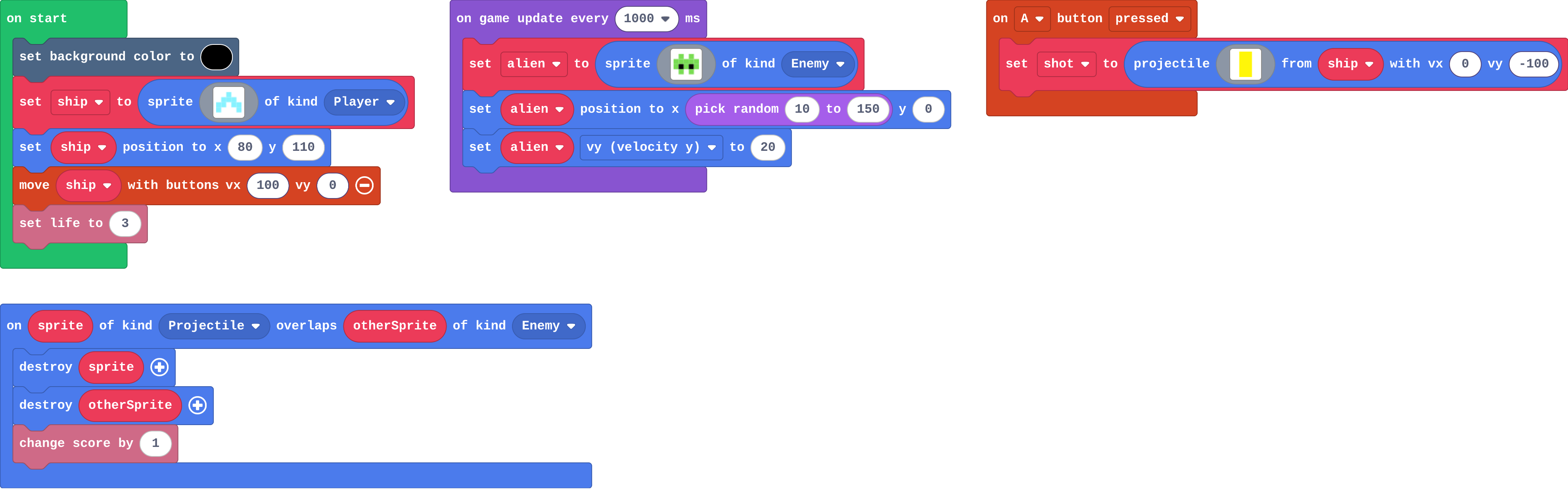
Show as code
scene.setBackgroundColor(15)
let ship = sprites.create(img`
    . . 9 . .
    . 9 9 9 .
    9 9 1 9 9
    9 . . . 9
    `, SpriteKind.Player)
ship.setPosition(80, 110)
controller.moveSprite(ship, 100, 0)
info.setLife(3)
controller.A.onEvent(ControllerButtonEvent.Pressed, function () {
    let shot = sprites.createProjectileFromSprite(img`
        5
        5
        `, ship, 0, -100)
})
game.onUpdateInterval(1000, function () {
    let alien = sprites.create(img`
        . 7 . 7 .
        7 7 7 7 7
        7 f 7 f 7
        . 7 . 7 .
        `, SpriteKind.Enemy)
    alien.setPosition(randint(10, 150), 0)
    alien.vy = 20
})
sprites.onOverlap(SpriteKind.Projectile, SpriteKind.Enemy, function (sprite, otherSprite) {
    sprite.destroy()
    otherSprite.destroy()
    info.changeScoreBy(1)
})
Modify › Crash!
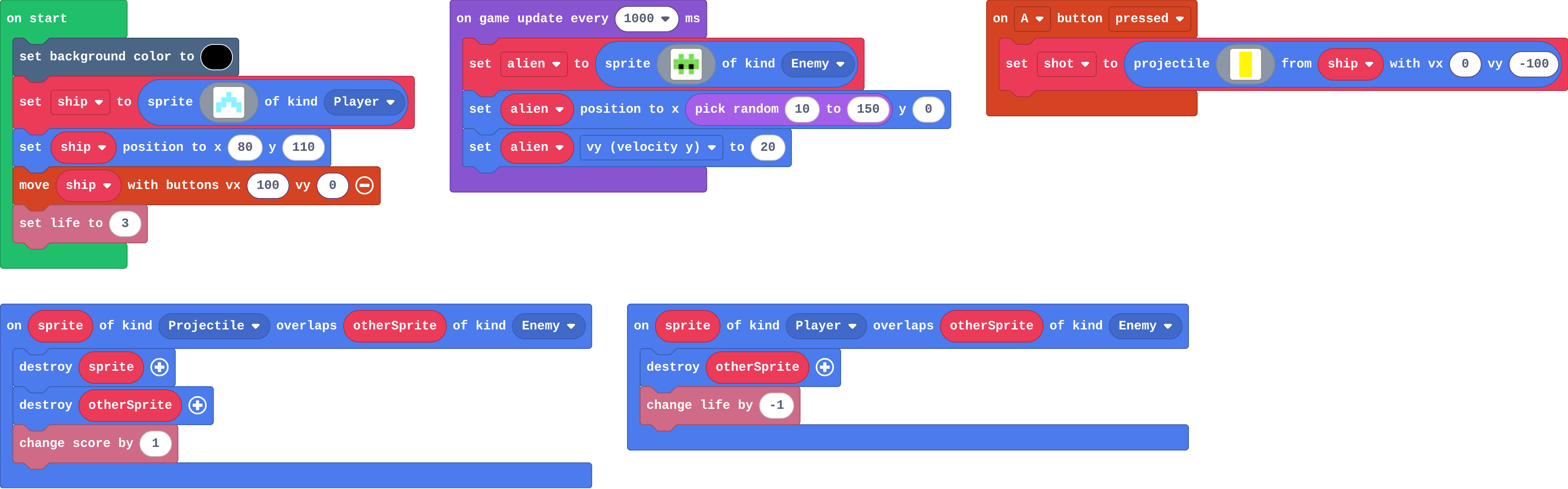
Show as code
scene.setBackgroundColor(15)
let ship = sprites.create(img`
    . . 9 . .
    . 9 9 9 .
    9 9 1 9 9
    9 . . . 9
    `, SpriteKind.Player)
ship.setPosition(80, 110)
controller.moveSprite(ship, 100, 0)
info.setLife(3)
controller.A.onEvent(ControllerButtonEvent.Pressed, function () {
    let shot = sprites.createProjectileFromSprite(img`
        5
        5
        `, ship, 0, -100)
})
game.onUpdateInterval(1000, function () {
    let alien = sprites.create(img`
        . 7 . 7 .
        7 7 7 7 7
        7 f 7 f 7
        . 7 . 7 .
        `, SpriteKind.Enemy)
    alien.setPosition(randint(10, 150), 0)
    alien.vy = 20
})
sprites.onOverlap(SpriteKind.Projectile, SpriteKind.Enemy, function (sprite, otherSprite) {
    sprite.destroy()
    otherSprite.destroy()
    info.changeScoreBy(1)
})
sprites.onOverlap(SpriteKind.Player, SpriteKind.Enemy, function (sprite, otherSprite) {
    otherSprite.destroy()
    info.changeLifeBy(-1)
})
Make
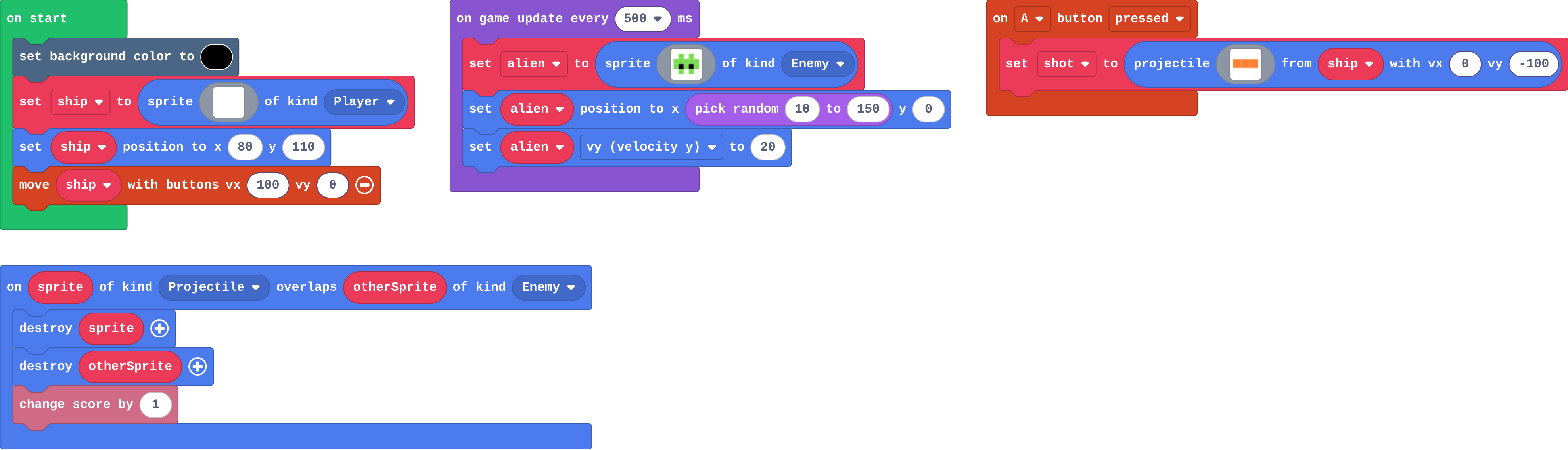
Show as code
scene.setBackgroundColor(15)
let ship = sprites.create(img`
    . . 1 . .
    . 1 1 1 .
    1 1 1 1 1
    `, SpriteKind.Player)
ship.setPosition(80, 110)
controller.moveSprite(ship, 100, 0)
game.onUpdateInterval(500, function () {
    let alien = sprites.create(img`
        . 7 . 7 .
        7 7 7 7 7
        7 f 7 f 7
        . 7 . 7 .
        `, SpriteKind.Enemy)
    alien.setPosition(randint(10, 150), 0)
    alien.vy = 20
})
controller.A.onEvent(ControllerButtonEvent.Pressed, function () {
    let shot = sprites.createProjectileFromSprite(img`
        4 4 4
        `, ship, 0, -100)
})
sprites.onOverlap(SpriteKind.Projectile, SpriteKind.Enemy, function (sprite, otherSprite) {
    sprite.destroy()
    otherSprite.destroy()
    info.changeScoreBy(1)
})
Change a firework show
Open task: any program that does what the step asks.
Stretch and support
Stretch: Make B fire two shots at a slant, one left and one right.
Support: Give students the on A pressed block with the projectile in it, and ask them only to build the hit event.
Exit ticket
A shot hits an alien, but the game has only a Player–Enemy overlap event. What happens, and why?
Nothing. The shot is of kind Projectile, so a Player–Enemy event never runs for it.
What each step is for
- Investigate: A projectile is its own kind (Projectile), so the overlap that catches a hit names Projectile, not Player, and the engine removes a shot that leaves the screen.
- Modify: Each pair of kinds has its own overlap event: Projectile–Enemy is a hit, Player–Enemy is a crash.
- Mix it up: Comparing two positions with if … else sets exactly one direction every frame.
Where it leads
Next lesson: read a whole game and find the blocks for each job, before the final challenge. Class idea: a two-way shooter (shots left and right with a second button).