Else and chasing
Compare two positions to steer an enemy towards the player with if … else, then meet the follow block that does it for you.
The ghosts in Pac-Man, the zombies in Plants vs. Zombies, a guard walking up and down in a stealth game: each one asks 'where is the player?' and turns that way.
Last lesson an if in on game update kept asking a question. Now the enemy will ask a question about the player: is my x less than the player's x? If yes, the player is to the right, so go right. Otherwise (else), go left.
An if … else block has two parts, and exactly one of them runs: the first when the answer is yes, the else part when it is no. Click the + at the bottom of an if block to add else.
- Predict: Read the code and say what it will do before you run anything. A wrong guess is fine: it shows you what to look for.
- Run: Run it and compare the result with your prediction.
- Investigate: Trace how each line of code connects to what you see.
- Modify: Change the code on purpose and check the result.
- Make: Build something new using what you have learned. Expect a few tries; that is normal.
Make your prediction first. Help opens once you've locked it in.
Predict
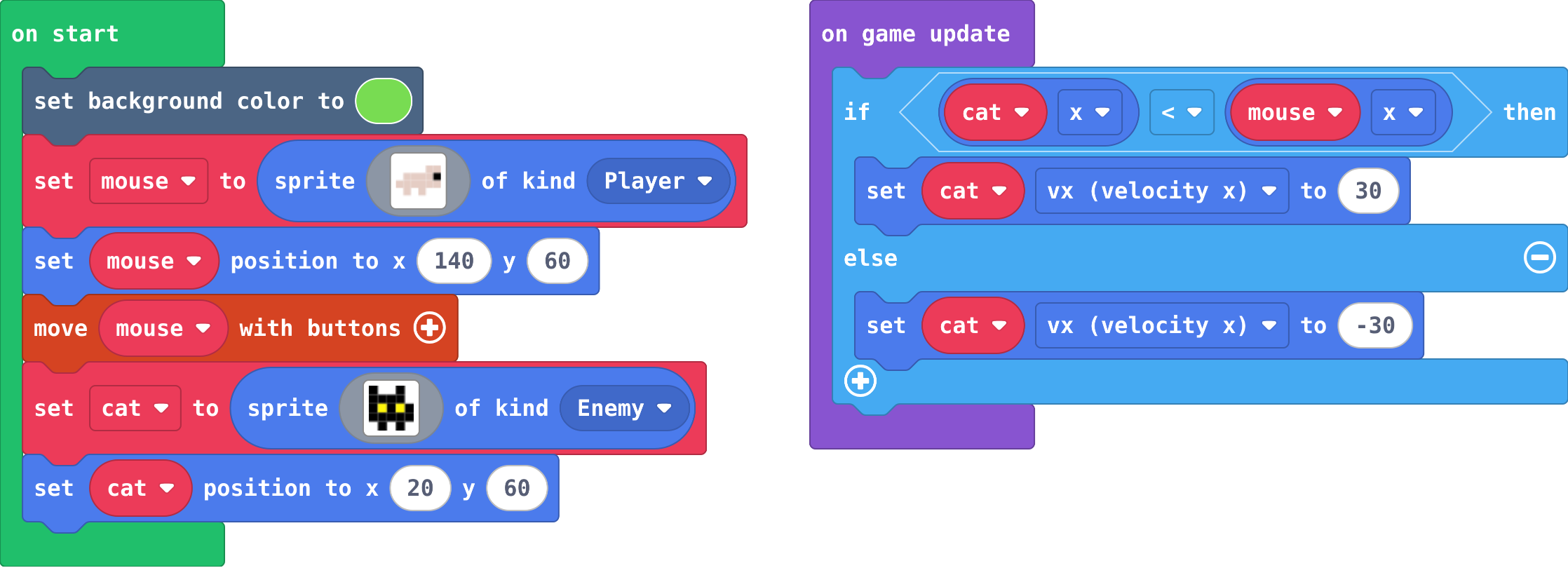
Show as code
scene.setBackgroundColor(7)
let mouse = sprites.create(img`
    . . . . d d
    . d d d d f
    d d d d d d
    . d . d . .
    `, SpriteKind.Player)
mouse.setPosition(140, 60)
controller.moveSprite(mouse)
let cat = sprites.create(img`
    f . . f .
    f f f f .
    f 5 f 5 f
    f f f f f
    . f . f .
    `, SpriteKind.Enemy)
cat.setPosition(20, 60)
game.onUpdate(function () {
    if (cat.x < mouse.x) {
        cat.vx = 30
    } else {
        cat.vx = -30
    }
})
< means "less than". vx is the speed across: positive goes right, negative goes left.
Run
Now move the mouse with the arrow keys. Go left, right, up and down. What does the cat follow, and what does it ignore?
Show as code
scene.setBackgroundColor(7)
let mouse = sprites.create(img`
    . . . . d d
    . d d d d f
    d d d d d d
    . d . d . .
    `, SpriteKind.Player)
mouse.setPosition(140, 60)
controller.moveSprite(mouse)
let cat = sprites.create(img`
    f . . f .
    f f f f .
    f 5 f 5 f
    f f f f f
    . f . f .
    `, SpriteKind.Enemy)
cat.setPosition(20, 60)
game.onUpdate(function () {
    if (cat.x < mouse.x) {
        cat.vx = 30
    } else {
        cat.vx = -30
    }
})
Investigate
Show as code
scene.setBackgroundColor(7)
let mouse = sprites.create(img`
    . . . . d d
    . d d d d f
    d d d d d d
    . d . d . .
    `, SpriteKind.Player)
mouse.setPosition(140, 60)
controller.moveSprite(mouse)
let cat = sprites.create(img`
    f . . f .
    f f f f .
    f 5 f 5 f
    f f f f f
    . f . f .
    `, SpriteKind.Enemy)
cat.setPosition(20, 60)
game.onUpdate(function () {
    if (cat.x < mouse.x) {
        cat.vx = 30
    } else {
        cat.vx = -30
    }
})
Work out the cat's vx from the two positions.
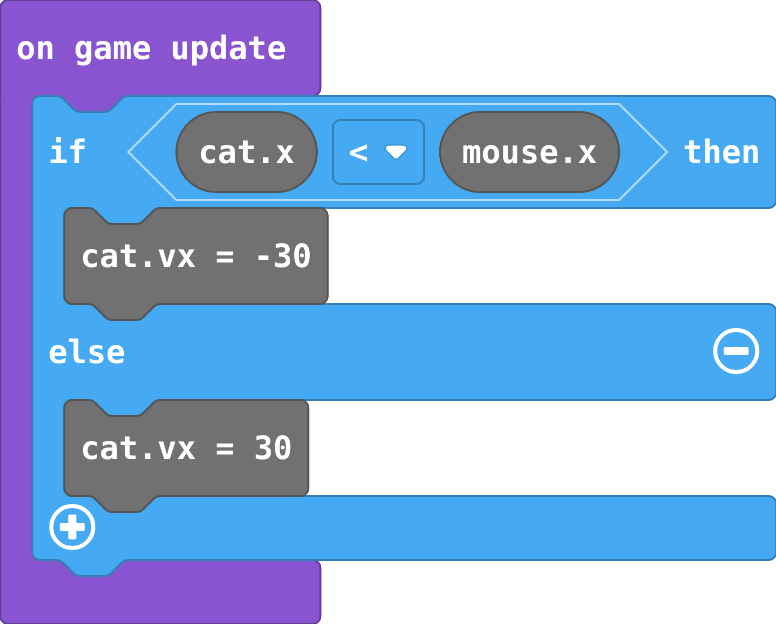
Zoe's blocks (load them in the playground and run them):
Show as code
game.onUpdate(function () {
    if (cat.x < mouse.x) {
        cat.vx = -30
    } else {
        cat.vx = 30
    }
})
For each position, which way does the if … else set the cat's vx?
| cat x | mouse x | cat vx |
|---|---|---|
| 20 | 140 | |
| 120 | 50 | |
| 80 | 81 | |
| 80 | 80 |
Modify
Your cat only chases across. Add a second if … else for up and down, using y and vy.
Need a hint?
Add a second if … else under the first one, inside on game update.
Another hint
Ask 'cat y < mouse y'. y counts down, so if the mouse is lower, the cat needs a positive vy.
Make the game end when the cat touches the mouse.
Need a hint?
on overlap is in Sprites › Overlaps. Choose Player and Enemy.
Another hint
game over is in Game.
Load the follow version and run it. Arcade has a block (follow, in Sprites) that does your chasing in one block. Try a speed of 60.
Make the cat chase up and down too.
This ticks by itself when your blocks do what is asked.
When the cat catches the mouse, the game is over.
This ticks by itself when your blocks do what is asked.
Mix it up
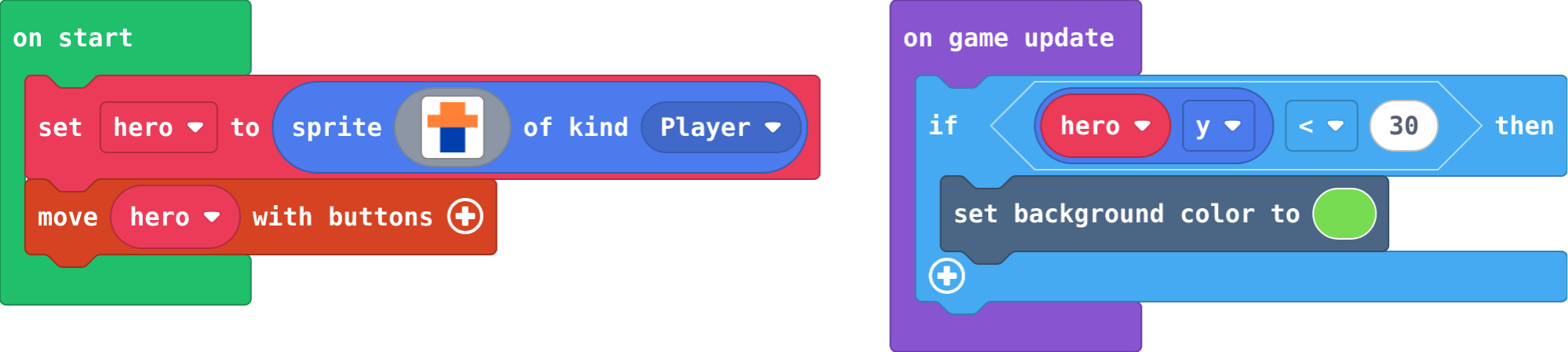
Show as code
let hero = sprites.create(img`
    . 4 4 .
    4 4 4 4
    . 8 8 .
    . 8 8 .
    `, SpriteKind.Player)
controller.moveSprite(hero)
game.onUpdate(function () {
    if (hero.y < 30) {
        scene.setBackgroundColor(7)
    }
})
Make
Make a guard that patrols. The guard already walks right. Make it:
- turn round and walk left when it gets past x 140,
- turn round and walk right when it gets past x 20,
for ever. Use one if with an else if (the + on the if block adds more parts; the − takes one away).
Need a hint?
Use on game update and one if block with an else if: one question for each end of the walk.
Another hint
If guard x > 140, set guard vx to -40 (walk left). Else if guard x < 20, set guard vx to 40.
Another hint
There is no else: in the middle of the walk, the guard keeps going the way it was going.
A guard that walks left and right between x 20 and x 140, turning at each end, in one if … else if.
This ticks by itself when your blocks do what is asked.
Change a sheepdog
Here the sheep runs away from the dog (you move the dog). Make the sheep run away up and down as well, and make it a bit slower than the dog so you can herd it.
For teachers
Students build an enemy that chases the player with if … else by comparing positions, then meet the follow block that does the same steering for them. About 50 minutes.
Open the teacher guide: answers, solutions, slides and a worksheet.
Students will be able to
- I can use if … else so exactly one of two things happens.
- I can compare two sprites' positions to decide which way one should move.
- I can use else if to choose between more than two options.
- I can explain what the follow block does, because I have built it myself.
Before class
if … else has two parts and exactly one runs: the first when the question is true, the else part when it is false. else if adds another question, asked only when the ones above were false.
The chaser asks is cat x < mouse x? If yes, the mouse is to the right of the cat, so the cat's vx (speed across) must be positive. Otherwise it is negative (go left). Up and down works the same with y and vy; y counts down, so a mouse lower on the screen has a bigger y and the cat needs a positive vy.
The planted misconception (Zoe's cat) is a swapped sign: the cat runs away. It is easy to make, because "less than" and "go right" do not sound alike. Read it aloud: "if the mouse is to my right, go right."
After students have built the chaser, they meet follow (Sprites), which does the steering in one block. This is "build it yourself, then meet the real tool": they now know what the block does inside. The Make (a patrolling guard) uses else if with no else, so the guard keeps walking in the middle.
Running the lesson
- Predict: most say the cat walks right. Ask what happens when it reaches the mouse (it wobbles: at equal x, else runs). Ask: which way is the mouse from the cat? Which way is vx set?
- Run: let students run around. The cat only follows left and right: it ignores up and down. That is the first Modify.
- Investigate: the trace has one trap (80 and 80: not less than, so else). Zoe's cat: load it, run it, then fix it by swapping the two speeds.
- Modify: up and down is a copy of the first if … else with y and vy. Then the overlap ends the game. Then follow: one block replaces both ifs, and it moves diagonally.
- Make: the guard changes direction only at the ends. Without else, in the middle nothing changes, so it keeps walking.
- Sheepdog: the sheep runs away on purpose (signs swapped). Adding y is a copy of the x part.
The hard part (on purpose)
Choosing the sign of vx from two positions. Ask them to say in words which side the player is on before choosing positive or negative.
When students get stuck
- The enemy runs away from the player. Ask: If the player is to the enemy's right, should vx be positive or negative? Fix: Positive. Swap the two speeds in the if … else.
- The guard stops or shakes at one end. Ask: What does each part set vx to, and which way is the guard going when it gets there? Fix: Past 140 it must walk left (negative vx); past 20, right (positive vx). Check both questions use the right edge.
- The cat only chases across, never up or down. Ask: Which blocks set the cat's vy? Fix: None yet. Add a second if … else that compares cat y with mouse y and sets vy.
Stretch and support
Stretch: Make two guards that patrol at different speeds and heights, and make the game end if either touches the player. Or make a cat that only chases when the mouse is close (an if around the chase).
Support: Give students the first if … else ready-made and ask them to copy it for y. For the guard, give the if and else if with empty questions.
Where it leads
Next unit: projectiles and lists, so the player can fight back. Class ideas: a chase game with a cat that speeds up over time; a 'follow the leader' line of ducks using follow; discuss how ghosts in Pac-Man each chase differently.
What each step is for
- Investigate: Comparing two positions tells a sprite which way to go: if my x is less than yours, you are to my right. if … else picks exactly one direction every frame, and the sign of vx decides which way that is.
- Modify: Up and down is the same question asked about y; and once you have built a chaser yourself, follow is the engine's ready-made version of the same steering.
- Mix it up: An if inside on game update is asked every frame, so it acts as soon as its question becomes true.
- Use if … else so exactly one of two things happens.
- Compare two sprites' positions to decide which way one should move.
- Use else if to choose between more than two options.
- Explain what the follow block does, because I have built it myself.