Timers
Use a timer to make a new enemy every second, from a random place, for as long as the game lasts.
Enemies that keep on coming, raindrops that never stop: a game that runs for minutes is made by a few blocks that run again and again.
Last lesson three rocks flew in, and then the game ran out of rocks. A timer fixes that. on game update every 1000 ms (in Game) is an event that runs its blocks again every so many milliseconds (1000 ms is one second), for as long as the game lasts.
- Predict: Read the code and say what it will do before you run anything. A wrong guess is fine: it shows you what to look for.
- Run: Run it and compare the result with your prediction.
- Investigate: Trace how each line of code connects to what you see.
- Modify: Change the code on purpose and check the result.
- Make: Build something new using what you have learned. Expect a few tries; that is normal.
Make your prediction first. Help opens once you've locked it in.
Predict
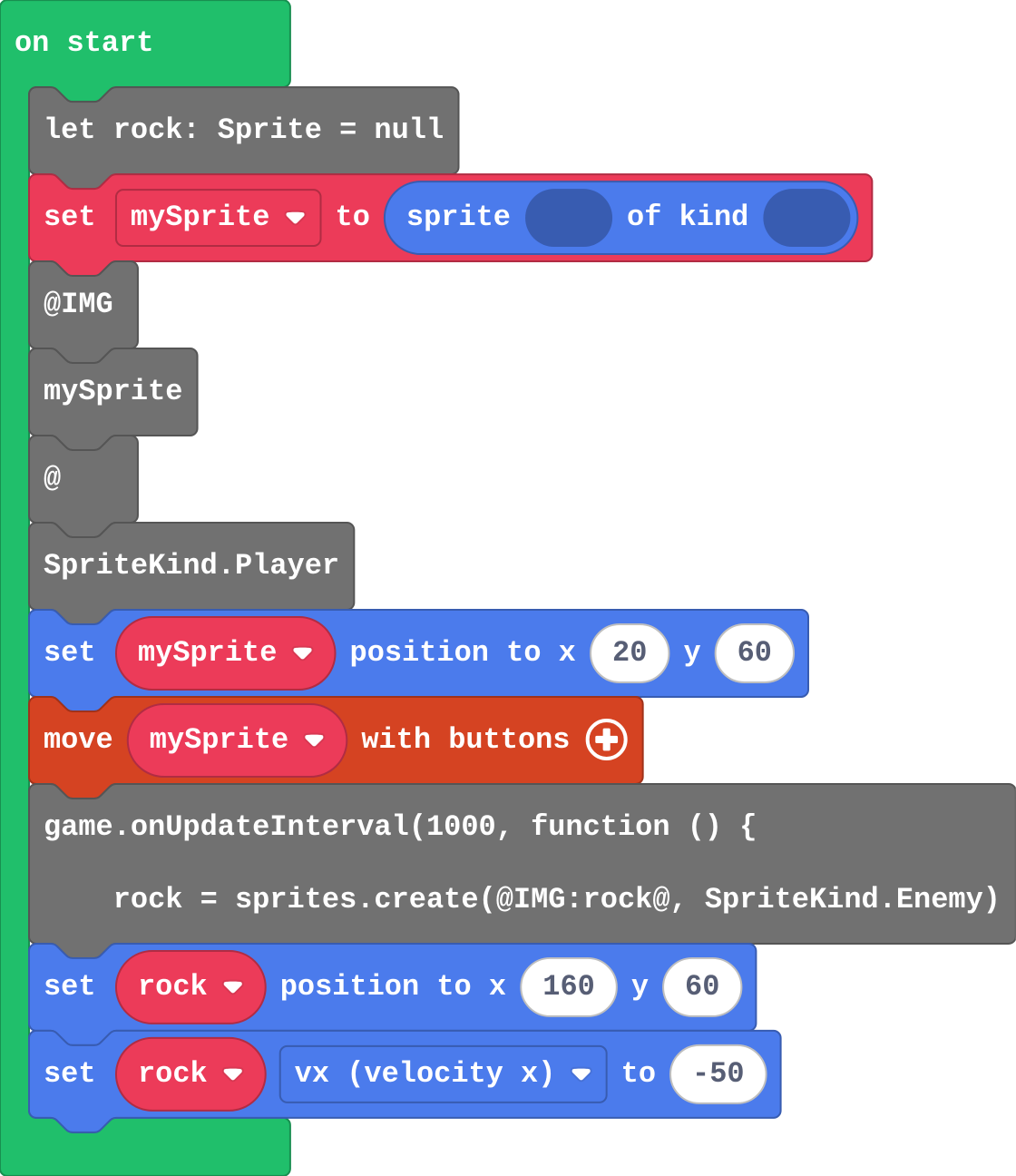
Show as code
let rock: Sprite = null
let mySprite = sprites.create(@IMG:mySprite@, SpriteKind.Player)
mySprite.setPosition(20, 60)
controller.moveSprite(mySprite)
game.onUpdateInterval(1000, function () {
rock = sprites.create(@IMG:rock@, SpriteKind.Enemy)
rock.setPosition(160, 60)
rock.vx = -50
})
The rock is made inside the timer, not in on start.
Run
Count the rocks as they come.
Show as code
let rock: Sprite = null
let mySprite = sprites.create(@IMG:mySprite@, SpriteKind.Player)
mySprite.setPosition(20, 60)
controller.moveSprite(mySprite)
game.onUpdateInterval(1000, function () {
rock = sprites.create(@IMG:rock@, SpriteKind.Enemy)
rock.setPosition(160, 60)
rock.vx = -50
})
Investigate
Dodge the rocks with the arrow keys.
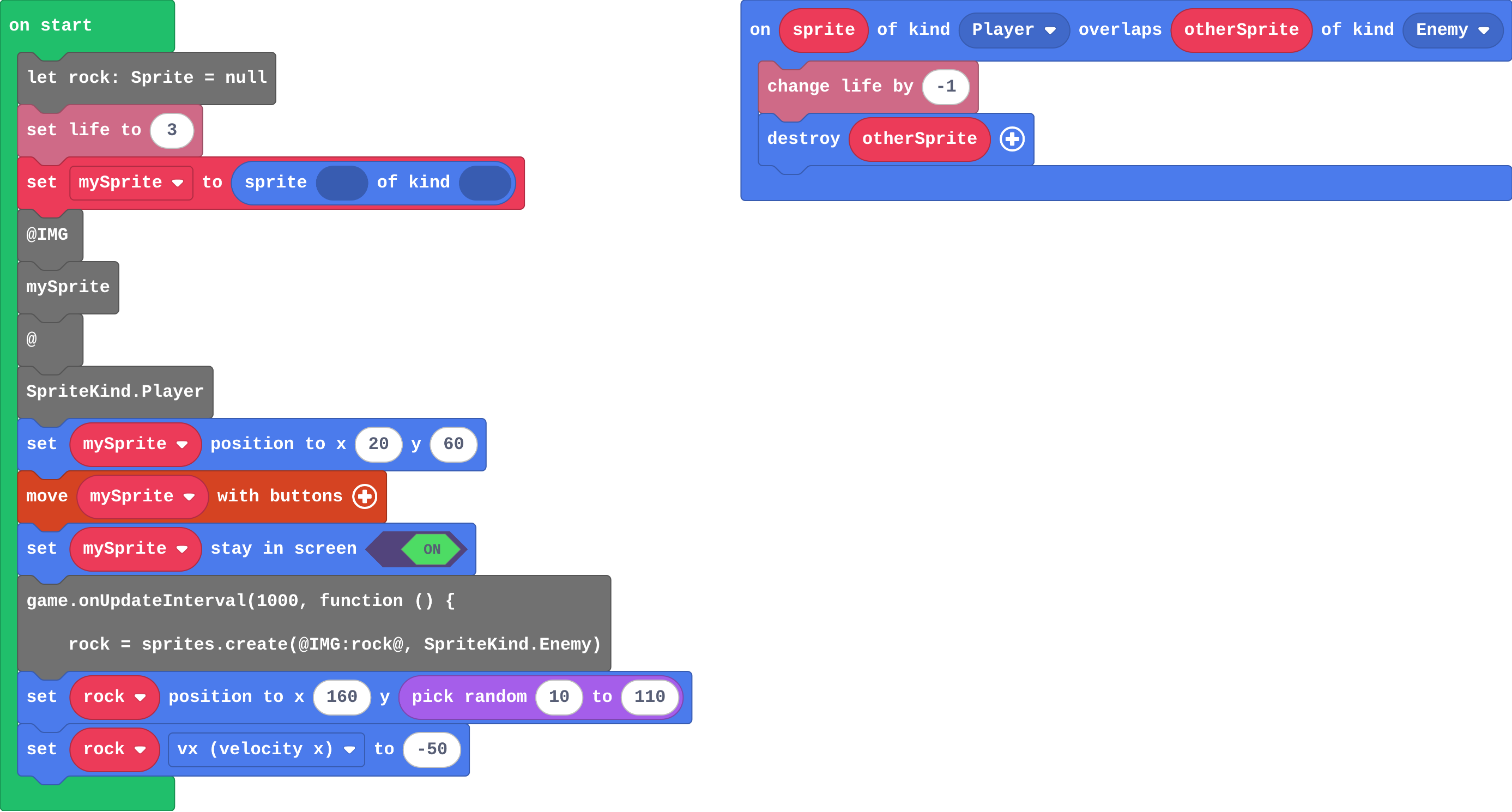
Show as code
let rock: Sprite = null
info.setLife(3)
let mySprite = sprites.create(@IMG:mySprite@, SpriteKind.Player)
mySprite.setPosition(20, 60)
controller.moveSprite(mySprite)
mySprite.setStayInScreen(true)
game.onUpdateInterval(1000, function () {
    rock = sprites.create(@IMG:rock@, SpriteKind.Enemy)
    rock.setPosition(160, randint(10, 110))
    rock.vx = -50
})
sprites.onOverlap(SpriteKind.Player, SpriteKind.Enemy, function (sprite, otherSprite) {
    info.changeLifeBy(-1)
    otherSprite.destroy()
})
Ava's program:
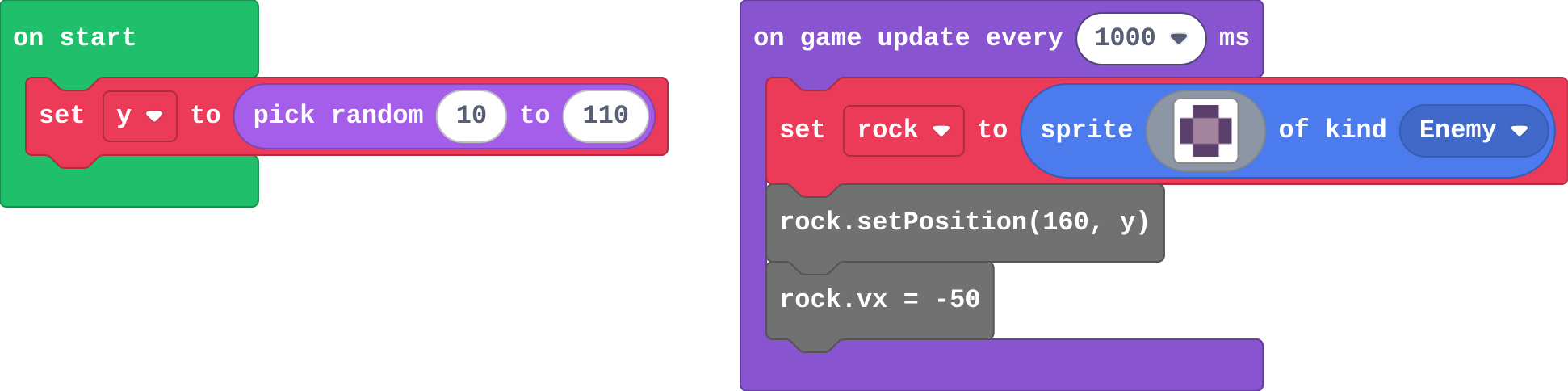
Show as code
let y = randint(10, 110)
game.onUpdateInterval(1000, function () {
    rock = sprites.create(img`
        . c c .
        c b b c
        c b b c
        . c c .
        `, SpriteKind.Enemy)
    rock.setPosition(160, y)
    rock.vx = -50
})
The timer runs every 500 ms. How many rocks has it made after 10 seconds?
Match each timer with how often it runs.
Modify
Make a rock come every half a second.
Need a hint?
Change 1000 in on game update every. Half a second is 500 ms.
Give each rock a random height, so they don't all come through the middle.
Need a hint?
pick random is in Math.
Another hint
Drag it into the y of set rock position, inside the timer: pick random 10 to 110.
Make a rock come every half a second.
This ticks by itself when your blocks do what is asked.
Each rock starts at a random height.
This ticks by itself when your blocks do what is asked.
Mix it up
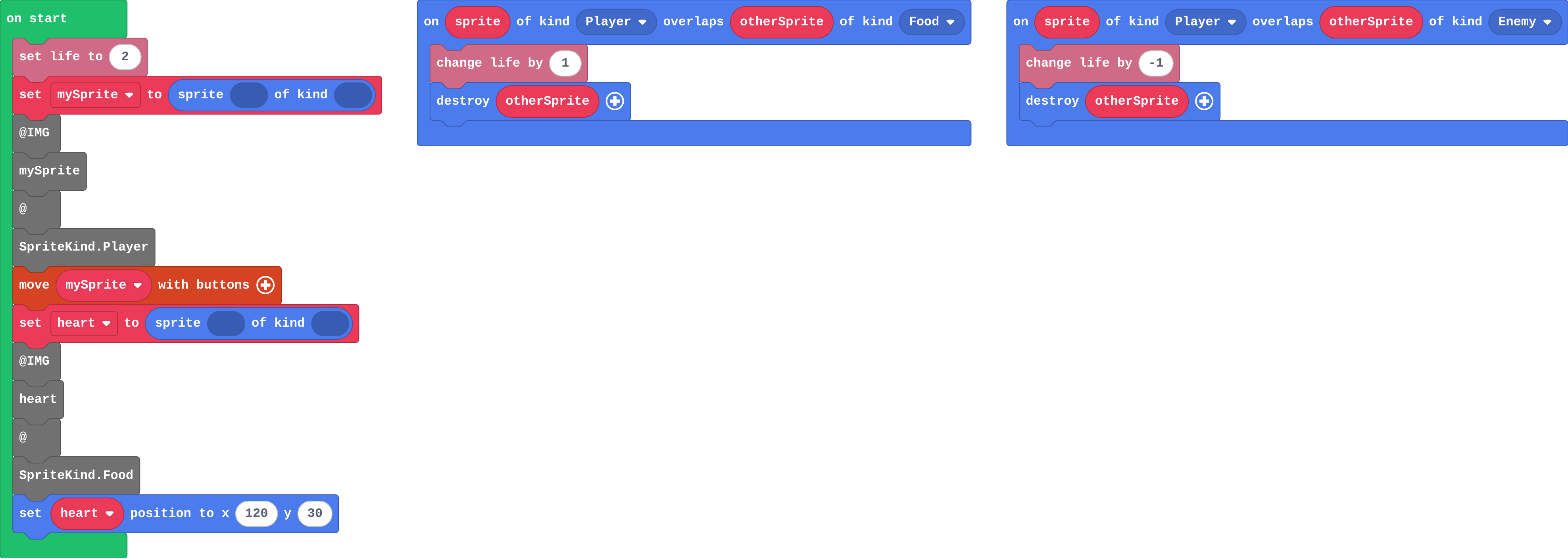
Show as code
info.setLife(2)
let mySprite = sprites.create(@IMG:mySprite@, SpriteKind.Player)
controller.moveSprite(mySprite)
let heart = sprites.create(@IMG:heart@, SpriteKind.Food)
heart.setPosition(120, 30)
sprites.onOverlap(SpriteKind.Player, SpriteKind.Food, function (sprite, otherSprite) {
    info.changeLifeBy(1)
    otherSprite.destroy()
})
sprites.onOverlap(SpriteKind.Player, SpriteKind.Enemy, function (sprite, otherSprite) {
    info.changeLifeBy(-1)
    otherSprite.destroy()
})
The player starts with 2 lives. Fill in the lives after each thing happens.
| what happens | lives after |
|---|---|
| (start) | 2 |
| collects a heart | |
| a rock hits | |
| a rock hits |
Make
Make a 30-second dodge game (bats in a cave, asteroids, traffic):
- the player starts with 3 lives
- a countdown of 30 seconds (start countdown, in Info): survive it to finish
- every second, a new enemy flies in from the right edge at a random height
- each touch takes one life
Need a hint?
In on start: set life to 3 and start countdown 30 (both in Info).
Another hint
Timer: on game update every 1000 ms (Game). Inside, create an Enemy, set its position to x 160 and y pick random 10 to 110, and set its vx to a negative number.
Another hint
Overlap Player with Enemy: change life by -1, and destroy otherSprite so one touch takes only one life.
A 30-second dodge game: 3 lives, a countdown of 30, an enemy every second from a random height on the right, and a touch takes one life.
This ticks by itself when your blocks do what is asked.
Change a rain dodger
Someone is walking home in the rain without an umbrella. Make the rain heavier (more drops, falling faster), then give the walker 5 lives and a 40-second walk home.
For teachers
Students use a timer event to make a new enemy every second, from a random height, and see that both the timer and pick random run again each time. About 45 minutes.
Open the teacher guide: answers, solutions, slides and a worksheet.
Students will be able to
- I can use a timer to make a new enemy again and again.
- I can choose how often a timer runs.
- I can give each new sprite a random place.
Before class
on game update every 1000 ms (Game) is a timer event: it runs its blocks again every so many milliseconds (1000 ms = 1 second) for as long as the game lasts. Here it makes a new enemy each time, at x 160 (the right edge), with a negative vx so it flies left. pick random (Math) gives a new whole number each time it runs, so inside the timer each rock gets its own height. start countdown (Info) ends the game after so many seconds. Try the Make yourself: about 15 blocks.
Running the lesson
- Predict: some students expect one rock, because the create block appears once. It runs once per timer run. Ask the '1' group how often the timer runs.
- Investigate: Ava's rocks are the random-once mistake: a random number picked once is just a number.
- Modify: a smaller timer number means more often.
- Mix it up: lives, from last lesson.
- Make: x 160 is the right edge, negative vx flies left. Students who forget destroy lose all three lives at once.
The hard part (on purpose)
Seeing that the blocks inside a timer run again and again. Ask how many times the create block has run after five seconds.
When students get stuck
- Only one enemy ever appears. Ask: Is the create block inside the timer, or in on start? Fix: Move it into on game update every 1000 ms, so a new one is made each second.
- No enemies appear. Ask: Where does each enemy start, and which way does it move? Fix: Start at x 160 and give a negative vx. With a positive vx it leaves the screen to the right at once.
- Every rock comes at the same height. Ask: Where is pick random? Fix: Put it inside the timer, in the set position block, so it runs for every rock.
Stretch and support
Stretch: Make the game a win if you survive: add on countdown end (Info) with game over (win).
Support: Give students the timer block with the enemy already inside, and ask them to add lives, the countdown and the overlap event.
Where it leads
Next unit the game decides things every frame: if a sprite leaves the screen, wrap it round. Class idea: vote on the fairest number of lives and timer speed.
What each step is for
- Investigate: A timer event runs its blocks every so many milliseconds, so each run can make a new sprite. pick random runs again each time too, so each rock gets its own height.
- Modify: The number in the timer sets how often it runs: a smaller number means more often. pick random inside the timer gives each new sprite a new number.
- Mix it up: The engine ends the game when the lives reach 0; each overlap changes the lives once if the sprite is destroyed.
- Use a timer to make a new enemy again and again.
- Choose how often a timer runs.
- Give each new sprite a random place.