Rules and selectors
Write a CSS rule that styles every tag of one kind, and find out that it changes how they look, not what they are.
Every website you know uses the same HTML tags; CSS is what makes one look nothing like another.
HTML says what each part of a page is. CSS says how it looks. CSS rules go in a <style> block, which sits at the top of the code for now; a later lesson shows where it goes in a whole page.
- Predict: Read the code and say what it will do before you run anything. A wrong guess is fine: it shows you what to look for.
- Run: Run it and compare the result with your prediction.
- Investigate: Trace how each line of code connects to what you see.
- Modify: Change the code on purpose and check the result.
- Make: Build something new using what you have learned. Expect a few tries; that is normal.
Make your prediction first. Help opens once you've locked it in.
Predict
<style>
  p {
    color: teal;
  }
</style>
<h1>Sports day</h1>
<p>Sports day is on Friday.</p>
<h2>What to bring</h2>
<p>Bring a hat and water.</p>
p { color: teal; } is a rule. Read the code. How many lines of text will turn teal?
Run
Compare the page with your prediction. Then change p to h2 and watch the colour move. Add font-size: 28px; on a new line under color: teal;.
| Code | What it does | Why |
|---|---|---|
<style> … </style> |
Holds the rules | The browser reads the rules between these tags and does not show them. For now the block sits at the top |
p { |
The selector: which tag the rule is for | It names a kind of tag, so every <p> changes, not just the first. The { opens the rule |
color: teal; |
A property, a colon, a value and a semicolon | color is the text colour. Colours can be names such as teal, navy or crimson. The ; ends the line |
font-size: 28px; |
Sets how big the text is | px is the unit. Other properties: font-family: sans-serif;, background-color: lightyellow;, text-align: center; |
} |
Closes the rule | A rule can hold as many property lines as you like |
the <h1> and <h2> lines |
Stay as they were | The rule names p only, and the HTML did not change |
<style>
  p {
    color: teal;
  }
</style>
<h1>Sports day</h1>
<p>Sports day is on Friday.</p>
<h2>What to bring</h2>
<p>Bring a hat and water.</p>
Investigate
<style>
  p {
    color: teal;
  }
</style>
<h1>Sports day</h1>
<p>Sports day is on Friday.</p>
<h2>What to bring</h2>
<p>Bring a hat and water.</p>
<p>Races start at 9 am.</p>
A new paragraph appears at the end of the page. Which lines does the rule colour?
Look at the rule for h1.
A third paragraph is added to the page. Fill in the colour of each line of text.
| text | tag | colour |
|---|---|---|
| Sports day | h1 | black |
| Sports day is on Friday. | p | teal |
| What to bring | h2 | |
| Bring a hat and water. | p | |
| Races start at 9 am. | p |
Modify
Give the heading a different colour.
Need a hint?
Change only the value after color:, and keep the semicolon.
Show the expected result
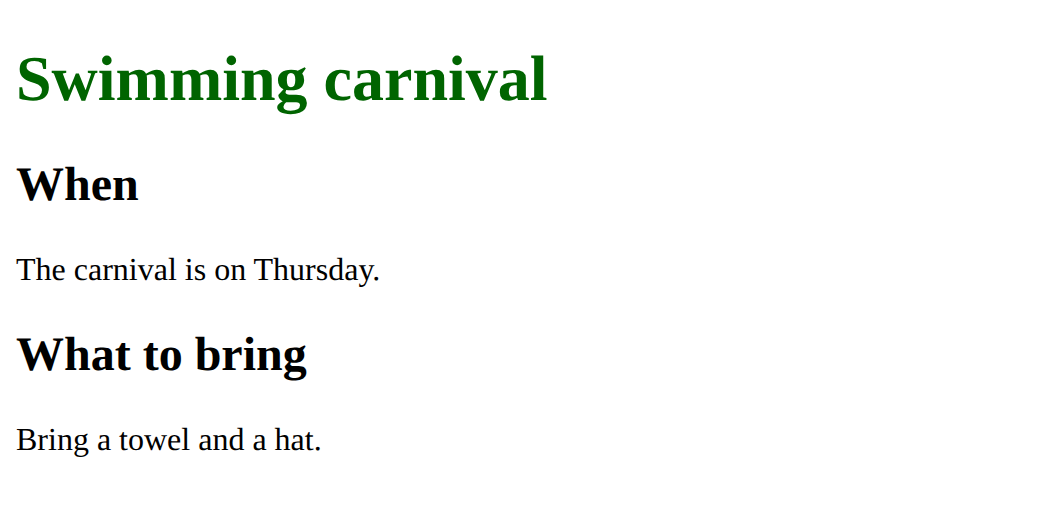
Add a rule that makes every paragraph 20px.
Need a hint?
Add a new rule inside the <style> block, below the h1 rule.
Another hint
p { font-size: 20px; }
Show the expected result

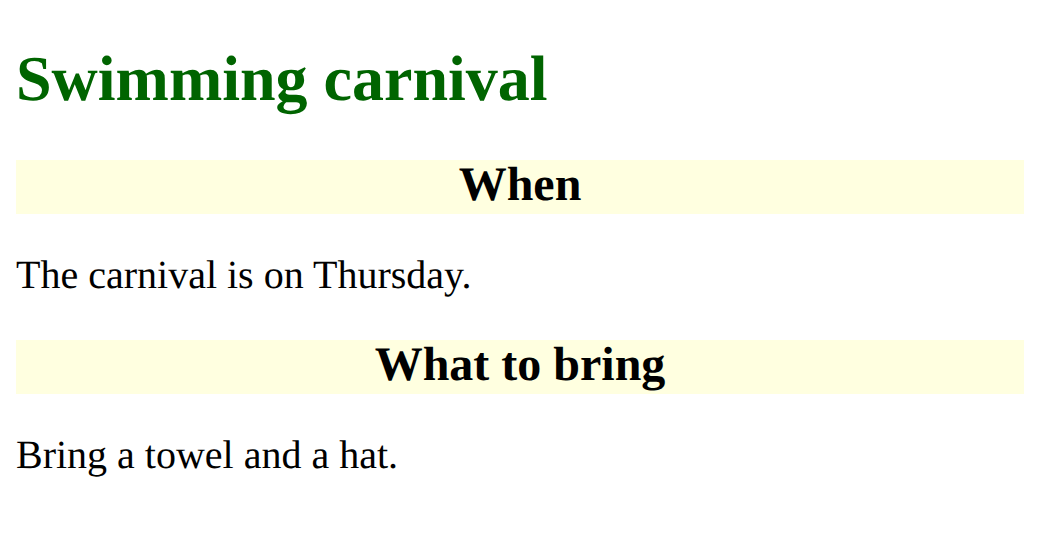
Add a rule that gives every h2 a lightyellow background and centred text.
Need a hint?
A new rule needs a selector, braces and property lines: h2 { ... }
Another hint
Two property lines in one rule: background-color and text-align.
Show the expected result
Add a line to the p rule so the paragraphs use font-family: sans-serif;.
Need a hint?
Add a line inside the p rule, under font-size. Every property line ends with a semicolon.
Show the expected result

Add a rule that makes the paragraphs 20px.
This ticks when your page has all of the above.
Add a rule that gives the h2 headings a lightyellow background and centred text.
This ticks when your page has all of the above.
Make the paragraphs use font-family: sans-serif.
This ticks when your page has all of the above.
Mix it up
Sam's notice should have important words in crimson, but the page looks wrong. Fix the tags, then write one rule so every <strong> is crimson.
<style>
  h1 {
    color: navy;
  }
</style>
<h1>Sports day</h1>
<p>Bring <strong>a hat and <em>water</strong></em> on Friday.</p>
<p>Races start at <strong>9 am</strong>.</p>
Show the expected result

Fix the tags so they nest, then add one rule that colours all the important words.
This ticks when your page has all of the above.
Make
The <style> block is ready at the top of this concert notice, with no rules. Write three rules: one for h1, one for h2 and one for p. Give each a colour, and change at least one font.
Need a hint?
Start with the rule for h1, then add one rule at a time. Check the page after each.
Another hint
Each rule is a selector, braces, and property lines ending in semicolons.
Show the expected result

Style the concert notice with a rule for h1, one for h2 and one for p.
This ticks when your page has all of the above.
For teachers
Students write CSS rules in a style block, find out that a tag selector styles every tag of that kind, and that a rule changes how a part looks, not what it is. About 50 minutes.
Open the teacher guide: answers, solutions, slides and a worksheet.
Students will be able to
- I can write a CSS rule with a selector, a property and a value.
- I can say which elements a tag selector styles, and which it leaves alone.
- I can explain that a rule changes how a part looks, not what it is.
Before class
Read the unit primer "HTML structure in 5 minutes" (the CSS section) first, then do the Make task yourself.
New words: a rule is a selector followed by property lines in braces, p { color: teal; }. The selector (p) names a kind of tag; each line is a property, a colon, a value and a semicolon. Colours here are names such as teal and crimson. The <style> block sits at the top of the code for now; where it goes in a whole page comes later.
Link to the three layers idea from Digital systems: the words are content, the tags are structure, the rules are presentation.
Running the lesson
- Predict: some students think `p { }` styles only the first paragraph, or that it needs to say which one. A rule names a kind of tag and changes every one. Only the two paragraphs turn teal. Ask a pair that said 1 what in the rule picks the first paragraph, and see if they can find it.
- Run: changing the selector from `p` to `h2` moves the colour. That is the whole idea of a selector.
- Investigate: the trace adds a third paragraph. No CSS changes, and the new line is teal. The second question separates look from meaning: a small `<h1>` is still a heading.
- Modify: four small changes. Each property line ends with a semicolon; a missing one makes the rule do less than expected, with no error.
- Mix it up: the crossed tags need fixing first, then one `strong` rule colours the important words.
The hard part (on purpose)
Believing a rule picks one element. Ask which tag the selector names, and how many of that tag are on the page, before you say.
When students get stuck
- A rule changes nothing, and there is no error. Ask: Does the selector match a tag in the HTML, and is the rule inside the style block? Fix: Write the selector as the tag name without angle brackets, as in p, and put every rule between <style> and </style>.
- Only the first property in a rule works. Ask: Does every property line end with a semicolon? Fix: Add the missing ; after the value, as in color: teal;
- The CSS shows on the page as text. Ask: Is the CSS inside <style> and </style>? Fix: Put every rule between <style> and </style> at the top of the page.
Stretch and support
Stretch: Try font-size: 12px on the h1 and 60px on the p. Then ask whether the h1 is still a heading, and how a screen reader would know.
Support: Give students the Modify starter and do the second task together on the board: the selector, the braces, then one property line.
Where it leads
Next lesson is lists: a rule for li styles every item at once. Later, classes let you pick only some tags of a kind. Class idea: restyle the same page three ways (calm, loud, sporty) without changing the HTML.
What each step is for
- Predict: Many students expect a rule to style one element, the first it meets; a rule names a kind of tag and styles every one of them.
- Run: The selector names a kind of tag, and the rule styles every tag of that kind.
- Investigate: A rule names a kind of tag and changes every tag of that kind; it changes how it looks, never what it is.
- Modify: Writing rules one at a time: change a value, add a property, add a rule for another tag.
- Mix it up: Crossed tags give a wrong page with no error, and one rule on a tag changes every tag of that kind.
- Write a CSS rule with a selector, a property and a value.
- Say which elements a tag selector styles, and which it leaves alone.
- Explain that a rule changes how a part looks, not what it is.