Pick some with a class
Mark the elements you choose with a class, and style only those with a rule that starts with a dot.
Every website marks the parts that matter, like sale prices or warnings, with a class so one rule can style them all.
A rule like p { } styles every paragraph. Sometimes you want only some of them: the winners, the warning, the line that matters most. You choose them with a name.
- Predict: Read the code and say what it will do before you run anything. A wrong guess is fine: it shows you what to look for.
- Run: Run it and compare the result with your prediction.
- Investigate: Trace how each line of code connects to what you see.
- Modify: Change the code on purpose and check the result.
- Make: Build something new using what you have learned. Expect a few tries; that is normal.
Make your prediction first. Help opens once you've locked it in.
Predict
<style>
  .note {
    color: crimson;
  }
</style>
<h1>Sports day</h1>
<p>Sports day is on Friday.</p>
<p class="note">Bring a hat.</p>
<p class="note">Bring water.</p>
<p>Races start at 9 am.</p>
class="note" marks a paragraph with a name, and .note { } is a rule for that name. Read the code. Which lines of text will turn crimson?
Run
Compare the page with your prediction. Find the two paragraphs with class="note" and the rule that matches them. The table says what each part does.
| Code | What it does | Why |
|---|---|---|
class="note" |
Marks this element with the name note |
class is an attribute, so it sits inside the opening tag. You choose the name |
.note { … } |
Styles only the elements marked note |
The dot means "a class". It is a rule like p { }, but it picks by name instead of by tag |
<p class="note"> twice |
Both paragraphs change | Any number of elements can share one class. The rule is written once |
<p> with no class |
Stays as it was | The rule picks by the mark. The tag alone does not match |
note after the dot |
Must match the HTML name exactly | If the spelling or capitals differ, the rule matches nothing, and the browser shows no error |
<style>
  .note {
    color: crimson;
  }
</style>
<h1>Sports day</h1>
<p>Sports day is on Friday.</p>
<p class="note">Bring a hat.</p>
<p class="note">Bring water.</p>
<p>Races start at 9 am.</p>
Investigate
<style>
  .note {
    color: crimson;
  }
</style>
<h1>Sports day</h1>
<p>Sports day is on Friday.</p>
<p class="note">Bring a hat.</p>
<p class="note">Bring water.</p>
<p>Races start at 9 am.</p>
This rule should colour one paragraph.
The rule is right this time.
Bring a hat should be crimson, but it stays black, and there is no error. Click the line in the CSS that causes it.
Bring a hat should be crimson, but it stays black. The CSS is right. Click the line that causes it.
Modify
Add class="note" to the last paragraph, so it joins the others.
Need a hint?
Copy class="note" from another paragraph into the opening tag of the last one.
Another hint
A tag with an attribute looks like <p class="note">.
Show the expected result

Change crimson to navy in the rule. Every marked paragraph changes together.
Need a hint?
The colour is in the .note rule, after color:.
Another hint
Change the word to navy. All the marked paragraphs follow.
Show the expected result

Add a class named big with font-size: 24px;, and use it on the first paragraph.
Need a hint?
Write a second rule in the style block: a dot, the name big, then a bigger font-size in braces.
Another hint
Then add class="big" to the opening tag of the first paragraph.
Show the expected result

Mark the last paragraph with class note, so it turns crimson too.
This ticks when your page has all of the above.
Change the colour in the .note rule to navy.
This ticks when your page has all of the above.
Add a second class, big, with its own rule, and use it on the first paragraph.
This ticks when your page has all of the above.
Mix it up
Two things are wrong on this page, one in the CSS and one in the HTML.
<style>
  h2 {
    color: teal
    font-size: 28px;
  }
</style>
<h2>Winners</h2>
<img src="trophy.svg">
<p>First place: Owls</p>
The heading stays plain, and a screen reader has nothing to say about the picture. Click the two lines to fix.
Make
This is a results page. Use a class named winner for the first-place paragraphs and a class named runner for the second-place paragraphs, then write a rule for each, with two different colours.
Need a hint?
Each class needs two parts that match: a mark on the paragraphs, and a rule for that name.
Another hint
The mark goes inside the opening tag of each paragraph. The rule goes in a <style> block, and its dot goes in the CSS only.
Show the expected result
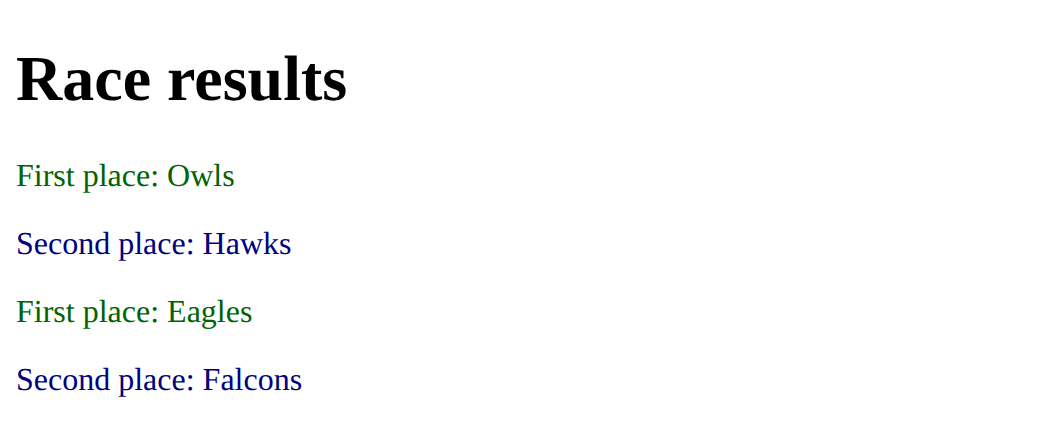
Mark the winners and the runners-up with classes, and style each class in its own colour.
This ticks when your page has all of the above.
For teachers
Students mark chosen elements with a class and style only those with a dot rule, and find out that the names must match and the dot stays in the CSS. About 40 minutes.
Open the teacher guide: answers, solutions, slides and a worksheet.
Students will be able to
- I can mark an element with class="name" and style it with .name in the CSS.
- I can use one class on several elements.
- I can find a class rule that matches nothing, because of a different name or a dot in the HTML.
Before class
Read the unit primer "Lists, links and pictures in 5 minutes" first, then do the Make task yourself in the playground (about 5 minutes).
A class is a name you choose and put on elements with class="name". In the CSS a rule starting with a dot, .name { }, styles every element with that class. The dot is only in the CSS. Students already know that p { } styles all paragraphs; the new idea is choosing which ones.
Running the lesson
- Predict and Run: the usual guess is all four paragraphs, or only the first. In Modify they add the class and watch the colour follow it.
- Investigate: both bugs are silent. Ask what the browser does with a rule that matches nothing: it ignores it.
- Modify: mark one more, change the colour in one place, then add a second class. Ask how many rules changed when the colour changed.
- Mix it up: the missing semicolon and the missing alt are both from earlier lessons.
- Make: the check ticks when both classes and both rules are there with the names winner and runner. Look at the page for two different colours.
The hard part (on purpose)
Believing the dot belongs in both places. Ask where each of the two names is written, and which one is the CSS.
When students get stuck
- The rule does nothing and there is no error. Ask: Are the class name in the tag and the name after the dot spelt exactly the same? Fix: Make the two names identical, capitals included, and put the dot only in the CSS.
- Every paragraph changes colour. Ask: Is the rule's selector p or .winner? Fix: Change the selector to a dot and the class name, and put the class on only the elements you want.
- The class is written as class=".winner". Ask: Where does the dot go? Fix: The dot is only in the CSS. In the tag write class="winner".
Stretch and support
Stretch: Give one paragraph a third class, `late`, in a third colour. Then give a list item the class `winner` and see that any tag can have one.
Support: Give students the Modify starter and do the first task together, then change the colour in the rule.
Where it leads
Next lesson is a whole newsletter page that uses everything so far. Class idea: ask which parts of a school's real page might share a class.
What each step is for
- Predict: Students expect a rule to follow the tag or to pick one element; a class picks every element marked with it, and no others.
- Run: The class in the HTML and the dot rule in the CSS work as a pair: the HTML marks, the CSS styles what is marked.
- Investigate: The class name in the CSS and in the HTML must match exactly, and the dot belongs only in the CSS.
- Modify: The HTML marks and the CSS styles what is marked: change either side, or add a new pair.
- Mix it up: Reading a rule for a missing semicolon, and a picture for a missing alt, uses the CSS rule and the picture tag together.
- Mark an element with class="name" and style it with .name in the CSS.
- Use one class on several elements.
- Find a class rule that matches nothing, because of a different name or a dot in the HTML.