Final challenge: a to-do app
Build a to-do app in three milestones: add tasks from a box, tick them off with a count of what is left, then make each task a component and clear the done ones.
Every app you use is data, events and a page that keeps up. A to-do list is the classic first app for every framework.
Build a to-do app, one milestone at a time. Everything you need, you have met in this course: refs, v-for, v-model, functions on @click, computed and a component.
One small new thing: v-model on a tick box (<input type="checkbox" v-model="t.done">) joins it to true or false.
- Investigate: Trace how each line of code connects to what you see.
- Modify: Change the code on purpose and check the result.
- Make: Build something new using what you have learned. Expect a few tries; that is normal.
Make your prediction first. Help opens once you've locked it in.
Plan the app
This is the app you will build. The picture shows it finished.
<div id="app">
  <h1>To do</h1>
  <input v-model="newTask" placeholder="Something to do">
  <button @click="addTask">Add</button>
  <ul>
    <todo-item v-for="t in tasks" :task="t"></todo-item>
  </ul>
  <p>{{ left }} left to do</p>
  <button @click="clearDone">Clear done</button>
</div>

<script src="vue.js"></script>
<script>
  const { createApp, ref, computed } = Vue;
  const app = createApp({
    setup() {
      const tasks = ref([
        { text: "Feed the cat", done: false },
        { text: "Pack my bag", done: true }
      ]);
      const newTask = ref("");
      const left = computed(() => {
        let count = 0;
        for (const t of tasks.value) {
          if (!t.done) {
            count++;
          }
        }
        return count;
      });
      function addTask() {
        if (newTask.value !== "") {
          tasks.value.push({ text: newTask.value, done: false });
          newTask.value = "";
        }
      }
      function clearDone() {
        const keep = [];
        for (const t of tasks.value) {
          if (!t.done) {
            keep.push(t);
          }
        }
        tasks.value = keep;
      }
      return { tasks, newTask, left, addTask, clearDone };
    }
  });
  app.component("todo-item", {
    props: ["task"],
    template: `<li><label><input type="checkbox" v-model="task.done"> {{ task.text }}</label></li>`
  });
  app.mount("#app");
</script>
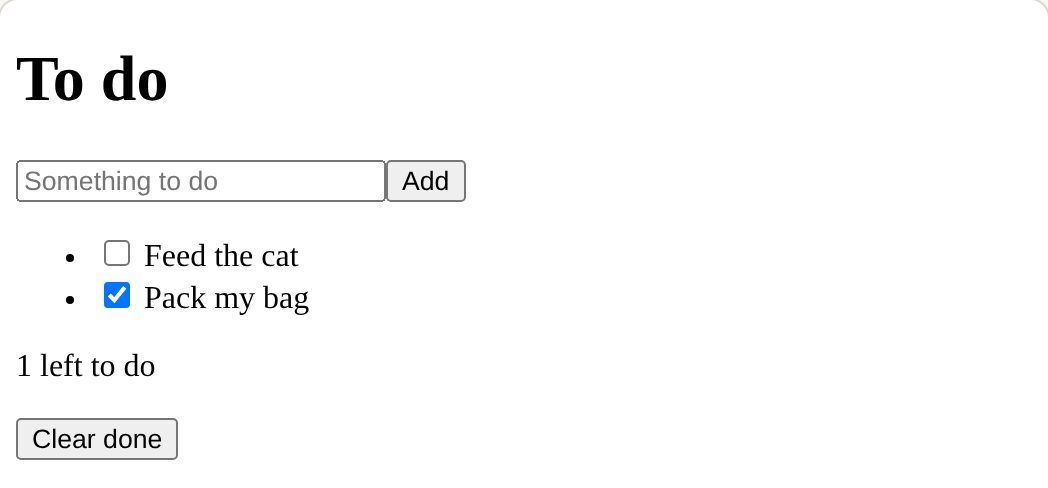
Which piece of Vue makes each part?
A count that goes stale.
Match each part of the app with how it is built.
Clicking Tick the first should show 1 left to do, but it still says 2. There is no error. Click the line that is wrong.
Build the app
Each milestone starts from a working copy of the one before (Reset to this task's start loads it), so nobody is stuck behind.
Most of the code is there.
Need a hint?
A function in setup, returned, and a button that names it with @click.
Another hint
Inside addTask: if newTask.value is not empty, push { text: newTask.value, done: false } onto tasks.value, then set newTask.value to empty text.
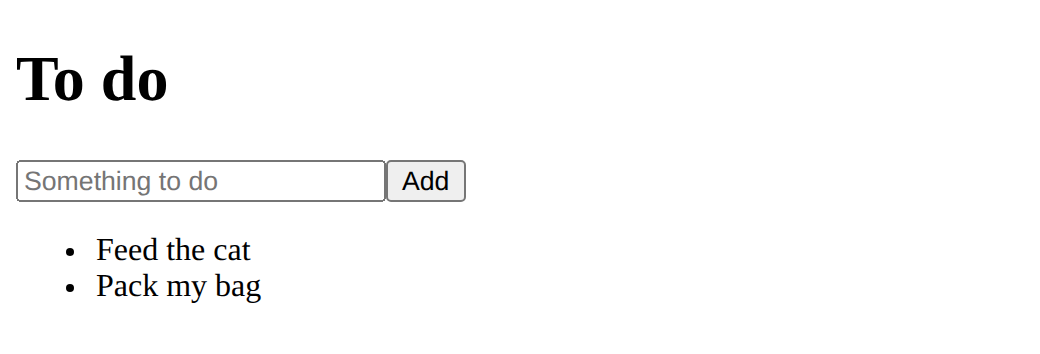
Show the expected result
The comments give the outline.
Need a hint?
The tick box goes inside the li, and v-model joins it to that task's done.
Another hint
The count: let count = 0; a for loop over tasks.value; add 1 when !t.done; return count. Wrap it all in computed(() => { … }) and return left.
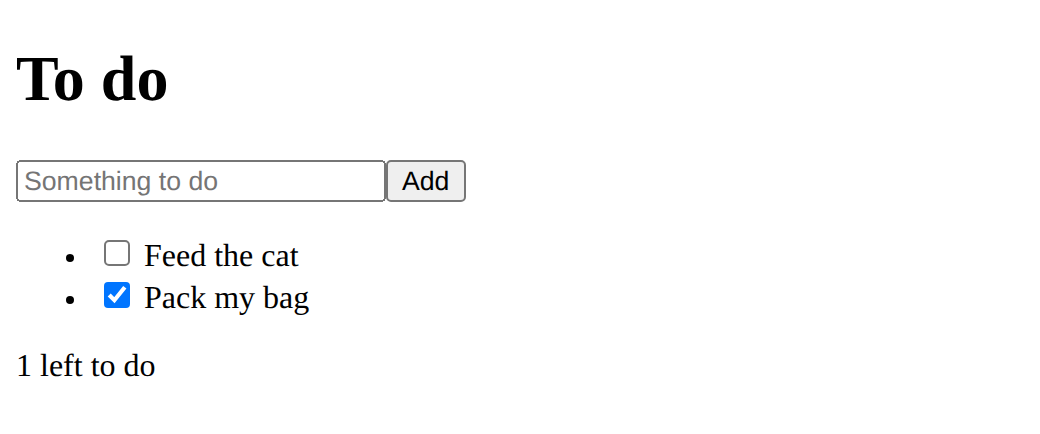
Show the expected result
Goals only.
Need a hint?
The component is the li, given a task as its prop. Then the v-for goes on the new tag.
Another hint
Clear done: make a new empty list, push in every task that is not done, then set tasks.value to it.
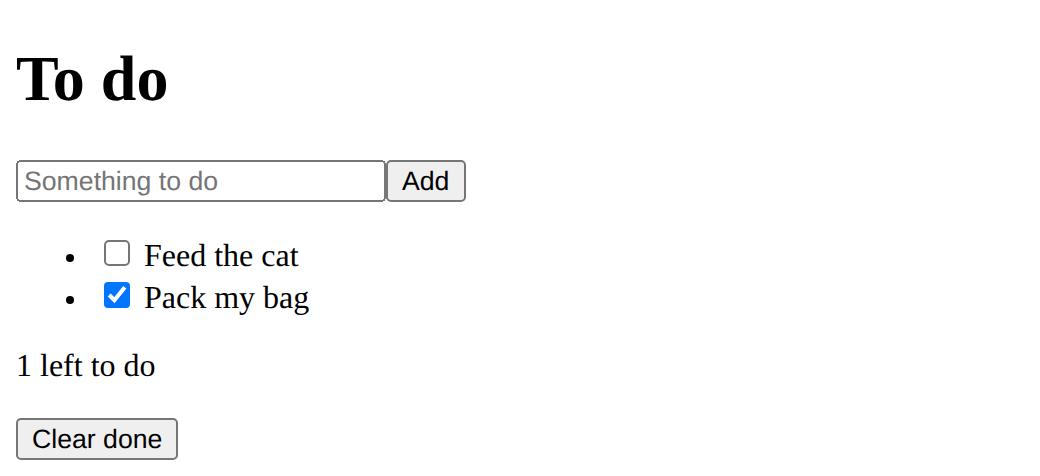
Show the expected result
Milestone 1: an Add button that adds what is in the box to the list.
This ticks when your page has all of the above.
Milestone 2: a tick box for each task, and a count of the tasks left.
This ticks when your page has all of the above.
Milestone 3: a todo-item component for each task, and a Clear done button.
This ticks when your page has all of the above.
Make it yours
Add one feature of your own. Ideas: All done! 🎉 when nothing is left; a Delete button on each task; a count of done tasks; tasks in two lists, to do and done; press Enter to add (@keyup.enter).
Where this leads
You built an app with Vue. The optional last lesson shows the same app in three frameworks.
For teachers
Students match the parts of a finished to-do app to the course's pieces, find a count that goes stale, build the app in three milestones with fading support, then add a feature of their own. About 100 minutes.
Open the teacher guide: answers, solutions, slides and a worksheet.
Students will be able to
- I can plan an app as data, events, worked-out values and components.
- I can build a to-do app with Vue that adds, ticks, counts and clears tasks.
- I can add a feature of my own and say which Vue pieces it uses.
Before class
Read the challenge primer first, then build milestone 1 yourself. There is nothing new here apart from one line: v-model on a tick box joins it to true or false. Each milestone recalls a lesson: adding (events and inputs, lesson 3), ticking and counting (computed, lesson 4), the component (lesson 5). Support fades on purpose: milestone 1 gives most of the code, milestone 2 an outline as comments, milestone 3 only the goals. Finishing this lesson marks Challenge complete on the course page.
The count and Clear done use a for loop over the list, which students know from p5.js and the DOM course. Real Vue code would often use filter, which is fine as a stretch. The tick box inside the component changes task.done on the object it was given: it works because the parent and the card share the same object, but in larger apps a component sends an event up instead (emit), which this course leaves out.
Running the lesson
- Plan: match the parts, then write the three milestones on the board as a checklist.
- Milestone 1: everyone should finish this in the first lesson. Check an empty box adds nothing.
- Milestone 2: the outline is in the comments. Students who are stuck use Reset to this task's start.
- Milestone 3: goals only. Ask students what the component's prop is before they write it.
- Make it yours: ask each student to name the Vue pieces their feature uses.
The hard part (on purpose)
Milestone 3 is meant to be hard: turning working code into a component. Ask "what does one card need to be given?" before showing anything.
When students get stuck
- The count does not change when a box is ticked. Ask: Is left a computed, and does the tick box have v-model on t.done? Fix: Wrap the count in computed(() => { … }) and join the box with v-model="t.done".
- Add puts an empty task in the list. Ask: What does addTask check before pushing? Fix: if (newTask.value !== "") { … }
- The component shows nothing. Ask: Is it registered before app.mount, is task in its props, and does the tag pass :task="t"? Fix: All three: register, list the prop, pass it with a colon.
Stretch and support
Stretch: Save the tasks between visits with localStorage (watch the list, then JSON.stringify it); use filter for the count; send a delete event up from the component with emit.
Support: Pair students for milestone 3: one writes the component, one writes Clear done.
Where it leads
The optional lesson builds the same app in Vue, Preact and Svelte. Real projects use a build tool (npm create vue@latest) and single-file .vue components; the ideas stay the same. Assessment idea: students annotate a printout of their app with the lesson each part came from.
What each step is for
- Plan the app: Seeing the finished app as the course's pieces turns a big task into small ones students have done before.
- Build the app: Three milestones with fading support: most of the code, then an outline in comments, then only the goals.
- Make it yours: An open extension using only the course's pieces.
- Plan an app as data, events, worked-out values and components.
- Build a to-do app with Vue that adds, ticks, counts and clears tasks.
- Add a feature of my own and say which Vue pieces it uses.