Same app, three frameworks
The same small app in Vue, Preact (React's small cousin) and Svelte: state, worked-out values, events and showing data are the same ideas in all three; only the syntax and the update rules differ.
Job adverts ask for React, Vue or Svelte. Learn the ideas once, and each framework is a new way of writing them.
Vue is one of several frameworks that keep a page in step with its data. The best known is React; here we use Preact, a small version of React with the same way of writing (about 15 KB, served beside the page). Svelte works differently: its compiler turns your component into plain JavaScript before it runs.
The same app, three ways:
| Idea | Vue | Preact (like React) | Svelte |
|---|---|---|---|
| Data that changes | ref([]) |
useState([]) |
$state([]) |
| A worked-out value | computed(() => …) |
a plain line, stars.length |
$derived(…) |
| An event | @click="add" |
onClick=${add} |
onclick={add} |
| Showing data | {{ count }} |
${count} |
{count} |
Two recipes to copy, not to learn: Preact's page is written inside html`…` (htm, a way to write HTML-like tags in JavaScript), and the Svelte component sits in a hidden <textarea data-svelte>, where svelte.js finds it. In a real project a Svelte component is its own file, App.svelte. stars.join("") puts the list's items together as one piece of text.
- Predict: Read the code and say what it will do before you run anything. A wrong guess is fine: it shows you what to look for.
- Run: Run it and compare the result with your prediction.
- Investigate: Trace how each line of code connects to what you see.
- Modify: Change the code on purpose and check the result.
- Make: Build something new using what you have learned. Expect a few tries; that is normal.
Make your prediction first. Help opens once you've locked it in.
Predict
<h2>Vue</h2>
<div id="vue-app">
  <button @click="add">Add a star</button>
  <p>Stars: {{ count }} {{ stars.join("") }}</p>
</div>
<script src="vue.js"></script>
<script>
  const { createApp, ref, computed } = Vue;
  createApp({
    setup() {
      const stars = ref([]);
      const count = computed(() => stars.value.length);
      function add() {
        stars.value.push("⭐");
      }
      return { stars, count, add };
    }
  }).mount("#vue-app");
</script>
<h2>Preact</h2>
<div id="preact-app"></div>
<script src="preact.js"></script>
<script>
  const { html, render, useState } = htmPreact;
  function App() {
    const [stars, setStars] = useState([]);
    const count = stars.length;
    function add() {
      setStars([...stars, "⭐"]);
    }
    return html`
      <button onClick=${add}>Add a star</button>
      <p>Stars: ${count} ${stars.join("")}</p>`;
  }
  render(html`<${App} />`, document.querySelector("#preact-app"));
</script>
<h2>Svelte</h2>
<textarea data-svelte hidden>
  <script>
    let stars = $state([]);
    let count = $derived(stars.length);
    function add() {
      stars.push("⭐");
    }
  </script>
  <button onclick={add}>Add a star</button>
  <p>Stars: {count} {stars.join("")}</p>
</textarea>
<script src="svelte.js"></script>
Read all three panels. Which lines keep the data, work out the count, and handle the click?
Run
Press Run. Svelte takes a moment longer to start: its compiler (about 1 MB) turns the component into JavaScript first.
<h2>Vue</h2>
<div id="vue-app">
  <button @click="add">Add a star</button>
  <p>Stars: {{ count }} {{ stars.join("") }}</p>
</div>
<script src="vue.js"></script>
<script>
  const { createApp, ref, computed } = Vue;
  createApp({
    setup() {
      const stars = ref([]);
      const count = computed(() => stars.value.length);
      function add() {
        stars.value.push("⭐");
      }
      return { stars, count, add };
    }
  }).mount("#vue-app");
</script>

<h2>Preact</h2>
<div id="preact-app"></div>
<script src="preact.js"></script>
<script>
  const { html, render, useState } = htmPreact;
  function App() {
    const [stars, setStars] = useState([]);
    const count = stars.length;
    function add() {
      setStars([...stars, "⭐"]);
    }
    return html`
      <button onClick=${add}>Add a star</button>
      <p>Stars: ${count} ${stars.join("")}</p>`;
  }
  render(html`<${App} />`, document.querySelector("#preact-app"));
</script>

<h2>Svelte</h2>
<textarea data-svelte hidden>
  <script>
    let stars = $state([]);
    let count = $derived(stars.length);
    function add() {
      stars.push("⭐");
    }
  </script>
  <button onclick={add}>Add a star</button>
  <p>Stars: {count} {stars.join("")}</p>
</textarea>
<script src="svelte.js"></script>
Investigate
<h2>Vue</h2>
<div id="vue-app">
  <button @click="add">Add a star</button>
  <p>Stars: {{ count }} {{ stars.join("") }}</p>
</div>
<script src="vue.js"></script>
<script>
  const { createApp, ref, computed } = Vue;
  createApp({
    setup() {
      const stars = ref([]);
      const count = computed(() => stars.value.length);
      function add() {
        stars.value.push("⭐");
      }
      return { stars, count, add };
    }
  }).mount("#vue-app");
</script>

<h2>Preact</h2>
<div id="preact-app"></div>
<script src="preact.js"></script>
<script>
  const { html, render, useState } = htmPreact;
  function App() {
    const [stars, setStars] = useState([]);
    const count = stars.length;
    function add() {
      setStars([...stars, "⭐"]);
    }
    return html`
      <button onClick=${add}>Add a star</button>
      <p>Stars: ${count} ${stars.join("")}</p>`;
  }
  render(html`<${App} />`, document.querySelector("#preact-app"));
</script>

<h2>Svelte</h2>
<textarea data-svelte hidden>
  <script>
    let stars = $state([]);
    let count = $derived(stars.length);
    function add() {
      stars.push("⭐");
    }
  </script>
  <button onclick={add}>Add a star</button>
  <p>Stars: {count} {stars.join("")}</p>
</textarea>
<script src="svelte.js"></script>
Twelve pieces, four ideas.
A different update rule.
The catch in React and Preact.
Sort each piece of code by the idea it is.
In this Preact app, Add a star does nothing: the count stays at 0. There is no error. Click the two lines that are wrong.
Modify
Its own way to write v-if.
Need a hint?
Svelte's v-if is a block: {#if …} at the start and {/if} at the end.
Another hint
{#if count >= 5} then a paragraph, then {/if}, under the count.
Show the expected result
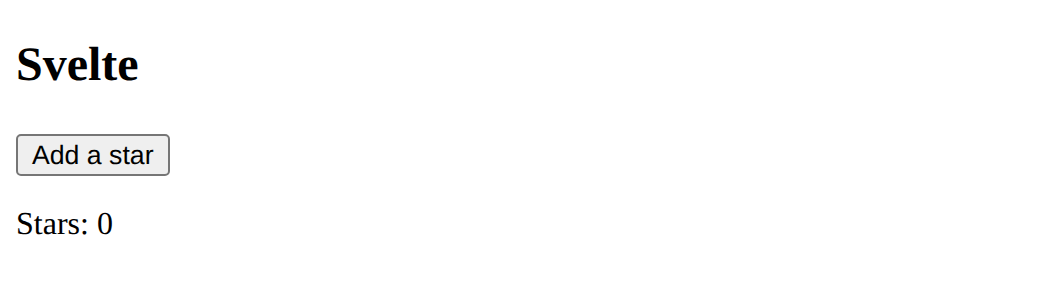
A new, empty list.
Need a hint?
In Preact you never change the list: you give setStars a new one.
Another hint
A clear function that runs setStars([]), and a button with onClick=${clear}.
Show the expected result
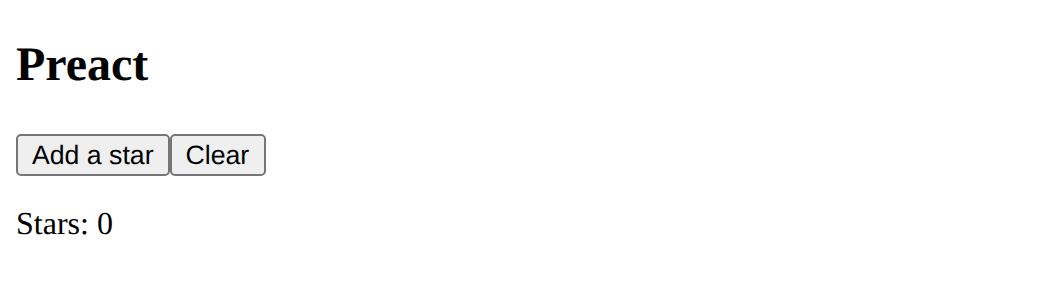
In Svelte, show That's a lot of stars! when there are 5 or more.
This ticks when your page has all of the above.
In Preact, add a Clear button.
This ticks when your page has all of the above.
The same feature three times
Add a Remove one button to all three apps. In Vue and Svelte, pop() takes the last item off the list. In Preact, give setStars a new list without the last item: stars.slice(0, -1). Which was easiest? Which was clearest to read?
Where this leads
You have seen the same ideas in three frameworks. Real projects use a build tool and one file per component; the ideas stay the same.
For teachers
Students predict that three versions of the same app (Vue, Preact, Svelte) behave alike, sort each piece of code by the idea it is, find React's update catch in Preact, add an if in Svelte and a Clear button in Preact, and add one feature to all three. About 50 minutes.
Open the teacher guide: answers, solutions, slides and a worksheet.
Students will be able to
- I can find the data, the worked-out value, the event and the shown data in Vue, Preact and Svelte code.
- I can explain why React and Preact need a new list rather than a changed one.
- I can add the same feature in three frameworks.
Before class
An optional lesson for students who finished the to-do app. The point: components, state, derived (worked-out) values and events are the same ideas in every framework; only the syntax and the update rules differ.
- Preact is a tiny library written to work like React (same function components and hooks:
useState). Its page is written with htm, a way to write HTML-like tags in a JavaScript string, because real React uses JSX, which needs a build step. Its update rule: the component function runs again after every change, so a plainconst count = stars.lengthis always right, but you must replace data, never change it in place.stars.push(...); setStars(stars)gives Preact the same list, so it skips the update: the planted bug, and the most common React mistake. - Svelte compiles each component to plain JavaScript.
$stateand$derivedare its "runes". Its data can be changed in place (stars.push). Here the compiler runs in the browser (about 1 MB, loaded only by this lesson), reading the component from a hidden<textarea data-svelte>; in a real project it is a file calledApp.svelte, compiled by a build tool. - Angular is left out on purpose: it needs TypeScript and a command-line toolchain. The older AngularJS is no longer supported (support ended in January 2022).
Every library is served from this site, not a CDN.
Running the lesson
- Predict: ask students who did the computed lesson whether Preact's plain count will go stale.
- Run: point out the short wait while Svelte compiles.
- Investigate: do the sort as a class, one framework at a time.
- Modify: ask what each framework calls v-if, and what Preact needs instead of changing the list.
- Make: ask which version they would rather read in a year's time, and why.
The hard part (on purpose)
The three spellings blur together. Keep returning to the four ideas: ask "which line is the data? the worked-out value? the event?" in each panel.
When students get stuck
- Preact's page does not change. Ask: Does setStars get a new list, or the old one changed? Fix: setStars([...stars, "⭐"]) or stars.slice(0, -1): always a new list.
- Svelte shows a red error about reading the component. Ask: Which line of the component does the message name? Fix: Check the braces { } and the {#if} … {/if} pair on that line.
- The Svelte app does not appear at all. Ask: Is svelte.js loaded after the textarea, and does the textarea have data-svelte? Fix: Keep the textarea with data-svelte hidden, and the script src="svelte.js" line after it.
Stretch and support
Stretch: Make each framework's star list into a component of its own. Find the same app in React on react.dev and compare it with the Preact version.
Support: Do the sort together on the board; students do only the Svelte if.
Where it leads
Real projects: npm create vue@latest (Vue), Vite with React, or npx sv create (Svelte), each with one file per component. Class discussion: why might a team choose each one (popularity and jobs, simplicity, speed)?
Sources
- Preact: No-build workflows (htm) (checked 12 October 2026)
- React: Updating arrays in state (checked 12 October 2026)
- Svelte: $state (checked 12 October 2026)
- AngularJS: end of support (checked 12 October 2026)
What each step is for
- Predict: Students who learned that a plain calculation goes stale in Vue may expect Preact's plain count to go stale too; seeing all three agree shows the ideas are shared and the update rules differ.
- Investigate: State, worked-out values, events and showing data appear in all three; React and Preact replace data rather than change it, and run the whole component again.
- Modify: Each framework has its own spelling for the same moves: a choice in Svelte is an {#if} block; changing data in Preact is always giving it a new value.
- the same feature three times: Goals only: one feature added to all three apps, so the differences show.
- Find the data, the worked-out value, the event and the shown data in Vue, Preact and Svelte code.
- Explain why React and Preact need a new list rather than a changed one.
- Add the same feature in three frameworks.