Classes and themes
Switch a whole look on and off with classList.toggle, so CSS does the styling and JavaScript only flips a class.
Dark mode, open menus and highlighted rows are all the same trick: JavaScript adds or removes a class, and CSS does the rest.
You already know CSS: a class such as .dark says how something looks. JavaScript can switch a class on and off:
document.body.classList.toggle("dark");
toggle adds the class if the element has not got it, and removes it if it has. add("dark") and remove("dark") do one or the other. In classList, the class name is written without the dot.
This is the neatest way to change a look: the CSS stays in <style>, and JavaScript only decides when.
The hard part is the dot. In CSS the rule is .dark, but classList.toggle(".dark") makes a class actually called .dark that nothing styles, so nothing happens and there is no error.
- Predict: Read the code and say what it will do before you run anything. A wrong guess is fine: it shows you what to look for.
- Run: Run it and compare the result with your prediction.
- Investigate: Trace how each line of code connects to what you see.
- Modify: Change the code on purpose and check the result.
- Make: Build something new using what you have learned. Expect a few tries; that is normal.
Make your prediction first. Help opens once you've locked it in.
Predict
<style>
  body { font-family: system-ui, sans-serif; padding: 16px; }
  .dark { background: midnightblue; color: white; }
  .hidden { display: none; }
  .big { font-size: 48px; }
</style>
<h1>Night mode</h1>
<p>Click the button to switch between light and dark.</p>
<button id="theme">Switch theme</button>
<script>
  const button = document.querySelector("#theme");
  button.addEventListener("click", function () {
    document.body.classList.toggle("dark");
  });
</script>
Where does the dark look come from: the script or the style?
Run
Press Run. One button flips dark on the body; the other flips hidden on the tip. Click each one twice.
<style>
  body { font-family: system-ui, sans-serif; padding: 16px; }
  .dark { background: midnightblue; color: white; }
  .hidden { display: none; }
  .big { font-size: 48px; }
</style>
<h1>Night mode</h1>
<button id="theme">Switch theme</button>
<button id="tip-button">Show tip</button>
<p id="tip" class="hidden">Tip: dark pages are easier on the eyes at night.</p>
<script>
  document.querySelector("#theme").addEventListener("click", function () {
    document.body.classList.toggle("dark");
  });
  document.querySelector("#tip-button").addEventListener("click", function () {
    document.querySelector("#tip").classList.toggle("hidden");
  });
</script>
Investigate
<style>
  body { font-family: system-ui, sans-serif; padding: 16px; }
  .dark { background: midnightblue; color: white; }
  .hidden { display: none; }
  .big { font-size: 48px; }
</style>
<h1>Night mode</h1>
<button id="theme">Switch theme</button>
<button id="tip-button">Show tip</button>
<p id="tip" class="hidden">Tip: dark pages are easier on the eyes at night.</p>
<script>
  document.querySelector("#theme").addEventListener("click", function () {
    document.body.classList.toggle("dark");
  });
  document.querySelector("#tip-button").addEventListener("click", function () {
    document.querySelector("#tip").classList.toggle("hidden");
  });
</script>
CSS, add, remove and toggle.
What hides the tip.
Nothing happens, and nothing is wrong... except one dot.
Match each piece with what it does.
Clicking the button does nothing, and there is no red error. Click the line that is wrong.
Modify
Reuse a class.
Need a hint?
The CSS already has a class called big. Which element should get it?
Another hint
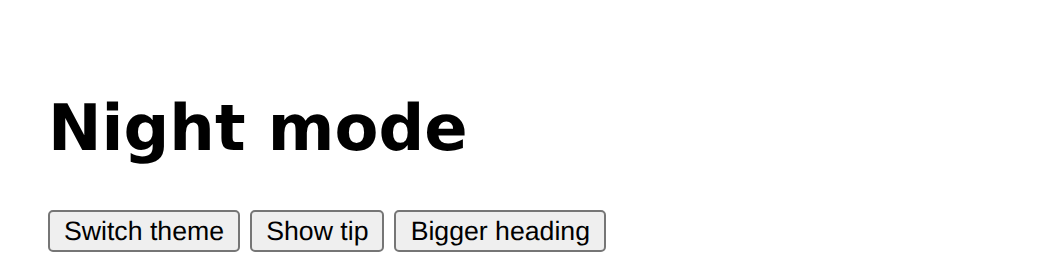
Give the heading an id, add a button, and toggle big on the heading with classList.
Show the expected result
add and remove.
Need a hint?
toggle flips; add and remove do one job each.
Another hint
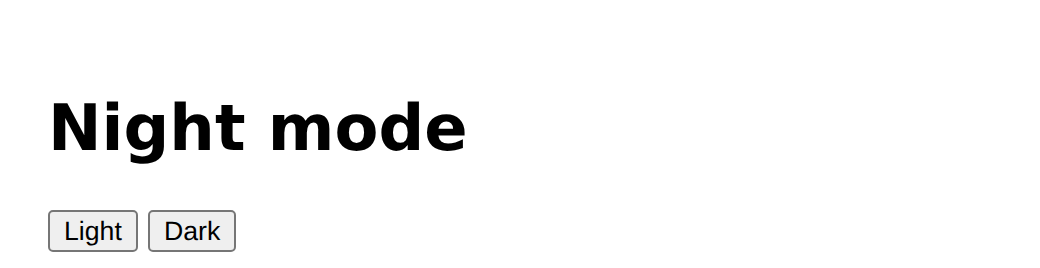
Make a Light button that removes dark and a Dark button that adds it.
Show the expected result
Add a button that toggles the class big on the heading.
This ticks when your page has all of the above.
Replace the one toggle button with a Light button and a Dark button.
This ticks when your page has all of the above.
Your own themes
Write two or more classes of your own in the CSS (an ocean theme, spaced-out letters, a card style, something hidden), and give each its own button. The page on this lesson uses three.
Where this leads
You can now change a whole page with one line. Next: read what someone types.
For teachers
Students switch CSS classes with classList.toggle, add and remove, hide and show a tip with a hidden class, fix a classList call written with a dot, and make a themed page of their own. About 50 minutes.
Open the teacher guide: answers, solutions, slides and a worksheet.
Students will be able to
- I can switch a class on and off with classList.
- I can write a CSS class and use JavaScript to decide when it applies.
- I can show and hide something with a class.
Before class
Read the unit primer first. This ties the CSS lessons to JavaScript: the look is in <style>, the script only flips a class. classList.toggle("dark") on document.body applies a rule to the whole page. The classic slip is classList.toggle(".dark"): no error, no change. The bug task is a logic bug, so students must click the button and notice nothing happens. Hiding with a .hidden { display: none } class is the pattern behind menus, tabs and tips; make the link to "display" from the CSS course.
Running the lesson
- Predict: ask where the colour of the dark page is written.
- Run: ask students to click each button twice and say what toggle does.
- Investigate: for the bug, ask "is it the CSS or the script, and how can you tell?"
- Modify: ask which element gets the class in each case.
- Make: ask each student to list their classes before writing the buttons.
The hard part (on purpose)
The dot: the CSS rule is .dark but the class name is dark. The page does nothing and says nothing.
When students get stuck
- Clicking does nothing and there is no error. Ask: Does the class name in classList have a dot? Fix: Remove the dot: toggle("dark").
- The class is added but nothing changes. Ask: Does the CSS have a rule for exactly that class name? Fix: Check the spelling of the rule and the class.
- Cannot read properties of null. Ask: Does the id in the selector match the HTML? Fix: Match the id, with a #.
- It changes the wrong thing. Ask: Which element did you call classList on? Fix: Check the selector, and use document.body for the whole page.
Stretch and support
Stretch: Remember the theme with a second class for each choice, or make a button that cycles through three themes using a variable.
Support: Give the CSS classes ready-made and ask students to write only the buttons and listeners.
Where it leads
Next lesson: inputs, reading what someone types.
What each step is for
- Investigate: classList.toggle switches a CSS class on and off; the look lives in the CSS, and the script only decides when. The class name goes in quotes without the dot.
- Modify: A new look is a new class in the CSS and one classList line; add and remove give you separate buttons.
- your own themes: Goals only: at least two classes in the CSS, each switched with classList by its own button.
- Switch a class on and off with classList.
- Write a CSS class and use JavaScript to decide when it applies.
- Show and hide something with a class.