Final challenge: a quiz page
Put it all together: a list of questions as data, buttons made for each choice, a score that remembers, and feedback on every click.
A quiz is a list of questions, a number for where you are, a score, and a click: everything you have learned in one page.
Your quiz keeps its questions as data, in an array of objects, and uses everything from the course:
- an array of objects holds the questions (
questions[current].text), createElementmakes a button for each choice,- click handlers check the answer,
- variables above the handlers keep
current(which question) andscore, - an
ifdecides what to say, and another decides when the quiz is over.
The hard part is keeping track of what changes. Only two variables change: current and score. Everything on the page is a picture of them and of questions[current].
- Predict: Read the code and say what it will do before you run anything. A wrong guess is fine: it shows you what to look for.
- Run: Run it and compare the result with your prediction.
- Investigate: Trace how each line of code connects to what you see.
- Modify: Change the code on purpose and check the result.
- Make: Build something new using what you have learned. Expect a few tries; that is normal.
Make your prediction first. Help opens once you've locked it in.
Predict
<p id="q">What is 3 + 4?</p>
<button id="a1">6</button>
<button id="a2">7</button>
<p id="result"></p>
<script>
  function pick(answer) {
    const result = document.querySelector("#result");
    if (answer === 7) {
      result.textContent = "Correct!";
    } else {
      result.textContent = "Try again";
    }
  }
  document.querySelector("#a1").addEventListener("click", function () {
    pick(6);
  });
  document.querySelector("#a2").addEventListener("click", function () {
    pick(7);
  });
</script>
Does the second click add to the first message, or replace it?
Run
Play the quiz: three questions, a score and a message at the end. The questions are an array of objects at the top; the rest of the page is built from them.
<h1>Capital cities quiz</h1>
<p id="question"></p>
<div id="choices"></div>
<p id="feedback"></p>
<p>Score: <span id="score">0</span></p>
<script>
  const questions = [
    { text: "What is the capital of France?", choices: ["Paris", "Rome", "Madrid"], answer: "Paris" },
    { text: "What is the capital of Japan?", choices: ["Seoul", "Tokyo", "Beijing"], answer: "Tokyo" },
    { text: "What is the capital of Australia?", choices: ["Sydney", "Canberra", "Perth"], answer: "Canberra" },
  ];
  let current = 0;
  let score = 0;
  const questionEl = document.querySelector("#question");
  const choicesEl = document.querySelector("#choices");
  const feedbackEl = document.querySelector("#feedback");
  const scoreEl = document.querySelector("#score");

  function showQuestion() {
    const q = questions[current];
    questionEl.textContent = q.text;
    choicesEl.textContent = "";
    for (const choice of q.choices) {
      const button = document.createElement("button");
      button.textContent = choice;
      button.addEventListener("click", function () {
        check(choice);
      });
      choicesEl.append(button);
    }
  }

  function check(choice) {
    if (choice === questions[current].answer) {
      score = score + 1;
      scoreEl.textContent = score;
      feedbackEl.textContent = "Correct!";
    } else {
      feedbackEl.textContent = "Not quite: it was " + questions[current].answer;
    }
    current = current + 1;
    if (current < questions.length) {
      showQuestion();
    } else {
      questionEl.textContent = "Finished! Score: " + score;
      choicesEl.textContent = "";
    }
  }

  showQuestion();
</script>
Investigate
<h1>Capital cities quiz</h1>
<p id="question"></p>
<div id="choices"></div>
<p id="feedback"></p>
<p>Score: <span id="score">0</span></p>
<script>
  const questions = [
    { text: "What is the capital of France?", choices: ["Paris", "Rome", "Madrid"], answer: "Paris" },
    { text: "What is the capital of Japan?", choices: ["Seoul", "Tokyo", "Beijing"], answer: "Tokyo" },
    { text: "What is the capital of Australia?", choices: ["Sydney", "Canberra", "Perth"], answer: "Canberra" },
  ];
  let current = 0;
  let score = 0;
  const questionEl = document.querySelector("#question");
  const choicesEl = document.querySelector("#choices");
  const feedbackEl = document.querySelector("#feedback");
  const scoreEl = document.querySelector("#score");

  function showQuestion() {
    const q = questions[current];
    questionEl.textContent = q.text;
    choicesEl.textContent = "";
    for (const choice of q.choices) {
      const button = document.createElement("button");
      button.textContent = choice;
      button.addEventListener("click", function () {
        check(choice);
      });
      choicesEl.append(button);
    }
  }

  function check(choice) {
    if (choice === questions[current].answer) {
      score = score + 1;
      scoreEl.textContent = score;
      feedbackEl.textContent = "Correct!";
    } else {
      feedbackEl.textContent = "Not quite: it was " + questions[current].answer;
    }
    current = current + 1;
    if (current < questions.length) {
      showQuestion();
    } else {
      questionEl.textContent = "Finished! Score: " + score;
      choicesEl.textContent = "";
    }
  }

  showQuestion();
</script>
Data, buttons, memory and decisions.
Where the data lives.
Every answer is right.
Match each piece with what it does.
Every answer says Correct!, even the wrong ones. There is no red error. Click the line that is wrong.
Modify
Right is green, wrong is red.
Need a hint?
The feedback line is a paragraph like any other. What can you change about it?
Another hint
Inside each branch, set feedbackEl.style.color: green when correct, crimson when not.
Show the expected result
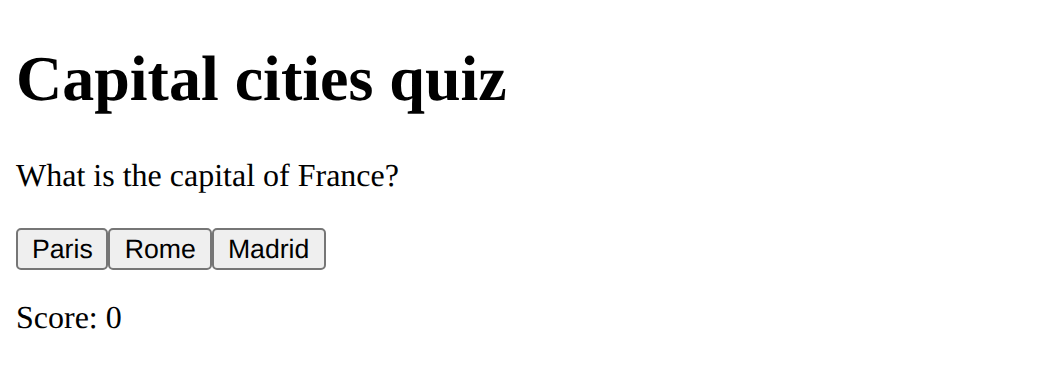
Use the length of the array.
Need a hint?
The end message is built by joining pieces of text.
Another hint
Join "You scored ", the score, " of " and questions.length.
Show the expected result
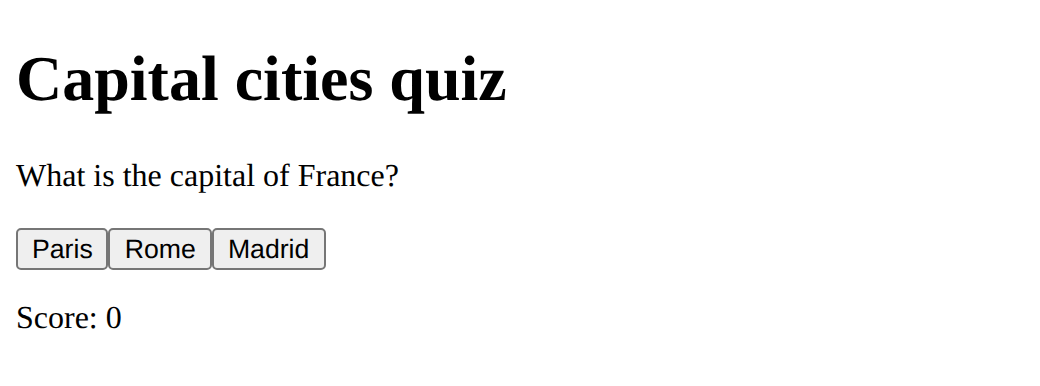
Show the feedback in green when right and crimson when wrong.
This ticks when your page has all of the above.
Finish with You scored 2 of 3 instead of Score: 2.
This ticks when your page has all of the above.
Your own quiz
Make your own quiz on a topic you know well, with at least five questions, a score, feedback on every answer, and a Play again button. Then ask a friend to play it, watch what they do, and change one thing. The page on this lesson is a space quiz. Large projects, such as many quizzes or a timer, belong in your own time.
Where this leads
Challenge complete when the three required checks are done. From here: the real browser console (optional), a bigger project of your own, or the Python web apps course for pages that remember.
For teachers
Students build and extend a quiz page from an array of questions, buttons made for each choice, click handlers, a score and a question number, fix an answer check that is always true, add colour feedback and a total, and make a quiz of their own. About 65 minutes.
Open the teacher guide: answers, solutions, slides and a worksheet.
Students will be able to
- I can build a page that reacts to clicks with data from an array.
- I can keep a score and a question number in variables.
- I can make a quiz of my own and test it with someone.
Before class
Read the unit primer first. This is the final challenge; it marks "Challenge complete". It mirrors the p5.js and Python challenges: a list of data, a loop, a handler, a score. Everything has been taught; the new part is putting it together. The questions are an array of objects, buttons are made from the choices, check(choice) is the handler, current and score are the only variables that change. The bug is a single = in an if: no error, every answer is right; the p5 course had > where < belonged. Quizzes that save results or send them anywhere are out of scope: the playground sends nothing. Large projects belong to the teacher (a unit project, a class quiz bank).
Running the lesson
- Predict: ask what the page says after each click.
- Run: let students play and call out scores.
- Investigate: for the bug, ask "does one = compare, or put?"
- Modify: ask which two variables change when a question is answered.
- Make: pairs write their questions on paper first; swap and play before changing.
The hard part (on purpose)
Where the data lives: the page is built from the array, and only current and score change. Draw those two boxes on the board.
When students get stuck
- Every answer is correct. Ask: Does the check use ===? Fix: Compare with three equal signs.
- Cannot read properties of undefined (reading text). Ask: Has current gone past the end of the array? Fix: Stop at questions.length before showing the next question.
- The buttons pile up. Ask: Is the old choices box emptied first? Fix: Set choicesEl.textContent = "" before making new buttons.
- The score is wrong after Play again. Ask: Was the score set back to 0? Fix: Reset current, score and the text on the page.
Stretch and support
Stretch: Shuffle the questions, add a timer with setInterval, or give harder questions more points using a property on each object.
Support: Give the whole quiz and ask students to add only questions of their own, then the colour feedback.
Where it leads
Optional next lesson: the real browser console. Beyond the course: the Python web apps course, to keep results between visits.
What each step is for
- Investigate: The quiz is data plus two variables: the array of questions, the number of the current question, and the score; each click checks one answer, changes the variables, then shows the next question.
- Modify: Feedback can be shown with a colour, and the end message can say how many were right out of how many.
- your own quiz: Goals only: a quiz on a topic you know, with at least five questions, a score, feedback, and a Play again button.
- Build a page that reacts to clicks with data from an array.
- Keep a score and a question number in variables.
- Make a quiz of my own and test it with someone.