Saving between visits
Keep data when the page is closed with localStorage: save text when something changes, load it when the page opens, and save lists as JSON.
A game that remembers your best score, a to-do list that is still there tomorrow: the browser keeps a little data for each site.
Every time a page opens, its variables start from nothing. localStorage is a small store the browser keeps for each website, so data survives a reload and a visit next week:
localStorage.setItem("visits", visits);              // save, under a name
let visits = Number(localStorage.getItem("visits")); // load (null if nothing was saved)
localStorage.removeItem("visits");                   // forget it
It only keeps text. To save a list, turn it into JSON text first, and turn it back when you load it:
localStorage.setItem("books", JSON.stringify(books));
books = JSON.parse(localStorage.getItem("books"));
Here, each Run is a new visit to the page. The playground keeps your saved data for each step, as a browser keeps it for a website.
- Predict: Read the code and say what it will do before you run anything. A wrong guess is fine: it shows you what to look for.
- Run: Run it and compare the result with your prediction.
- Investigate: Trace how each line of code connects to what you see.
- Modify: Change the code on purpose and check the result.
- Make: Build something new using what you have learned. Expect a few tries; that is normal.
Make your prediction first. Help opens once you've locked it in.
Predict
<p>Visits: <span id="count">0</span></p>

<script>
  let visits = Number(localStorage.getItem("visits"));
  visits = visits + 1;
  localStorage.setItem("visits", visits);
  document.querySelector("#count").textContent = visits;
</script>
Number(...) turns the saved text into a number; when nothing is saved yet it gives 0.
Run
Press Run, add two books, then press Run again. Then try Start again and Run once more: what comes back?
<h1>Books I have read</h1>
<input id="title" placeholder="A book">
<button id="add">Add</button>
<ul id="books"></ul>
<button id="clear">Start again</button>

<script>
  const list = document.querySelector("#books");
  let books = [];
  const saved = localStorage.getItem("books");
  if (saved !== null) {
    books = JSON.parse(saved);
  }

  function show() {
    list.textContent = "";
    for (const title of books) {
      const li = document.createElement("li");
      li.textContent = title;
      list.append(li);
    }
  }

  document.querySelector("#add").addEventListener("click", function () {
    const box = document.querySelector("#title");
    books.push(box.value);
    localStorage.setItem("books", JSON.stringify(books));
    box.value = "";
    show();
  });
  document.querySelector("#clear").addEventListener("click", function () {
    books = [];
    show();
  });
  show();
</script>
Investigate
<h1>Books I have read</h1>
<input id="title" placeholder="A book">
<button id="add">Add</button>
<ul id="books"></ul>
<button id="clear">Start again</button>

<script>
  const list = document.querySelector("#books");
  let books = [];
  const saved = localStorage.getItem("books");
  if (saved !== null) {
    books = JSON.parse(saved);
  }

  function show() {
    list.textContent = "";
    for (const title of books) {
      const li = document.createElement("li");
      li.textContent = title;
      list.append(li);
    }
  }

  document.querySelector("#add").addEventListener("click", function () {
    const box = document.querySelector("#title");
    books.push(box.value);
    localStorage.setItem("books", JSON.stringify(books));
    box.value = "";
    show();
  });
  document.querySelector("#clear").addEventListener("click", function () {
    books = [];
    show();
  });
  show();
</script>
Load, turn back, save.
Two copies of the list.
Saved the wrong way.
Match each line with what it does.
The first Run shows 1 books. The next Run shows a red error: "Book 1" is not valid JSON. Click the line that is wrong.
Modify
Forget the saved copy.
Need a hint?
Start again empties the list on the page, but the saved copy is still there.
Another hint
Add localStorage.removeItem("books"); inside the Start again handler.
Show the expected result
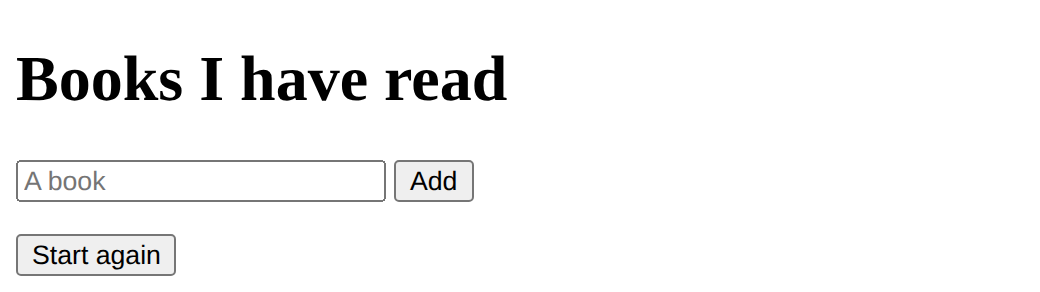
Save on every change.
Need a hint?
A box for the reader's name: save its value whenever it changes, and put the saved value back when the page opens.
Another hint
An "input" event that runs localStorage.setItem("reader", reader.value); and, at the start, if getItem("reader") is not null, set reader.value to it.
Show the expected result
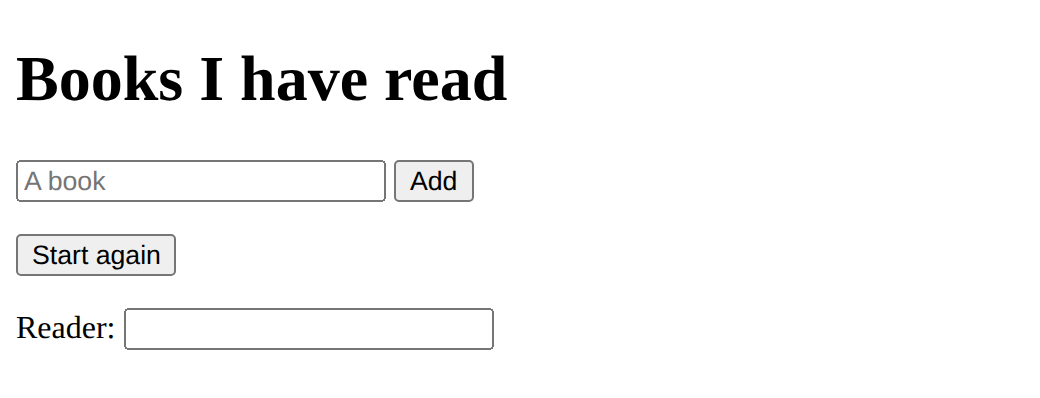
Make Start again forget the saved list too.
This ticks when your page has all of the above.
Add a box for the reader's name that is remembered between visits.
This ticks when your page has all of the above.
A best score that lasts
The clicker keeps a best score, but it is lost on every visit. Make it last: load it when the page opens and save it whenever it goes up.
Save the best score so it is still there after Run.
This ticks when your page has all of the above.
Where this leads
For Vue: save inside watch(tasks, …, { deep: true }) and load in setup. Next on the pathway: Your site, for real, where your page goes online.
For teachers
Students predict a visit counter after three runs, save a reading list as JSON so it survives Run, find a list saved without JSON.stringify, make Start again forget the saved copy, remember a name, and keep a best score. About 50 minutes.
Open the teacher guide: answers, solutions, slides and a worksheet.
Students will be able to
- I can save data with localStorage so it is still there next visit.
- I can save a list as JSON text and load it back.
- I can explain that saved data stays in one browser.
Before class
An optional lesson at the end of the DOM course, and the "saving" step for every route through the Web pathway. localStorage is a small store each browser keeps per website: setItem(name, text), getItem(name) (null when nothing is saved) and removeItem(name). It keeps text only, so lists and objects go through JSON.stringify and JSON.parse (met in the fetch lesson). The planted bug saves a list without stringify: the first run looks fine, the second fails, because the bad text is still saved. The playground's hint says to clear it.
The pattern for any app: load once when the page opens, save every time the data changes. In the playground, each Run is a new visit; the playground keeps each step's saved data for this browser (the preview page cannot use the real store, so a stand-in behaves the same way). On a real site it is the browser's own localStorage, per site and per browser: nothing is shared between computers or people, and clearing browsing data deletes it. Don't save anything private.
For Vue students (the to-do app): load the list in setup (const tasks = ref(JSON.parse(localStorage.getItem("tasks")) || [])), then watch(tasks, (t) => localStorage.setItem("tasks", JSON.stringify(t)), { deep: true }). Preact and Svelte have their own versions (useEffect, $effect).
Running the lesson
- Predict: ask what happens to variables when a page closes.
- Run: after Start again and Run, ask where the books came back from.
- Investigate: draw two boxes on the board, the page's list and the saved text, and an arrow each way.
- Modify: ask where in the code the saved data changes, and whether each place saves.
- Make: ask when the best score must be loaded and when saved.
The hard part (on purpose)
Students forget that saving is separate from the page: they change the list and expect it saved. Ask "which line saves it?" after every change they make.
When students get stuck
- Red error: is not valid JSON. Ask: Was the list saved with JSON.stringify? Fix: Save with JSON.stringify; the bad copy is still saved, so remove it once (localStorage.removeItem) and run again.
- The data is gone after Run. Ask: Does the code save it when it changes, and load it at the start? Fix: setItem after every change; getItem when the page opens.
- A saved number adds like text (1 + 1 = 11). Ask: What does getItem give back? Fix: Text: turn it into a number with Number(...).
Stretch and support
Stretch: Save the to-do app from Apps with Vue (see the note above). Save a whole object (name and score) as one JSON item.
Support: Give the load and save lines on the board; students choose where each goes.
Where it leads
Next on the Web pathway: Your site, for real (accessibility, then putting the page online). Sharing saved data between people needs a server: Web apps with Flask.
Sources
- MDN: Window.localStorage (checked 12 October 2026)
What each step is for
- Predict: Students expect each run to start at 1, as variables do; seeing the count grow shows that localStorage outlives the page.
- Investigate: Load when the page opens, save whenever the data changes; lists go in and out as JSON text.
- Modify: Forgetting is part of saving; any input can be remembered by saving it when it changes and putting it back when the page opens.
- a best score that lasts: Goals only: load at the start, save when it changes.
- Save data with localStorage so it is still there next visit.
- Save a list as JSON text and load it back.
- Explain that saved data stays in one browser.