The first true question wins
Add else if to ask more questions in a row, and see that the first true one wins, so their order sets the ranges.
A spirit level shows whether a shelf is flat, tilted left or tilted right. One reading, three possible answers, and exactly one of them shows.
if … else chooses between two things. For three or more, click the + on an if block again: it adds else if, another question. The micro:bit asks the questions from the top.
Tilting left makes acceleration x go below 0; tilting right makes it go above 0. A small tilt gives a small number.
- Predict: Read the code and say what it will do before you run anything. A wrong guess is fine: it shows you what to look for.
- Run: Run it and compare the result with your prediction.
- Investigate: Trace how each line of code connects to what you see.
- Modify: Change the code on purpose and check the result.
- Make: Build something new using what you have learned. Expect a few tries; that is normal.
Make your prediction first. Help opens once you've locked it in.
Predict
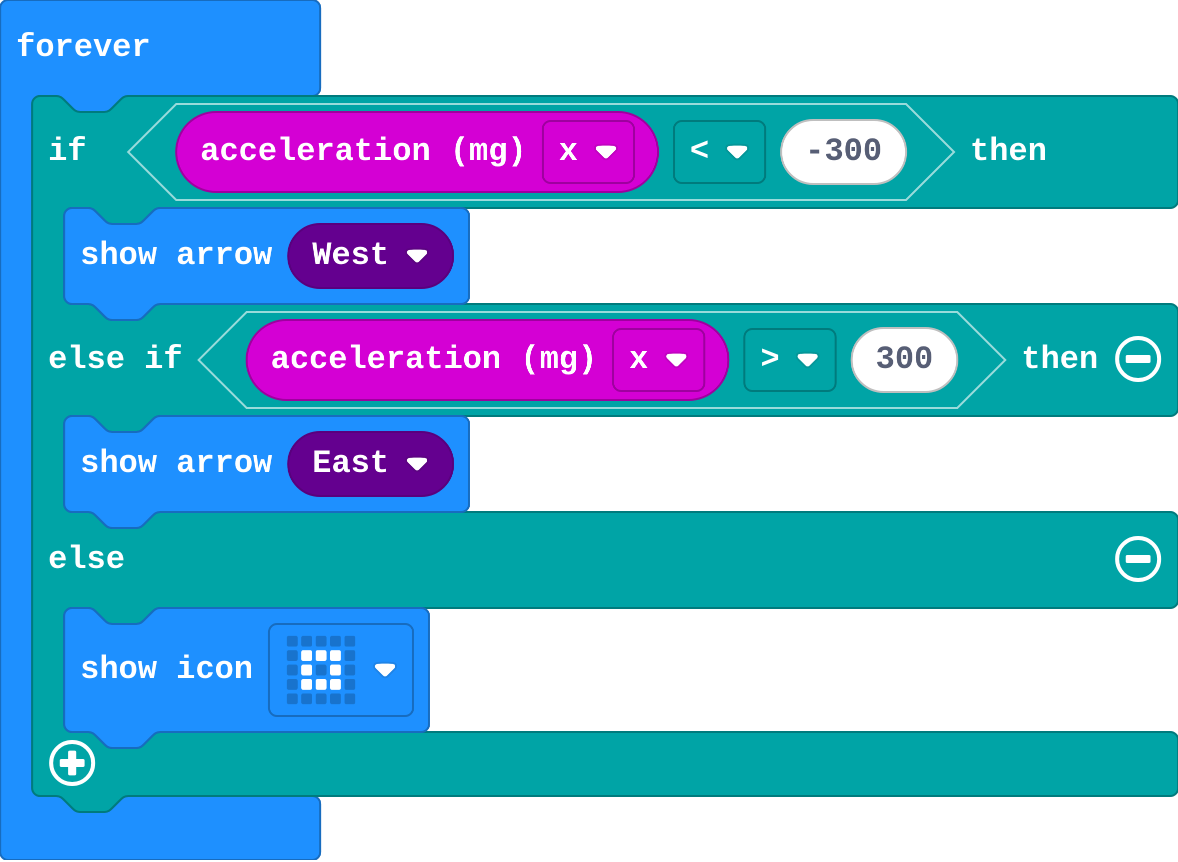
Show as code
basic.forever(function () {
    if (input.acceleration(Dimension.X) < -300) {
        basic.showArrow(ArrowNames.West)
    } else if (input.acceleration(Dimension.X) > 300) {
        basic.showArrow(ArrowNames.East)
    } else {
        basic.showIcon(IconNames.SmallSquare)
    }
})
Read the questions from the top, with -100 in mind.
Run
Move the mouse over the micro:bit to tilt it. Try a small tilt and a big tilt, left and right.
Show as code
basic.forever(function () {
    if (input.acceleration(Dimension.X) < -300) {
        basic.showArrow(ArrowNames.West)
    } else if (input.acceleration(Dimension.X) > 300) {
        basic.showArrow(ArrowNames.East)
    } else {
        basic.showIcon(IconNames.SmallSquare)
    }
})
Investigate
Show as code
basic.forever(function () {
    if (input.acceleration(Dimension.X) < -300) {
        basic.showArrow(ArrowNames.West)
    } else if (input.acceleration(Dimension.X) > 300) {
        basic.showArrow(ArrowNames.East)
    } else {
        basic.showIcon(IconNames.SmallSquare)
    }
})
Work out what shows for each reading.
Leo's program:
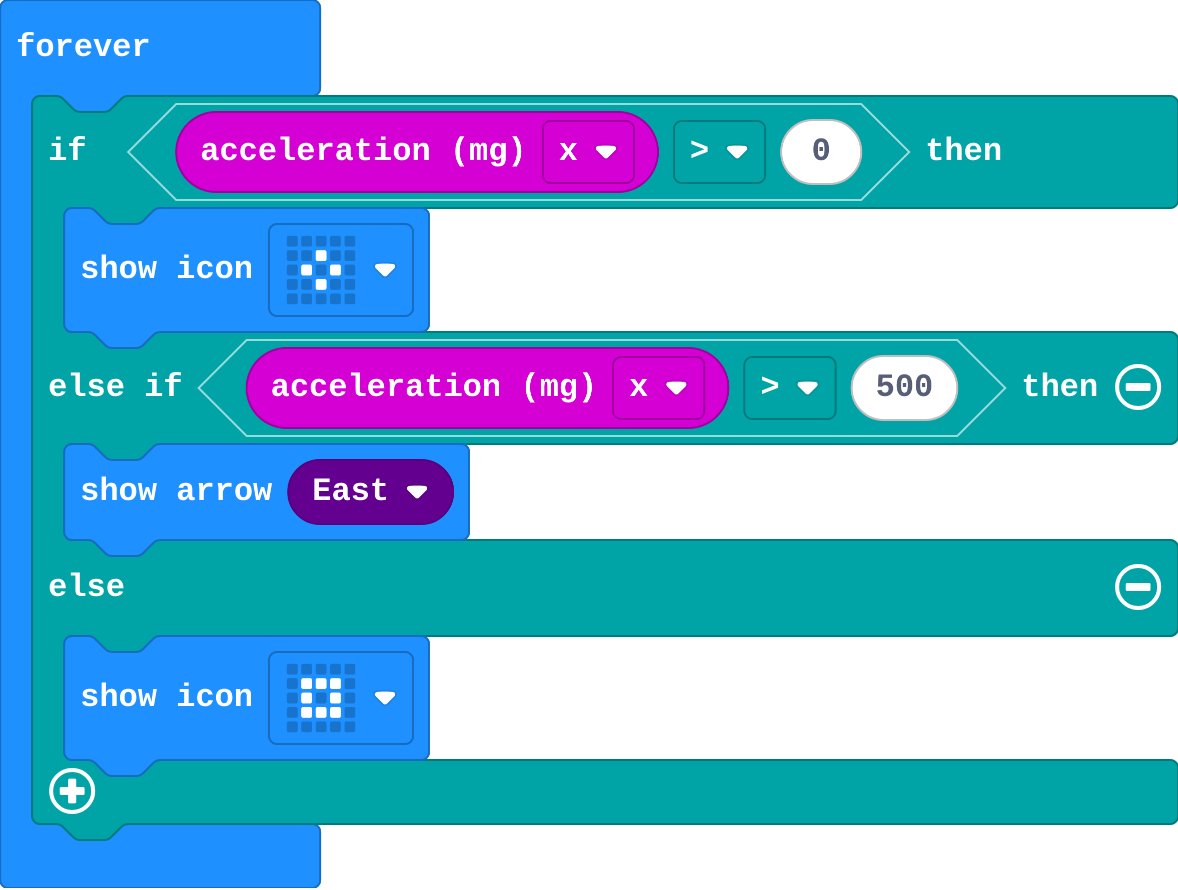
Show as code
basic.forever(function () {
    if (input.acceleration(Dimension.X) > 0) {
        basic.showIcon(IconNames.SmallDiamond)
    } else if (input.acceleration(Dimension.X) > 500) {
        basic.showArrow(ArrowNames.East)
    } else {
        basic.showIcon(IconNames.SmallSquare)
    }
})
For each value of acceleration x, what shows?
| acceleration x | shows |
|---|---|
| -500 | |
| 0 | |
| 400 | |
| 300 |
Modify
Leo's program is in the editor. Swap the questions so both parts can be reached.
Need a hint?
Swap the two questions: > 500 first, then > 0.
Another hint
Drag the arrow into the first part and the diamond into the else if part.
Add another else if for a big tilt left.
Need a hint?
Click + to add another else if, above the else.
Another hint
Use < -500 for a big tilt left, and show a left arrow.
Fix Leo's tilt: a big tilt right shows the arrow, a small tilt right shows the diamond.
This ticks by itself when your blocks do what is asked.
Add a big tilt left (below -500): a left arrow.
This ticks by itself when your blocks do what is asked.
Mix it up
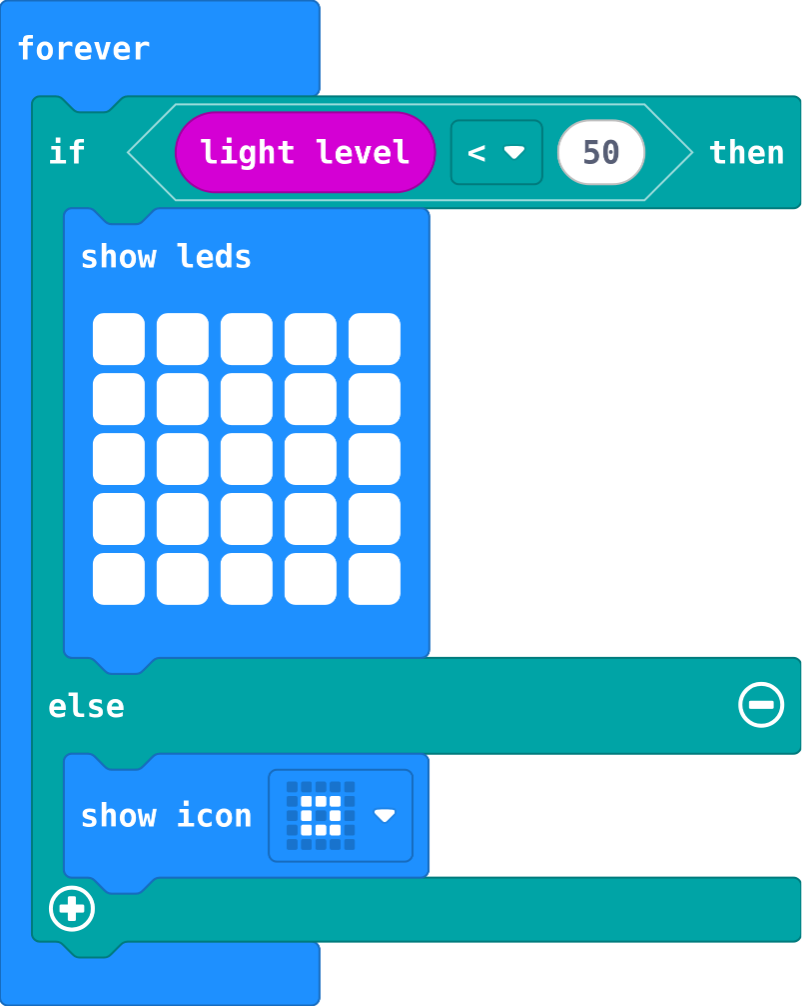
Show as code
basic.forever(function () {
    if (input.lightLevel() < 50) {
        basic.showLeds(`
            # # # # #
            # # # # #
            # # # # #
            # # # # #
            # # # # #
            `)
    } else {
        basic.showIcon(IconNames.SmallSquare)
    }
})
This is last lesson's bike light. What does it show at each light level?
| light level | shows |
|---|---|
| 30 | |
| 200 |
Make
Make a comfort meter for a classroom, in one if block with three parts:
- Below 15: cold (draw it).
- From 15 to 24: just right (a happy face).
- 25 and above: hot (draw it).
You need only two questions. The order does the rest.
Need a hint?
One if block with an else if and an else. You need only two questions.
Another hint
Ask < 15 first, then < 25. Anything under 15 was already caught by the first question.
A comfort meter: cold below 15, just right from 15 to 24, hot from 25, in one if … else if … else.
This ticks by itself when your blocks do what is asked.
Change a spirit level
This spirit level points the way to tilt back to flat, and shows a tick when it is level. Make it fussier (a smaller tilt counts as not level), then make it check forward and back as well.
For teachers
Students add else if to ask more questions in a row, and see that the first true question wins, so the order of the questions sets the ranges. About 40 minutes.
Open the teacher guide: answers, solutions, slides and a worksheet.
Students will be able to
- I can use else if to choose between three or more things.
- I can say which part runs when more than one question is true.
- I can order the questions so every range can be reached.
Before class
Click the + at the bottom of an if block to add else if (another question). The micro:bit asks the questions from the top; the first true one runs and the rest are skipped. else runs only when every question above it is false. That makes ranges simple: temperature < 15, then else if temperature < 25 means 15 to 24, because anything under 15 was already caught. It also makes order matter: ask > 0 before > 500 and the second can never run. Tilt in the simulator: move the mouse over the micro:bit.
Running the lesson
- Predict: -100 is the trap. It is negative, so many students pick the left arrow. Read the question aloud: is -100 less than -300?
- Run: small tilts show the square. That middle zone is the else.
- Investigate: the trace pins down the edges (300 is not more than 300). Leo's tilt is the order mistake: the bigger question must be asked first.
- Modify: students fix Leo's program in the editor, then add a fourth range.
- Mix it up: last lesson's bike light, read at two light levels.
- Make: two questions make three ranges. Ask students to explain why the middle needs no 'and'.
The hard part (on purpose)
Seeing that only the first true question counts. Ask them to read the questions from the top with one value and stop at the first yes.
When students get stuck
- One picture never appears. Ask: Is there a value that makes its question true, and no question above it true? Fix: Put the narrower question first (> 500 before > 0).
- The comfort meter shows hot for 20 degrees. Ask: Read your questions from the top with 20. Which is true first? Fix: Check the < and >, and the order: < 15, then < 25, then else.
- There is no else if. Ask: Where is the + on the if block? Fix: Click the + twice: the first adds else, the next adds else if.
Stretch and support
Stretch: Make the comfort meter show five ranges (freezing, cold, right, warm, hot) with four questions.
Support: Give students the if … else if … else already in forever with the pictures in, and ask them only to fill in the two questions.
Where it leads
Next unit: lists, which keep many values under one name. Class ideas: a tilt game where players hold the micro:bit level for ten seconds; a comfort meter by each classroom window with real micro:bits.
What each step is for
- Investigate: The questions are asked from the top. The first true one runs and the rest are skipped; else runs only when none are true. So the order of the questions decides the ranges.
- Modify: Each else if adds one range. Asking the wider question last keeps the narrower ones reachable.
- Mix it up: if … else runs exactly one part, decided by one sensor reading.
- Use else if to choose between three or more things.
- Say which part runs when more than one question is true.
- Order the questions so every range can be reached.