Drive and stop
Students set each wheel's speed with robot motor tank, drive and turn for a time, and find that a timed move does not stop the motors by itself; they finish by driving a square.
Classroom resources
Load these into Waypoints Prepare: choose Load URL and paste the copied address, or download the file and import it. In Prepare, the worksheet's Teacher edition shows the answers; the student copy hides them.
Students will be able to
- I can set the left and right wheel speeds to drive, turn and curve.
- I can make a move last for a time, and stop the robot at the end.
- I can repeat a drive and a turn to make a shape.
Timing
Predict and Run 8 min · Investigate 10 min · Modify 10 min · Make 12 min · Real robot 5 min (optional)
Before class
The robot has two wheels, each with its own motor. robot motor tank sets the left and right speeds from −100 to 100: equal speeds drive straight, opposite speeds spin on the spot, and unequal speeds curve. The optional for … ms box is a time: the robot keeps that speed for that long, then the program moves on. The surprise in this lesson is that a time does not stop the motors: they keep doing what they were last told until another motor block changes them. So every program that should end needs robot motor stop.
Every program starts with a block that picks the robot (Elecfreaks Cutebot here). Schools with another supported robot change only that block. Kitronik MOVE Motor is not yet supported by the robot extension: MOVE Motor classes can use the Kitronik blocks on the real robot (move Forward at speed, spin Left at speed, stop, each with a pause), with the same ideas.
The simulator robot also smooths its speed, so starts and stops are gentle. Turns by time are not exact angles: students tune the turn time until a square looks square, which is what they will do on a real robot too.
Running the lesson
- Predict: most expect it to stop. Ask: which block told it to stop?
- Run: if it disappears off the edge, drag it back and restart the simulator.
- Investigate: let students test the match pairs in the simulator. Ava's robot is the lesson's key idea: a time is not a stop.
- Modify: −50 −50 drives backwards. The curve goes right because the right wheel is slower.
- Make: repeat is in Loops. The turn time for a right angle depends on speed; about 400 ms at 50 is a starting point, then tune.
- Real robot (optional): expect drift. robot set motor drift corrects a robot that pulls to one side.
The hard part (on purpose)
A time on a motor block is not a stop. When the robot keeps spinning, ask what the last block tells the motors.
When students get stuck
| What you will see | A question to ask | The fix |
|---|---|---|
| The robot keeps spinning after the program. | What is the last block? Does it stop the motors? | Add robot motor stop at the end. |
| The robot does not move at all. | Is the first block robot … start? Are the speeds above 0? | Keep the start block at the top, and use speeds like 50. |
| The square's corners are too sharp or too wide. | Which number decides how far it turns? | Change the turn's time, a little at a time. |
Answers to the checks
- Predict: The robot drives forward for 1 second, then turns for half a second. What happens next?
It keeps spinning. 'for 500 ms' means wait half a second before the next block, not stop. With no next block, the motors keep going as they were. - Which way?: Match each pair of wheel speeds with what the robot does.
left 50, right 50 → C. drives straight ahead; left 50, right −50 → D. spins on the spot, to the right; left 50, right 20 → A. curves gently to the right; left −50, right −50 → B. drives straight backwards - Ava's robot: Ava wants her robot to drive, turn, drive again, and then stop. Her robot never stops. Why?
Her last move has a time, but a time does not stop the motors: she needs robot motor stop at the end
The time on her last block only says when to move on. There is nothing after it, so the motors keep going. robot motor stop at the end fixes it.
Solutions
One possible solution for each task. Other correct programs are fine.
Modify › Back it up
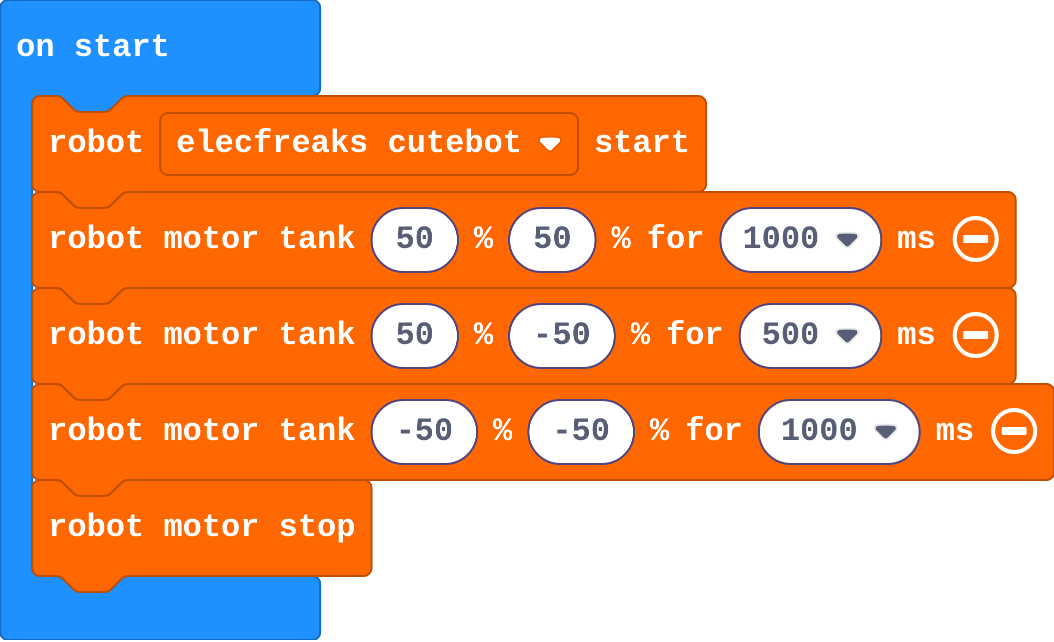
Show as code
robot.elecfreaksCuteBot.start()
robot.motorTank(50, 50, 1000)
robot.motorTank(50, -50, 500)
robot.motorTank(-50, -50, 1000)
robot.motorStop()
Modify › Curve
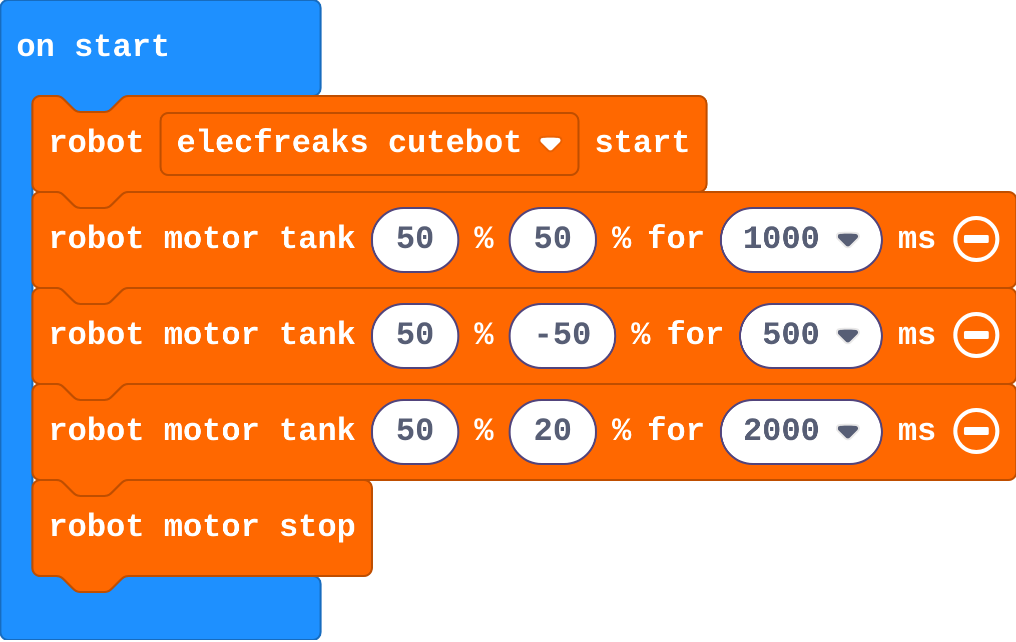
Show as code
robot.elecfreaksCuteBot.start()
robot.motorTank(50, 50, 1000)
robot.motorTank(50, -50, 500)
robot.motorTank(50, 20, 2000)
robot.motorStop()
Make
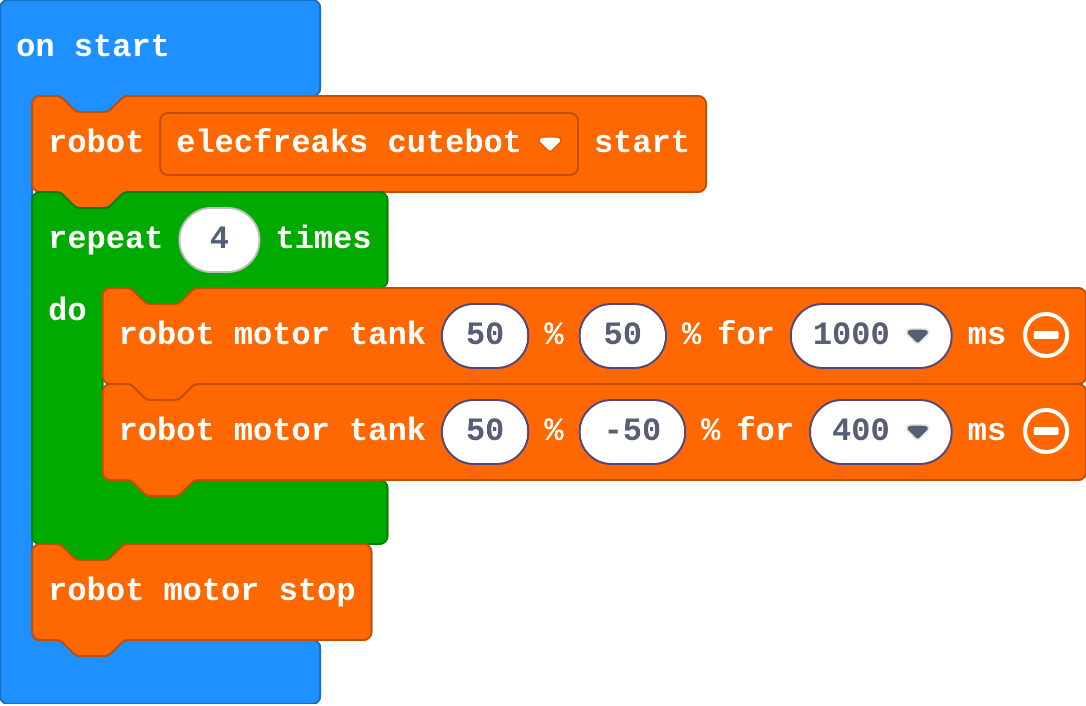
Show as code
robot.elecfreaksCuteBot.start()
for (let index = 0; index < 4; index++) {
    robot.motorTank(50, 50, 1000)
    robot.motorTank(50, -50, 400)
}
robot.motorStop()
Stretch and support
Stretch: Drive a triangle (three sides, a bigger turn) and a figure of eight (two curves, one each way).
Support: Give the square's repeat block with one drive inside; students add the turn and the stop.
Exit ticket
Why does a robot keep moving after its last 'for 500 ms' block?
The time only says when to move on to the next block. The motors keep their last speed until a block such as robot motor stop changes them.
What each step is for
- Investigate: A motor keeps doing what it was last told. A time on a motor block only says when to move on to the next block, so a robot needs a stop.
- Modify: Changing the two speeds changes the move; the time changes how far it goes.
Where it leads
Next: give each move a name with functions, and build a dance routine. Class ideas: tape a square on the floor and see whose real robot finishes closest to its start.