Run out
Students limit a blaster with a number that counts down, check it first so it never goes below zero, refill it with a star, and make a shield run out after 5 seconds.
Classroom resources
Load these into Waypoints Prepare: choose Load URL and paste the copied address, or download the file and import it. In Prepare, the worksheet's Teacher edition shows the answers; the student copy hides them.
Students will be able to
- I can limit an action with a number that counts down.
- I can check the number first, so it never goes below zero.
- I can make a power-up last a set time with a timer.
Timing
Predict and Run 7 min · Investigate 10 min · Modify 8 min · Mix it up 3 min · Make 12 min · Sprint 5 min
Before class
A power-up that runs out is a number counting down. For ammo, the A event asks if ammo > 0 first, then fires and changes ammo by -1. Without the check, ammo goes below zero and the shots never stop (the misconception). With ≥ 0 there is one shot too many.
For time, a timer every 1000 ms counts shieldTime down while the shield is on, and at 0 sets the shield back to false: an if inside an if. Set (refill to 5) and change (add 3) are different, which Modify brings out.
Running the lesson
- Predict: let students find the -2 in the Run.
- Investigate: the trace shows the if saying no at 0. Lily's blaster checks the wrong block.
- Modify: ask which refill is kinder to a player with 4 shots.
- Mix it up: true or false from last lesson.
- Make: read it aloud: every second, if the shield is on, count down; if it reached zero, switch it off.
In class
On the slides at these points. Students can do the whole lesson on their own; these are for the room. In the deck, the Run, Modify and Make slides have the live playground in them (the tutorial link is the backup), and the notes above are in each slide's speaker notes.
- Three sweets (investigate, 3 min)
A student has three counters. Each "fire" hands one over, but only if they still have one.
Nobody can hand over a counter they do not have. The game can, unless it checks.
- Fair or not? (end, 4 min)
Play the next pair's sprint boost. Is three boosts fair?
The hard part (on purpose)
Checking before using. When the count goes below zero, ask what the event asks first.
When students get stuck
| What you will see | A question to ask | The fix |
|---|---|---|
| Shots never run out. | Is the shot inside the if? | Put both the shot and change ammo by -1 inside if ammo > 0. |
| The shield switches off straight away, or never. | Where is the countdown, and when does that block run? | In the 1000 ms timer, inside if shield; set it to false only inside if shieldTime = 0. |
| The countdown goes 5, 3, 1, -1. | How many timers count it down? | One: remove the second change. |
Answers to the checks
- Predict: ammo starts at 3. You press A five times. What happens?
5 shots fly and ammo goes 2, 1, 0, -1, -2. Nothing checks there is ammo left, so the count goes below zero. - Shots left: This version fires only if ammo > 0. Fill in each press of A.
yes, 0, no, 0
At 0 the question ammo > 0 is false, so nothing fires and nothing is taken away. - Why > 0?: Why ammo > 0, and not ammo ≥ 0?
With ≥ 0, a shot fires at 0 and ammo goes to -1: one shot too many
≥ 0 is still true at 0, so the last press fires a fourth shot and the count goes below zero. - Lily's blaster: Lily put the if around change ammo by -1 only, not around the shot. What happens after 3 shots?
Shots keep firing, though ammo stays at 0
Only the count is checked. The shot is outside the if, so it fires on every press. - Mix it up: hunting is true. The player touches a ghost, and the overlap scores 5 and sets hunting to false. A second ghost touches a moment later. What happens?
It costs a life: hunting is now false
The first touch set hunting to false, so the if takes the else for the second ghost.
Solutions
One possible solution for each task. Other correct programs are fine.
Modify › Refill
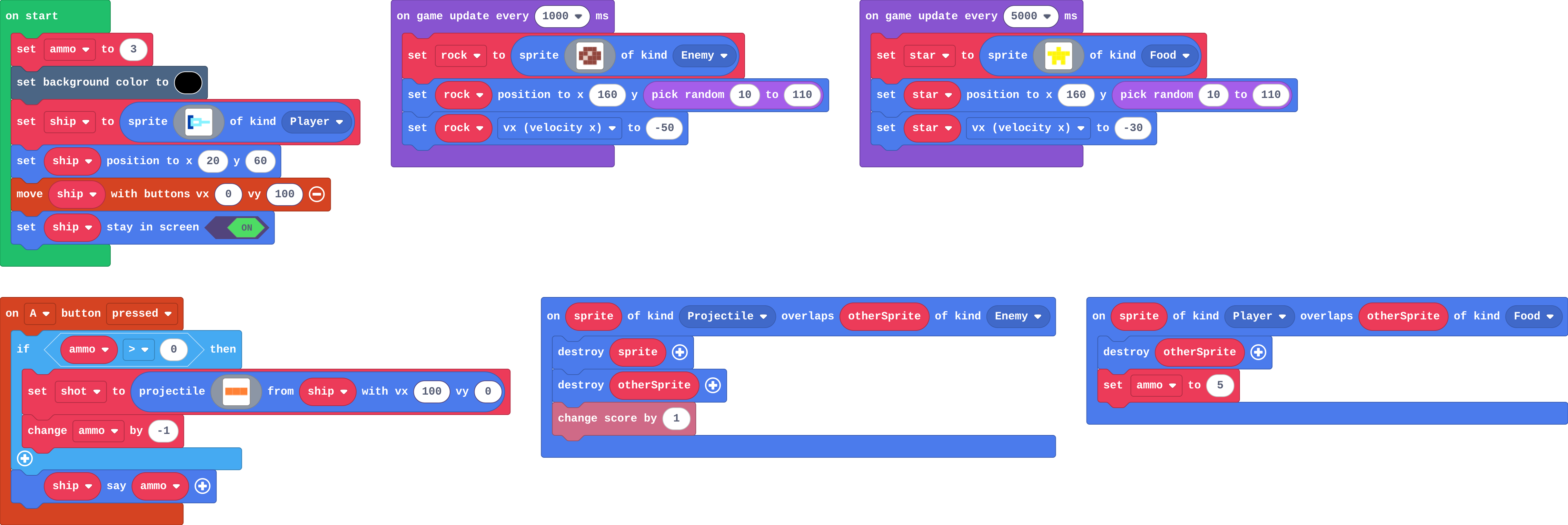
Show as code
let star: Sprite = null
let shot: Sprite = null
let rock: Sprite = null
let ammo = 3
scene.setBackgroundColor(15)
let ship = sprites.create(img`
    8 8 . . . . . .
    8 9 9 9 9 . . .
    8 9 1 1 9 9 9 9
    8 9 9 9 9 . . .
    8 8 . . . . . .
    `, SpriteKind.Player)
ship.setPosition(20, 60)
controller.moveSprite(ship, 0, 100)
ship.setStayInScreen(true)
controller.A.onEvent(ControllerButtonEvent.Pressed, function () {
    if (ammo > 0) {
        shot = sprites.createProjectileFromSprite(img`
            4 4 4
            `, ship, 100, 0)
        ammo += -1
    }
    ship.sayText(ammo)
})
game.onUpdateInterval(1000, function () {
    rock = sprites.create(img`
        . e e e .
        e e d e e
        e d e e e
        . e e e .
        `, SpriteKind.Enemy)
    rock.setPosition(160, randint(10, 110))
    rock.vx = -50
})
game.onUpdateInterval(5000, function () {
    star = sprites.create(img`
        . . 5 . .
        5 5 5 5 5
        . 5 5 5 .
        . 5 . 5 .
        `, SpriteKind.Food)
    star.setPosition(160, randint(10, 110))
    star.vx = -30
})
sprites.onOverlap(SpriteKind.Projectile, SpriteKind.Enemy, function (sprite, otherSprite) {
    sprite.destroy()
    otherSprite.destroy()
    info.changeScoreBy(1)
})
sprites.onOverlap(SpriteKind.Player, SpriteKind.Food, function (sprite, otherSprite) {
    otherSprite.destroy()
    ammo = 5
})
Modify › Top up
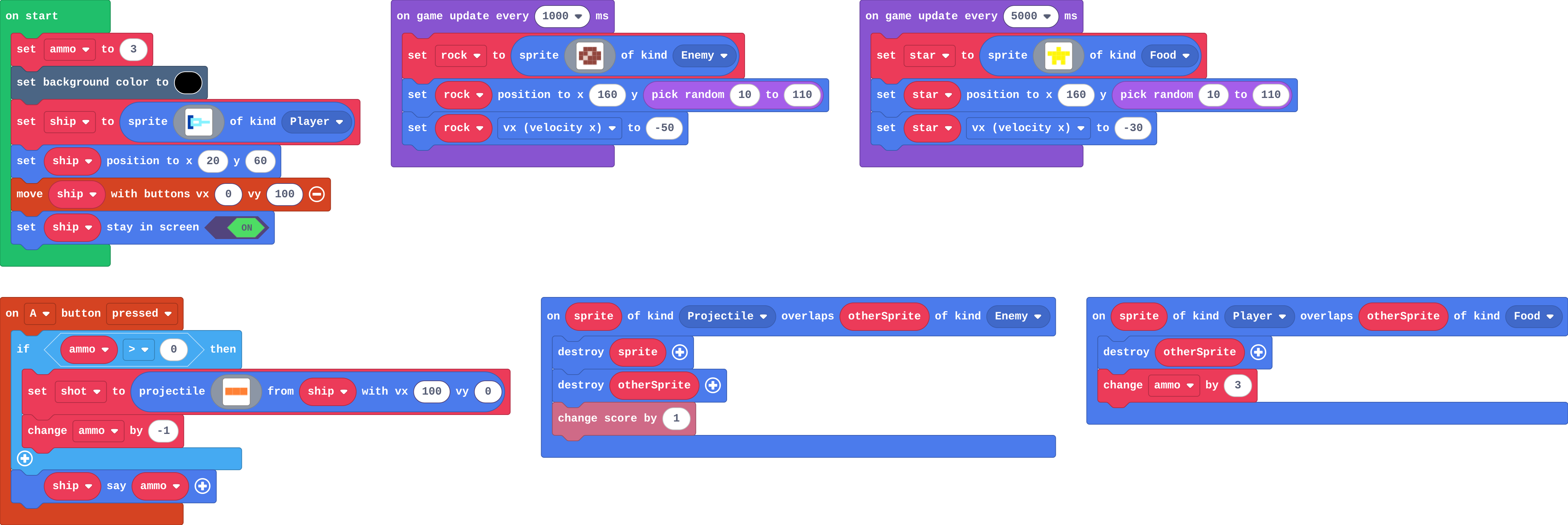
Show as code
let star: Sprite = null
let shot: Sprite = null
let rock: Sprite = null
let ammo = 3
scene.setBackgroundColor(15)
let ship = sprites.create(img`
    8 8 . . . . . .
    8 9 9 9 9 . . .
    8 9 1 1 9 9 9 9
    8 9 9 9 9 . . .
    8 8 . . . . . .
    `, SpriteKind.Player)
ship.setPosition(20, 60)
controller.moveSprite(ship, 0, 100)
ship.setStayInScreen(true)
controller.A.onEvent(ControllerButtonEvent.Pressed, function () {
    if (ammo > 0) {
        shot = sprites.createProjectileFromSprite(img`
            4 4 4
            `, ship, 100, 0)
        ammo += -1
    }
    ship.sayText(ammo)
})
game.onUpdateInterval(1000, function () {
    rock = sprites.create(img`
        . e e e .
        e e d e e
        e d e e e
        . e e e .
        `, SpriteKind.Enemy)
    rock.setPosition(160, randint(10, 110))
    rock.vx = -50
})
game.onUpdateInterval(5000, function () {
    star = sprites.create(img`
        . . 5 . .
        5 5 5 5 5
        . 5 5 5 .
        . 5 . 5 .
        `, SpriteKind.Food)
    star.setPosition(160, randint(10, 110))
    star.vx = -30
})
sprites.onOverlap(SpriteKind.Projectile, SpriteKind.Enemy, function (sprite, otherSprite) {
    sprite.destroy()
    otherSprite.destroy()
    info.changeScoreBy(1)
})
sprites.onOverlap(SpriteKind.Player, SpriteKind.Food, function (sprite, otherSprite) {
    otherSprite.destroy()
    ammo += 3
})
Make
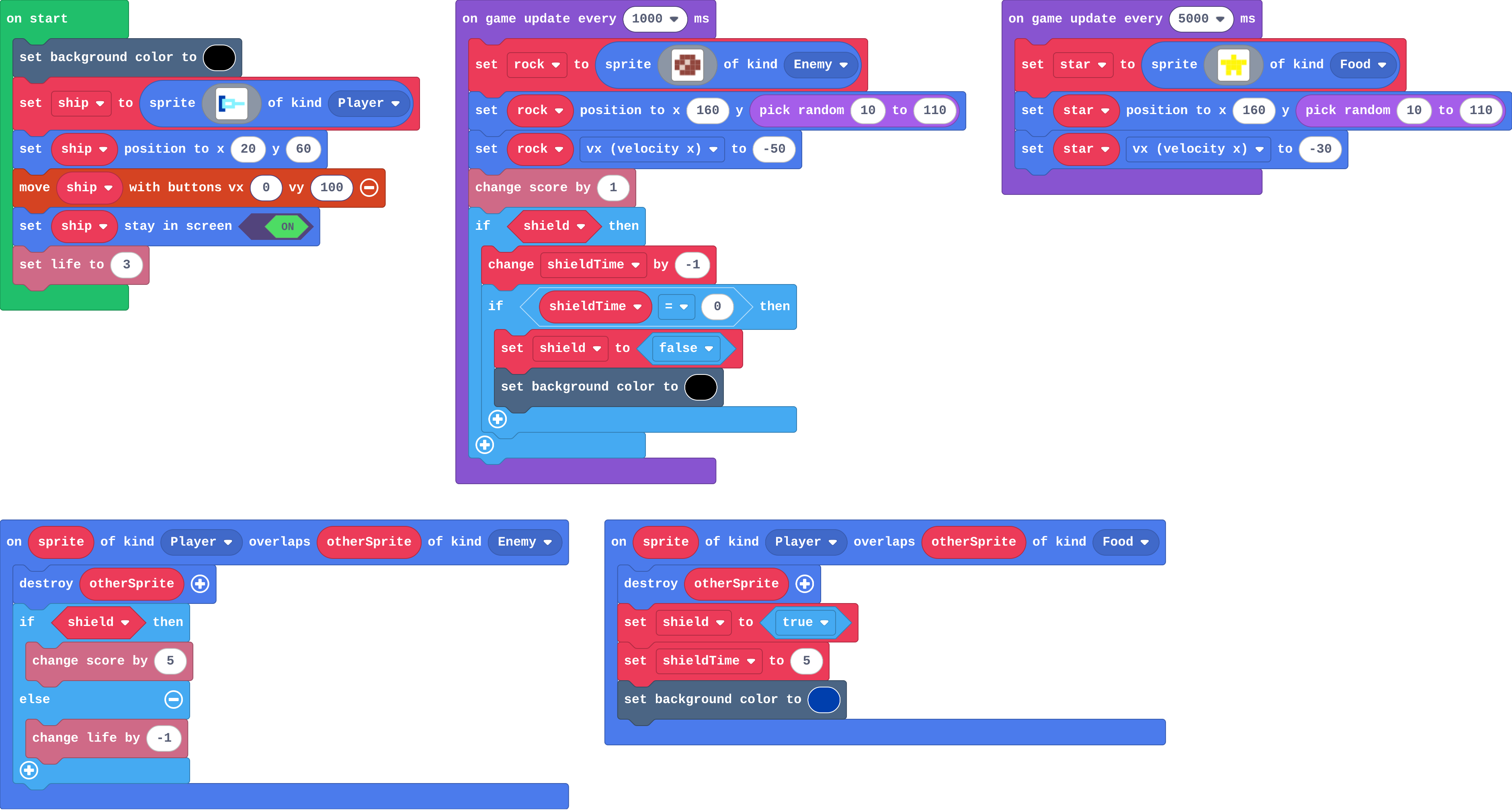
Show as code
let rock: Sprite = null
let star: Sprite = null
let shield = false
let shieldTime = 0
sprites.onOverlap(SpriteKind.Player, SpriteKind.Enemy, function (sprite, otherSprite) {
    otherSprite.destroy()
    if (shield) {
        info.changeScoreBy(5)
    } else {
        info.changeLifeBy(-1)
    }
})
sprites.onOverlap(SpriteKind.Player, SpriteKind.Food, function (sprite, otherSprite) {
    otherSprite.destroy()
    shield = true
    shieldTime = 5
    scene.setBackgroundColor(8)
})
scene.setBackgroundColor(15)
let ship = sprites.create(img`
    8 8 . . . . . .
    8 9 9 9 9 . . .
    8 9 1 1 9 9 9 9
    8 9 9 9 9 . . .
    8 8 . . . . . .
    `, SpriteKind.Player)
ship.setPosition(20, 60)
controller.moveSprite(ship, 0, 100)
ship.setStayInScreen(true)
info.setLife(3)
game.onUpdateInterval(1000, function () {
    rock = sprites.create(img`
        . e e e .
        e e d e e
        e d e e e
        . e e e .
        `, SpriteKind.Enemy)
    rock.setPosition(160, randint(10, 110))
    rock.vx = -50
    info.changeScoreBy(1)
    if (shield) {
        shieldTime += -1
        if (shieldTime == 0) {
            shield = false
            scene.setBackgroundColor(15)
        }
    }
})
game.onUpdateInterval(5000, function () {
    star = sprites.create(img`
        . . 5 . .
        5 5 5 5 5
        . 5 5 5 .
        . 5 . 5 .
        `, SpriteKind.Food)
    star.setPosition(160, randint(10, 110))
    star.vx = -30
})
Change a sprint boost
Open task: any program that does what the step asks.
Stretch and support
Stretch: Show the shield time with the ship's say block, every second.
Support: Give students the if shield in the timer, so they add only the countdown and the switch-off.
Exit ticket
Why does the A event ask ammo > 0 before it fires?
So it only fires while there are shots left. Without the check, ammo goes below zero and the shots never run out.
What each step is for
- Investigate: A number that counts down limits an action: the event asks it first, and only then uses one up.
- Modify: Set throws away what is left; change by adds to it.
- Mix it up: A true or false variable stays as it is until a block sets it back.
Where it leads
Next: the Power-ups challenge, with less help. Skillmap: Save the Galaxy (arcade.makecode.com/skillmaps).