<img> image
A picture. src is the picture file; alt describes it for people who cannot see it. There is no closing tag.
<img src="trophy.svg" alt="A gold trophy">Example
<img src="medal.svg" alt="A silver medal" width="100">
<p>Second place</p>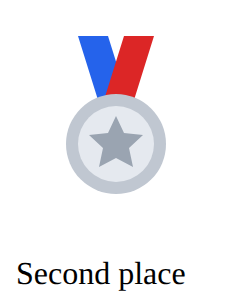
Layout and components · In any playground, open Reference to copy these.
A picture. src is the picture file; alt describes it for people who cannot see it. There is no closing tag.
<img src="trophy.svg" alt="A gold trophy"><img src="medal.svg" alt="A silver medal" width="100">
<p>Second place</p>Space between the items in a flex row (on the parent, with display: flex).
gap: 16px;<style>
.row {
display: flex;
gap: 40px;
}
</style>
<div class="row">
<p>One</p>
<p>Two</p>
<p>Three</p>
</div>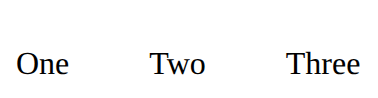
Remove the bullets or numbers from a list: menus are lists without bullets.
list-style: none;<style>
ol {
list-style: none;
}
</style>
<ol>
<li>First</li>
<li>Second</li>
</ol>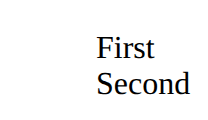
Put it on the box that holds the items (the parent): its children line up in a row.
display: flex;<style>
.row {
display: flex;
}
</style>
<div class="row">
<p>One</p>
<p>Two</p>
<p>Three</p>
</div>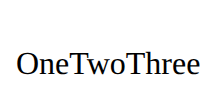
Let items move to the next line when the row is full.
flex-wrap: wrap;<style>
.row {
display: flex;
flex-wrap: wrap;
gap: 8px;
width: 180px;
}
</style>
<div class="row">
<img src="star.svg" alt="Star" width="50">
<img src="star.svg" alt="Star" width="50">
<img src="star.svg" alt="Star" width="50">
<img src="star.svg" alt="Star" width="50">
</div>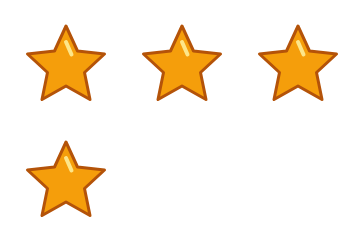
Says what a picture shows, for anyone who can't see it (screen readers read it aloud). Use alt="" for a picture that is only decoration.
<img src="trophy.svg" alt="A gold trophy">A file name with no folder means "beside this page"; images/trophy.svg means "in the images folder beside this page". Never a path from your own computer (C:/Users/…).
<img src="trophy.svg" alt="…">
<link rel="stylesheet" href="style.css">