<div> box
A container that groups things together, so you can style them as one.
<div>
  Content
</div>Layout and components · In any playground, open Reference to copy these.
A container that groups things together, so you can style them as one.
<div>
Content
</div>The main content of the page. One per page.
<main>
  The page's main content
</main><main>
<h2>This week</h2>
<p>Practice on Wednesday.</p>
</main>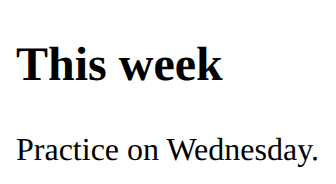
Holds the fields and the button that sends them. On its own, a form sends nowhere: code behind it does the work.
<form>
  fields
  <button>Send</button>
</form><form>
<label for="town">Town</label>
<input id="town" type="text">
<button>Go</button>
</form>
How wide the content is. Padding and border are added on top of it.
width: 200px;<style>
div {
width: 120px;
background-color: lightblue;
}
</style>
<div>A box 120 pixels wide</div>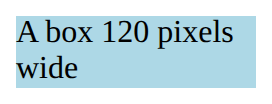
Space outside an element, between it and its neighbours.
margin: 10px;<style>
p {
border: 1px solid gray;
margin: 20px;
}
</style>
<p>One</p>
<p>Two</p>
A box with a border and rounded corners. The card-body inside gives it padding; card-title and card-text style what is in it.
<div class="card">
  <div class="card-body">
    <h5 class="card-title">Title</h5>
    <p class="card-text">Text</p>
  </div>
</div><link rel="stylesheet" href="bootstrap.min.css">
<div class="card m-2">
<div class="card-body">
<h5 class="card-title">Robotics</h5>
<p class="card-text">Fridays in the lab.</p>
</div>
</div>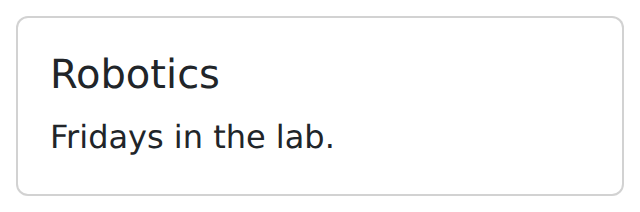
A note that the browser ignores.
<!-- A note to yourself --><p>You can see this.</p>
<!-- You cannot see this. -->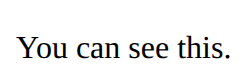
One part of the page, usually with its own heading.
<section>
  <h2>Part</h2>
</section><section>
<h2>Results</h2>
<p>We won 3 games.</p>
</section>
An input is a box to type in. Its label says what to type; for and id must match, so clicking the label puts the cursor in the box.
<label for="name">Name</label>
<input id="name" type="text"><label for="age">Age</label>
<input id="age" type="number">
Which font to use.
font-family: sans-serif;<style>
p {
font-family: monospace;
}
</style>
<p>Code font</p>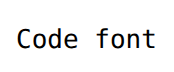
Space inside an element, between its edge and its content.
padding: 10px;<style>
p {
background-color: lightblue;
padding: 20px;
}
</style>
<p>Room inside</p>
A line around an element: thickness, style, colour.
border: 2px solid black;<style>
p {
border: 2px solid black;
}
</style>
<p>Boxed</p>