Remote control
Students turn a micro:bit into a radio remote control; each button sends a number and the robot turns each number into a move.
Classroom resources
Load these into Waypoints Prepare: choose Load URL and paste the copied address, or download the file and import it. In Prepare, the worksheet's Teacher edition shows the answers; the student copy hides them.
Students will be able to
- I can send a number by radio when a button is pressed.
- I can make a robot choose a move for each number it receives.
- I can explain why the remote and robot need the same radio group and the same code.
Timing
Predict and Run 8 min · Investigate 10 min · Modify 12 min · Make 12 min · Real robot 3 min (optional)
Before class
Students used radio in micro:bit Foundations (Send and receive, Messages with meaning). Here the remote sends a number for each command and the robot decides what each number means, in on radio received. The two sides must agree on the group and on the code (1 = forward, 2 = turn, 0 = stop). A micro:bit never hears its own messages.
When a program uses radio, the simulator runs it on two micro:bits, each with a robot, in one arena. Each is the remote for the other robot. This is a little odd at first; say it up front. With real hardware, the same program can go on both micro:bits.
Untested on real hardware: whether the robot start block shows an error on a micro:bit that is not in a robot. If it does, give the remote a copy without that block. Real classrooms need a different radio group for every pair. MOVE Motor classes can use this lesson unchanged on the remote side, and Kitronik blocks on the robot side.
Running the lesson
- Predict: many say the first robot. Ask: does a micro:bit hear its own radio? (Foundations: no.)
- Run: watch the other robot. Then swap: the second micro:bit drives the first robot.
- Investigate: write the code table on the board (1 forward, 2 turn, 0 stop). Ben's robot is the group mismatch from Foundations.
- Modify: show number on the robot side is how real operators check what was heard.
- Make: four commands, small steps. Challenge pairs to steer round a box and back.
- Real robot (optional): assign each pair a radio group before anyone downloads.
The hard part (on purpose)
Both sides must agree on the code and the radio group. Ask which robot they're watching and what number was sent last.
When students get stuck
| What you will see | A question to ask | The fix |
|---|---|---|
| Pressing a button moves nothing. | Are you watching the other robot? Is radio set group the same in both? | Watch the second robot; check both use the same group. |
| The robot drives off and never stops. | Which command did you send last? Does forward have a time? | Send the stop command, or give forward a time and a stop. |
| Two commands do the same thing. | Does each button send a different number? | Give each button its own number, and give the robot one branch per number. |
Answers to the checks
- Predict: You press A on the first micro:bit. Which robot drives forward?
The second robot. The first micro:bit sends 1; a micro:bit never hears its own messages, so only the second micro:bit receives 1 and drives its robot. - The code: Match each button with the number it sends and what the robot does.
A sends 1 → A. drive forward until told otherwise; B sends 2 → B. turn right a little, then stop; A+B sends 0 → C. stop - Ben's robot: Ben has two programs: one for his remote, one for his robot. Pressing A does nothing. Why?
The remote is in radio group 1 and the robot in group 2, so the robot never hears the message
Radio messages only reach micro:bits in the same group. Ben's remote sends on group 1, but his robot listens on group 2.
Solutions
One possible solution for each task. Other correct programs are fine.
Modify › Show the message
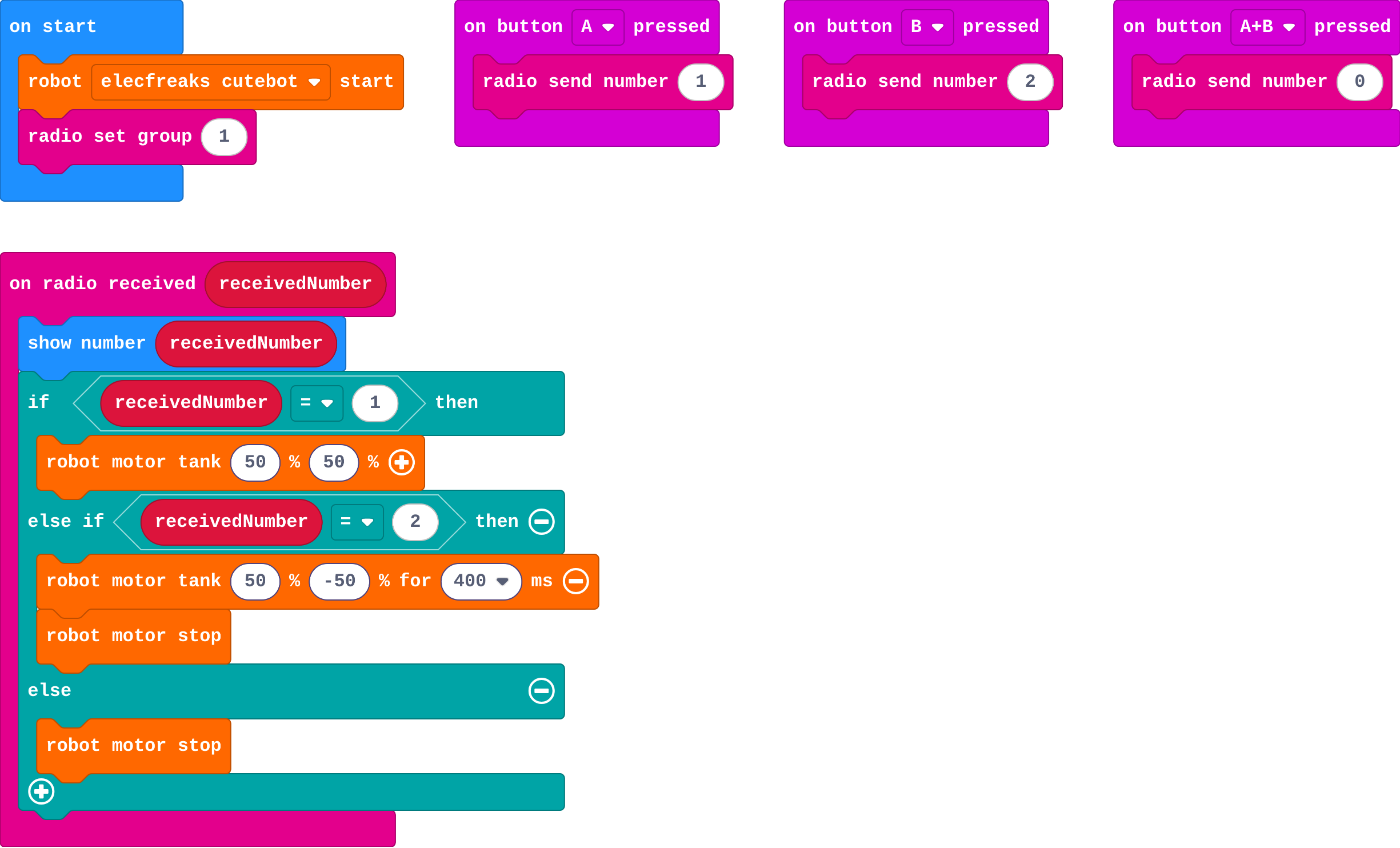
Show as code
input.onButtonPressed(Button.A, function () {
    radio.sendNumber(1)
})
input.onButtonPressed(Button.B, function () {
    radio.sendNumber(2)
})
input.onButtonPressed(Button.AB, function () {
    radio.sendNumber(0)
})
radio.onReceivedNumber(function (receivedNumber) {
    basic.showNumber(receivedNumber)
    if (receivedNumber == 1) {
        robot.motorTank(50, 50)
    } else if (receivedNumber == 2) {
        robot.motorTank(50, -50, 400)
        robot.motorStop()
    } else {
        robot.motorStop()
    }
})
robot.elecfreaksCuteBot.start()
radio.setGroup(1)
Modify › Reverse
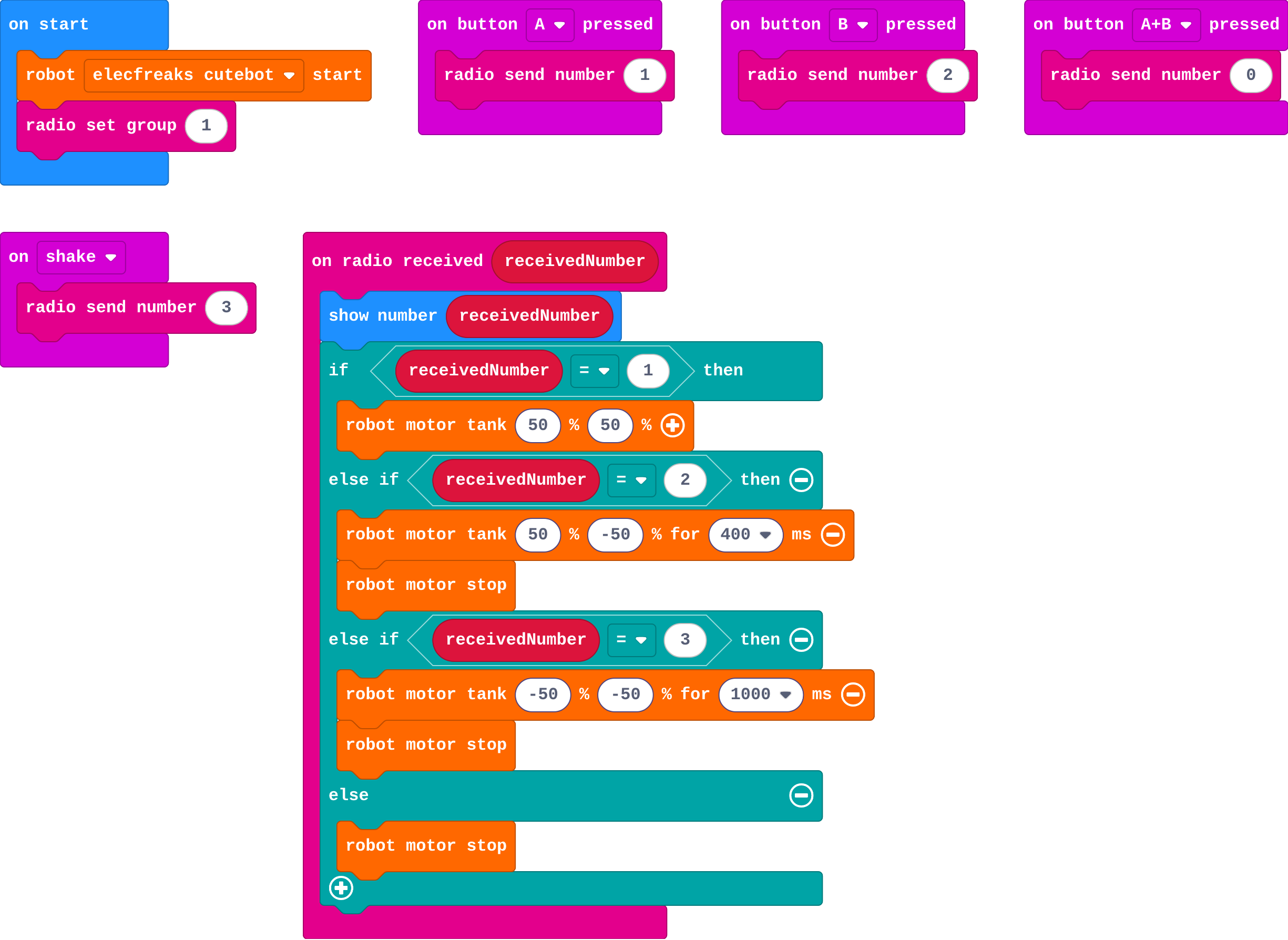
Show as code
input.onButtonPressed(Button.A, function () {
    radio.sendNumber(1)
})
input.onButtonPressed(Button.B, function () {
    radio.sendNumber(2)
})
input.onButtonPressed(Button.AB, function () {
    radio.sendNumber(0)
})
input.onGesture(Gesture.Shake, function () {
    radio.sendNumber(3)
})
radio.onReceivedNumber(function (receivedNumber) {
    basic.showNumber(receivedNumber)
    if (receivedNumber == 1) {
        robot.motorTank(50, 50)
    } else if (receivedNumber == 2) {
        robot.motorTank(50, -50, 400)
        robot.motorStop()
    } else if (receivedNumber == 3) {
        robot.motorTank(-50, -50, 1000)
        robot.motorStop()
    } else {
        robot.motorStop()
    }
})
robot.elecfreaksCuteBot.start()
radio.setGroup(1)
Make
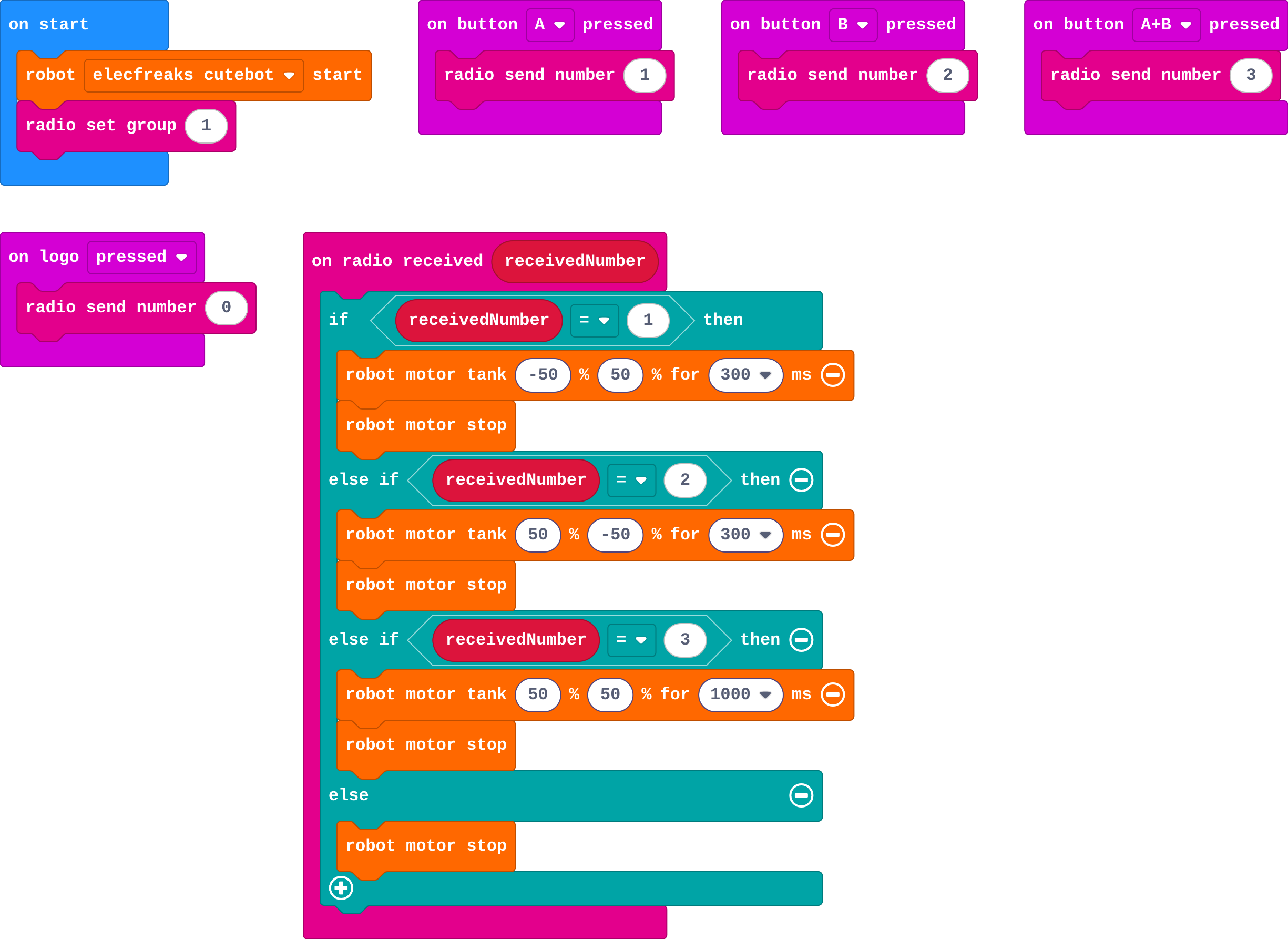
Show as code
input.onButtonPressed(Button.A, function () {
    radio.sendNumber(1)
})
input.onButtonPressed(Button.B, function () {
    radio.sendNumber(2)
})
input.onButtonPressed(Button.AB, function () {
    radio.sendNumber(3)
})
input.onLogoEvent(TouchButtonEvent.Pressed, function () {
    radio.sendNumber(0)
})
radio.onReceivedNumber(function (receivedNumber) {
    if (receivedNumber == 1) {
        robot.motorTank(-50, 50, 300)
        robot.motorStop()
    } else if (receivedNumber == 2) {
        robot.motorTank(50, -50, 300)
        robot.motorStop()
    } else if (receivedNumber == 3) {
        robot.motorTank(50, 50, 1000)
        robot.motorStop()
    } else {
        robot.motorStop()
    }
})
robot.elecfreaksCuteBot.start()
radio.setGroup(1)
Stretch and support
Stretch: Steer by tilting: in forever on the remote, send 1 when tilted left (acceleration x < −300), 2 when tilted right, and 0 when level.
Support: Give the robot side complete; students build the remote buttons to match the code table.
Exit ticket
The remote sends 2. Where is it decided what 2 means?
On the robot, in on radio received. The remote only sends the number; the robot's code turns it into a move.
What each step is for
- Investigate: The remote only sends a number. The robot decides what each number means, so both sides must agree on the code and the radio group.
- Modify: A new command needs a new number on the remote and a new branch on the robot.
Where it leads
Next: one micro:bit cues several robots to dance in time to music. Real-world links: rescue and bomb-disposal robots, drones, robots on Mars (where each message takes minutes to arrive, so the robot must also decide things for itself).