A radio bridge
Students build a radio bridge, so a micro:bit across the room sends readings to the computer and receives commands from it.
Classroom resources
Load these into Waypoints Prepare: choose Load URL and paste the copied address, or download the file and import it. In Prepare, the worksheet's Teacher edition shows the answers; the student copy hides them.
Students will be able to
- I can pass radio messages on to the computer, and lines from the computer on by radio.
- I can explain why both micro:bits need the same radio group.
- I can explain why a micro:bit never hears its own radio messages.
Timing
Predict and Run 8 min · Across the room 8 min (typical) · Investigate 8 min · Modify 12 min · Make 12 min · Test 3 min (typical)
Before class
The idea: a bridge relays. On the micro:bit plugged into the computer, on radio received value → serial write value passes radio readings to the computer, and on serial data received → radio send string passes lines from the computer on by radio. The micro:bit across the room only uses radio.
One program on both micro:bits: each part only does something on the micro:bit where it matters (the bridge also sends its own temperature by radio, but no other micro:bit passes it on, and a micro:bit never hears its own messages). This keeps the lesson to one program; in the simulator, a radio program runs on two micro:bits.
Hardware: two micro:bits per pair (one with a battery pack), a data cable and Chrome or Edge. The board steps are typical, so classes without hardware use the simulator's Show data. Give every pair its own radio group before anyone downloads, or bridges pick up other pairs' readings.
Running the lesson
- Predict: some say a bare number. Ask: which block sends the name?
- Across the room: warming the far micro:bit in your hands shows the graph rising.
- Investigate: the match is the whole idea; Ben's group is the Foundations slip again.
- Modify: point out that sending light needed no change to the bridge.
The hard part (on purpose)
Three parts in a chain: far micro:bit, bridge, computer. When nothing arrives, ask them to check each link in turn, starting with the radio group.
When students get stuck
| What you will see | A question to ask | The fix |
|---|---|---|
| Nothing arrives on the board. | Are both micro:bits in the same radio group? Is the far one switched on? | Use the same group; check the battery pack. |
| Readings from another pair appear. | Which radio group are you using? | Choose your own group number and download to both again. |
| Commands from the board do nothing on the far micro:bit. | Does the bridge pass lines from the computer on by radio? | Add on serial data received → radio send string (read line). |
Answers to the checks
- Predict: The micro:bit across the room is at 24 °C. What does the computer receive from the bridge?
temp:24. The far micro:bit sends the name and value by radio; the bridge's on radio received value passes them on with serial write value. - Across the room: Collect at least 5 temperature readings through the bridge.
- Two directions: Match each block with the job it does in the bridge.
on radio received value → serial write value → A. radio to the computer; on serial data received → radio send string → C. the computer to radio; radio set group → B. only micro:bits in the same group hear each other - Ben's bridge: Ben's far micro:bit is in radio group 7 and his bridge is in group 8. What does the board show?
Nothing arrives
Radio messages reach only micro:bits in the same group. Ben's bridge never hears the readings. - Its own messages: Both micro:bits run the same program, so the bridge also sends its own temperature by radio. Why doesn't the bridge's own temperature appear on the board?
A micro:bit never hears its own radio messages
Radio goes to every other micro:bit in the group, never back to the sender. So only the far micro:bit's readings arrive. (If you use three micro:bits, give them different names.) - Test the monitor: Use the board to set and clear the alarm, and see alarm 1 and 0 come back.
Solutions
One possible solution for each task. Other correct programs are fine.
Modify › Light too
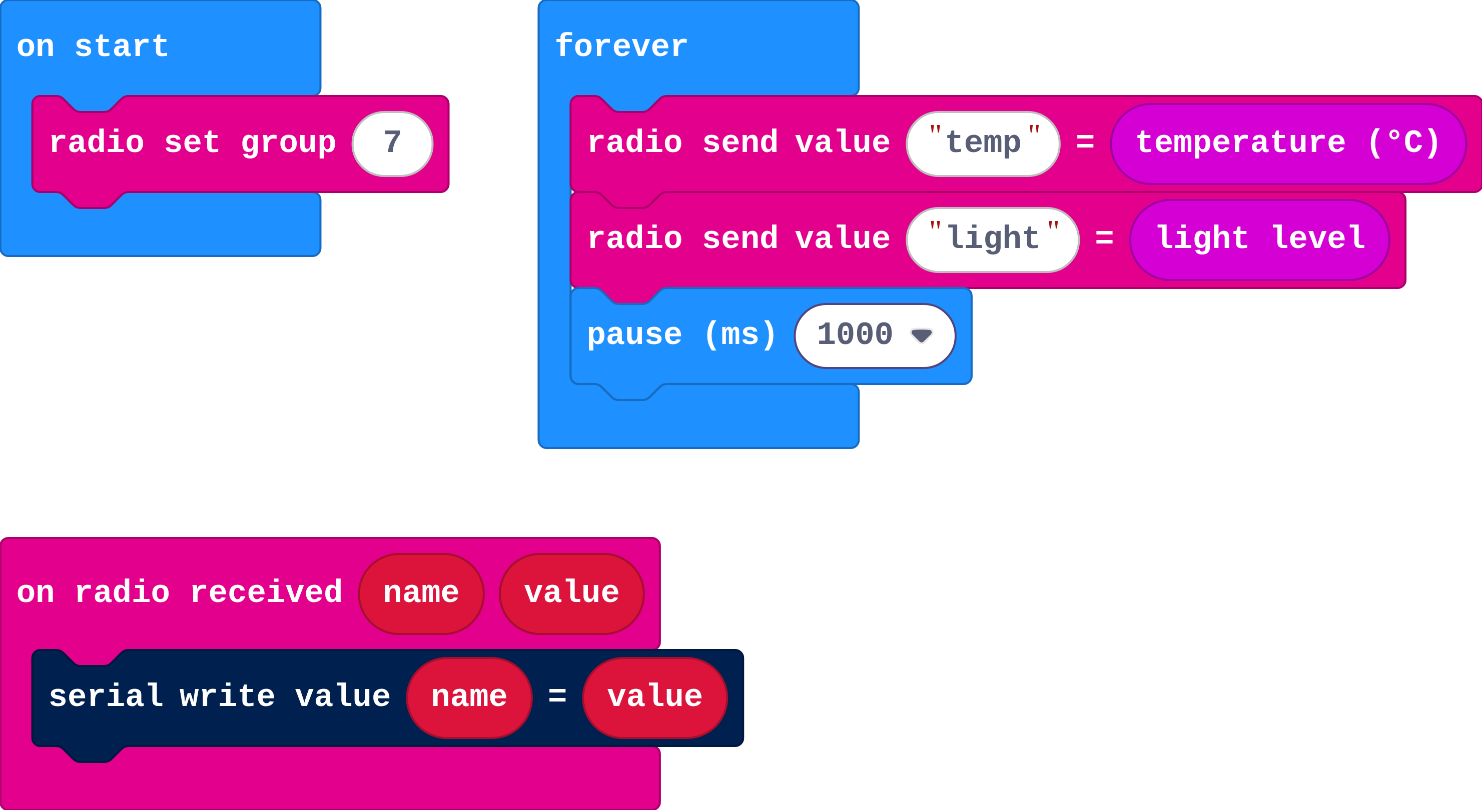
Show as code
radio.onReceivedValue(function (name, value) {
    serial.writeValue(name, value)
})
basic.forever(function () {
    radio.sendValue("temp", input.temperature())
    radio.sendValue("light", input.lightLevel())
    basic.pause(1000)
})
radio.setGroup(7)
Modify › Beep
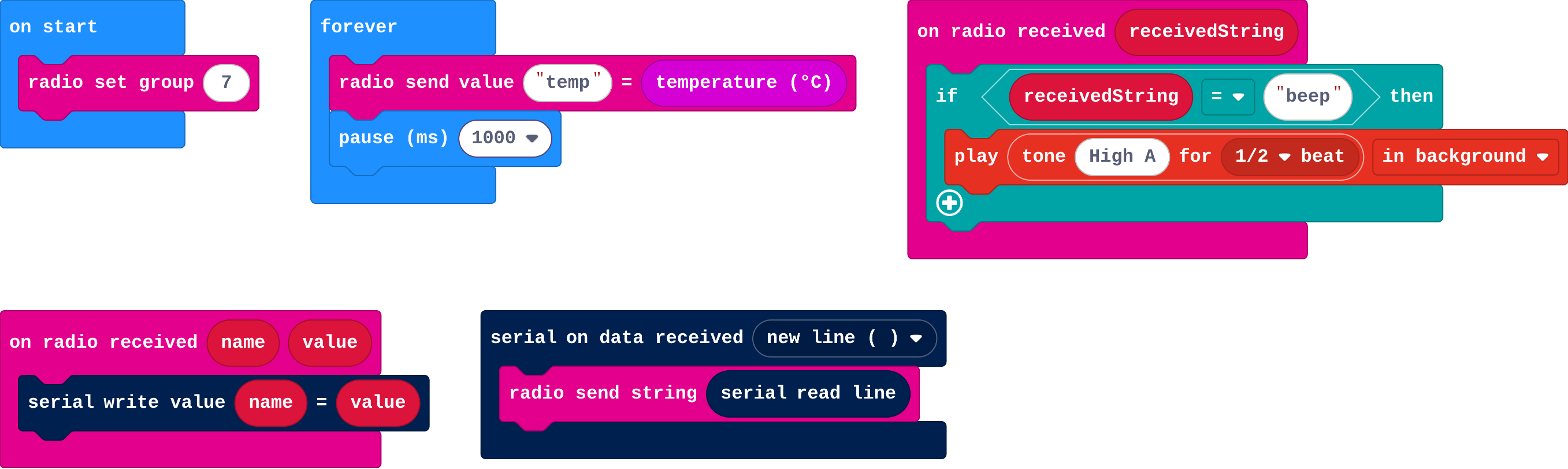
Show as code
radio.onReceivedValue(function (name, value) {
    serial.writeValue(name, value)
})
serial.onDataReceived(serial.delimiters(Delimiters.NewLine), function () {
    radio.sendString(serial.readLine())
})
radio.onReceivedString(function (receivedString) {
    if (receivedString == "beep") {
        music.play(music.tonePlayable(880, music.beat(BeatFraction.Half)), music.PlaybackMode.InBackground)
    }
})
basic.forever(function () {
    radio.sendValue("temp", input.temperature())
    basic.pause(1000)
})
radio.setGroup(7)
Make
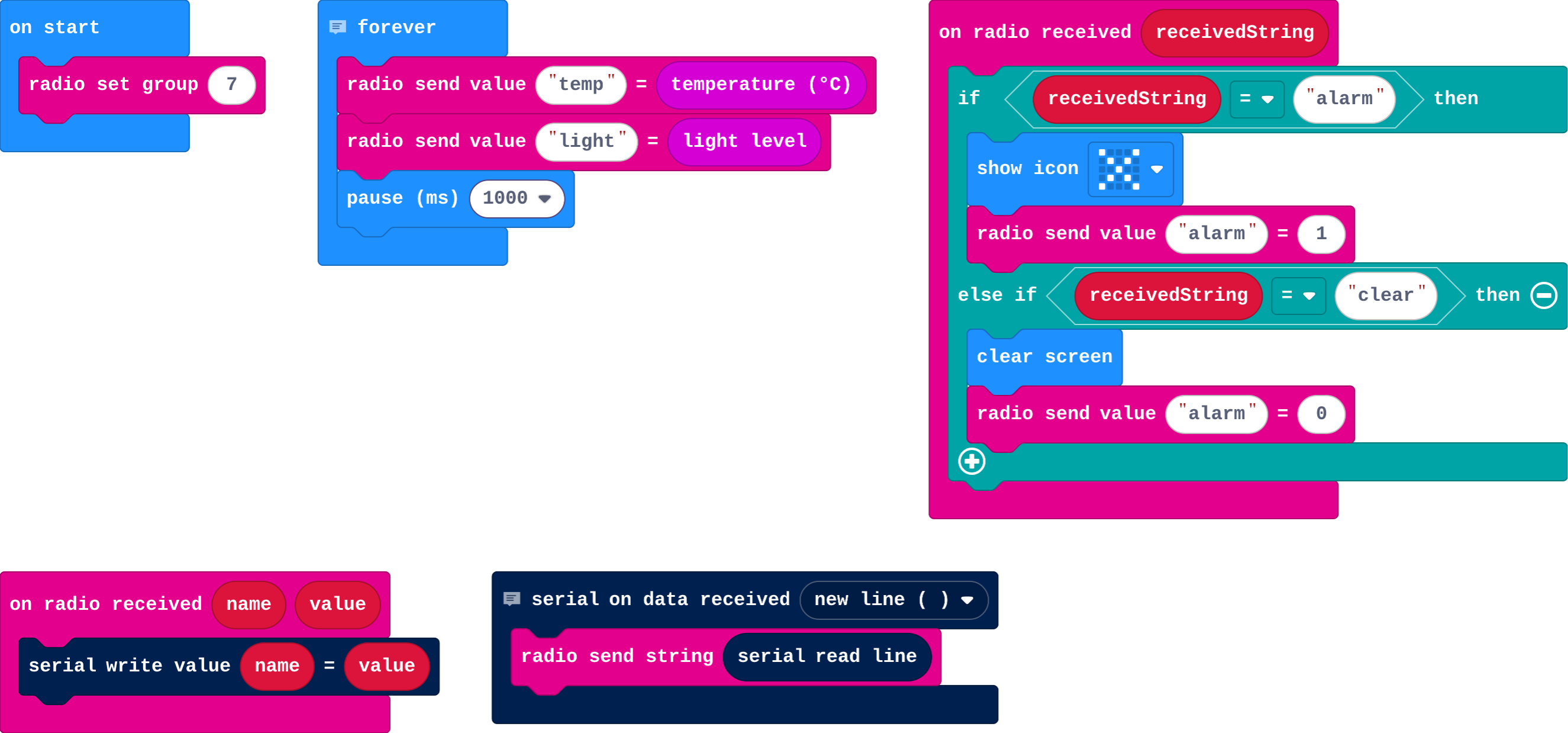
Show as code
// Bridge: both directions
serial.onDataReceived(serial.delimiters(Delimiters.NewLine), function () {
    radio.sendString(serial.readLine())
})
radio.onReceivedValue(function (name, value) {
    serial.writeValue(name, value)
})
// Room monitor
basic.forever(function () {
    radio.sendValue("temp", input.temperature())
    radio.sendValue("light", input.lightLevel())
    basic.pause(1000)
})
radio.onReceivedString(function (receivedString) {
    if (receivedString == "alarm") {
        basic.showIcon(IconNames.No)
        radio.sendValue("alarm", 1)
    } else if (receivedString == "clear") {
        basic.clearScreen()
        radio.sendValue("alarm", 0)
    }
})
radio.setGroup(7)
Stretch and support
Stretch: Use three micro:bits: two sensors in different rooms, each sending its own name (temp1, temp2), and graph both.
Support: Give the bridge part complete; students write only the far micro:bit's part.
Exit ticket
What does a bridge micro:bit do?
It passes radio messages on to the computer over the cable, and lines from the computer on by radio.
What each step is for
- Across the room: With two real micro:bits, the readings from one arrive on the computer through the other: the bridge is just relaying.
- Investigate: A bridge relays: radio in becomes serial out, and (with one more block) serial in becomes radio out. Both micro:bits must share a radio group.
- Modify: Adding a value on the far side needs no change to the bridge; adding the computer-to-radio direction needs one more block.
Where it leads
Next: train a model and let its labels travel the same path. Real world: smart-home hubs, farm sensor networks, wildlife monitoring.