Name a job
Students name a job as a function and call it from several places, and see in Python that every event block is a function the micro:bit calls.
Classroom resources
Load these into Waypoints Prepare: choose Load URL and paste the copied address, or download the file and import it. In Prepare, the worksheet's Teacher edition shows the answers; the student copy hides them.
Students will be able to
- I can make a function and call it from more than one place.
- I can say why a function is better than copied blocks.
- I can explain that an event block is a function the micro:bit calls for me.
Timing
Predict and Run 8 min · Investigate 12 min · Modify 10 min · Mix it up 3 min · Make 9 min · Alarm 3 min
Before class
A function is a named job: some blocks with a name, made once in Advanced › Functions. Making it does not run it. It runs when a call block calls it, once per call. One copy serves every call, so a change to the function reaches every place at once; copied blocks have to be changed in every copy. The Python button at the top of the editor shows the same program as text: every event block (on button A pressed) becomes a function, handed to the micro:bit to call. Students only read the Python. Functions with inputs (parameters) come later, in Secret messages.
Running the lesson
- Predict: some students expect one flash per press. Point at the two call blocks.
- Run: count together. Each call runs the whole function once.
- Investigate: Noah's mistake (making but never calling) and the two copies are this lesson's ideas. Then switch the editor to Python together before the match.
- Say it plainly: an event block is a function. You make it; the micro:bit calls it on each press.
- Modify: three flashes means three calls, not copied blocks.
- Mix it up: a random pick that misses an item, from the last course.
- Make: two dance moves as functions, then a routine. Let students perform their dance for the class.
In class
On the slides at these points. Students can do the whole lesson on their own; these are for the room. In the deck, the Run, Modify and Make slides have the live playground in them (the tutorial link is the backup), and the notes above are in each slide's speaker notes.
- Call the move (investigate, 4 min)
The class agrees one move, 'the wave' (two arm positions). The teacher calls "wave, wave, jump"; students do each move when it is called, and not before.
Agreeing the move is making the function; calling its name runs it.
- Dance off (end, 3 min)
Perform your micro:bit's dance for the next pair: they press the buttons, you name the function each one calls.
The hard part (on purpose)
Making a function does nothing until it is called. When a press does nothing, ask which block calls the function.
When students get stuck
| What you will see | A question to ask | The fix |
|---|---|---|
| Nothing happens when the button is pressed. | Which block calls your function? | Add a call block (from Functions) inside the button event. |
| The call block is missing from the toolbox. | Have you made the function yet? | Make the function first; its call block then appears under Functions. |
| The student copied the flash blocks instead of calling. | If you change the picture, how many places must you change? | Delete the copy and call the function instead. |
Answers to the checks
- Predict: You press A once. How many times does the heart flash?
Twice. The flashHeart blocks run each time the function is called, and A calls it two times. - Noah's flash: Noah made the flashHeart function. He presses A and nothing happens. Why?
Nothing calls flashHeart: making a function does not run it
Making a function only names the job. It runs when a call block runs it. Noah's A event is empty, so nothing calls it. - Two copies: Without a function, the flash blocks are copied into A and into shake. You change the heart to a diamond in A only. What goes wrong?
A flashes a diamond and shake still flashes a heart
Copied blocks have to be changed in every copy. With a function there is one copy, so one change reaches every call. - The same program in Python: This is the same program in Python (press Python at the top of the editor). Match each Python line with what it does.
def flash_heart(): → B. makes the function flash_heart; flash_heart() → C. calls it: runs its blocks once; def on_button_pressed_a(): → A. makes a function from the blocks inside on button A pressed; input.on_button_pressed(Button.A, on_button_pressed_a) → D. hands that function to the micro:bit to call on each press - Mix it up: Sol's team picker has five names, but picks from 0 to 3. Whose name never comes up?
Eve
Eve is the fifth name, at place 4. pick random 0 to 3 never reaches place 4. Picking from 0 to length − 1 would.
Solutions
One possible solution for each task. Other correct programs are fine.
Modify › Three flashes
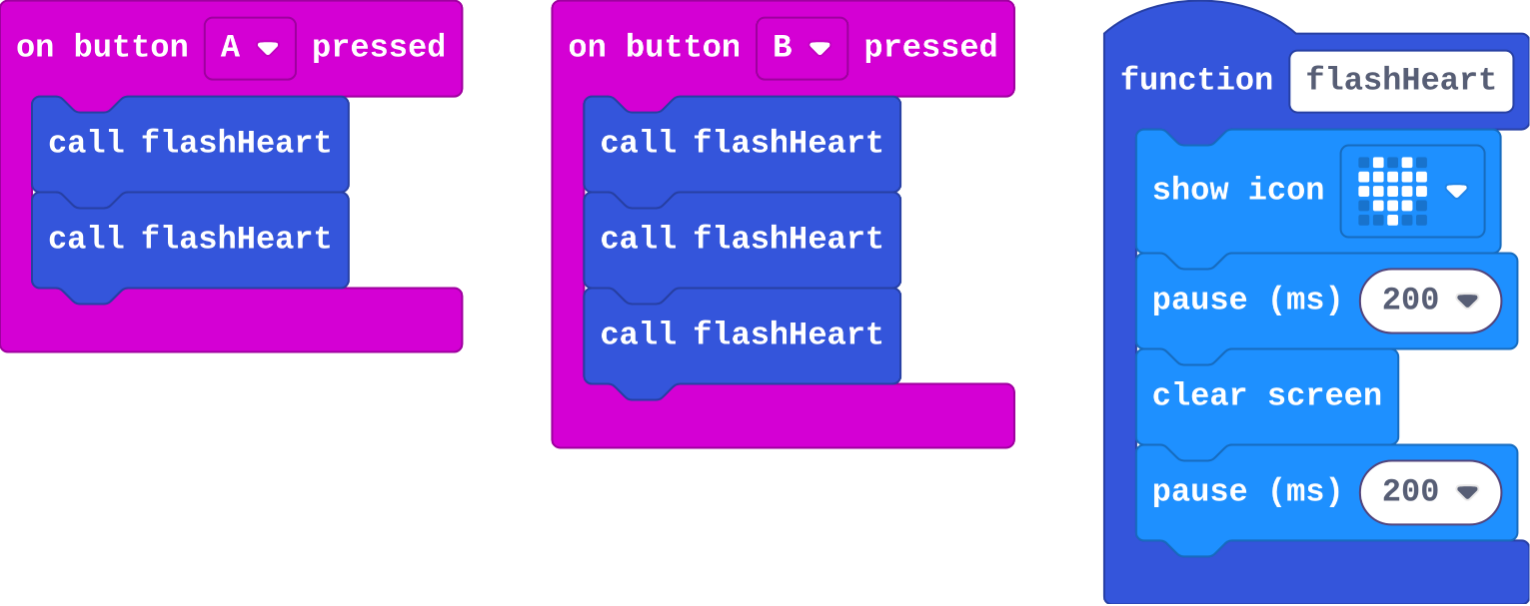
Show as code
function flashHeart () {
    basic.showIcon(IconNames.Heart)
    basic.pause(200)
    basic.clearScreen()
    basic.pause(200)
}
input.onButtonPressed(Button.A, function () {
    flashHeart()
    flashHeart()
})
input.onButtonPressed(Button.B, function () {
    flashHeart()
    flashHeart()
    flashHeart()
})
Modify › A second job
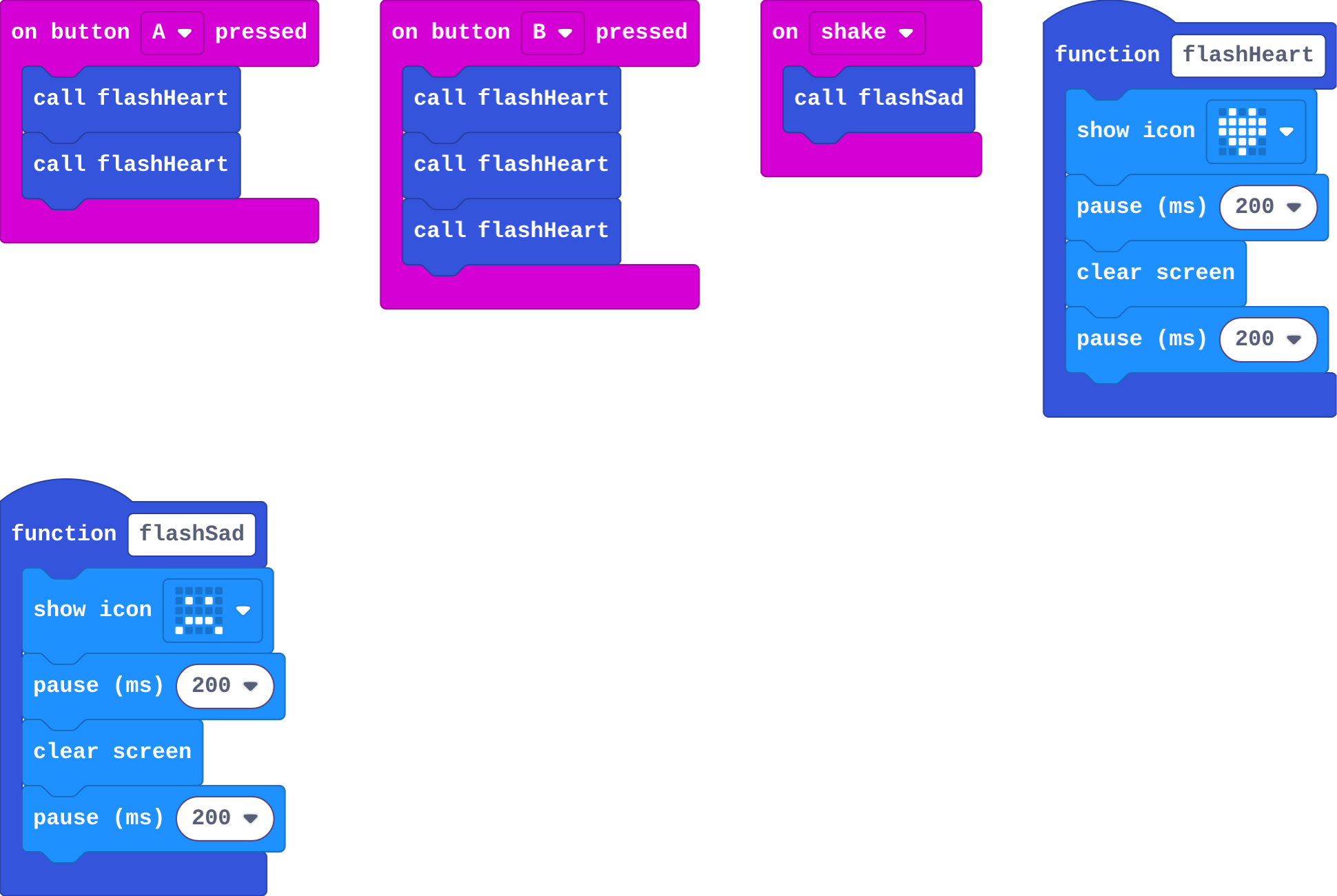
Show as code
function flashHeart () {
    basic.showIcon(IconNames.Heart)
    basic.pause(200)
    basic.clearScreen()
    basic.pause(200)
}
function flashSad () {
    basic.showIcon(IconNames.Sad)
    basic.pause(200)
    basic.clearScreen()
    basic.pause(200)
}
input.onButtonPressed(Button.A, function () {
    flashHeart()
    flashHeart()
})
input.onButtonPressed(Button.B, function () {
    flashHeart()
    flashHeart()
    flashHeart()
})
input.onGesture(Gesture.Shake, function () {
    flashSad()
})
Make
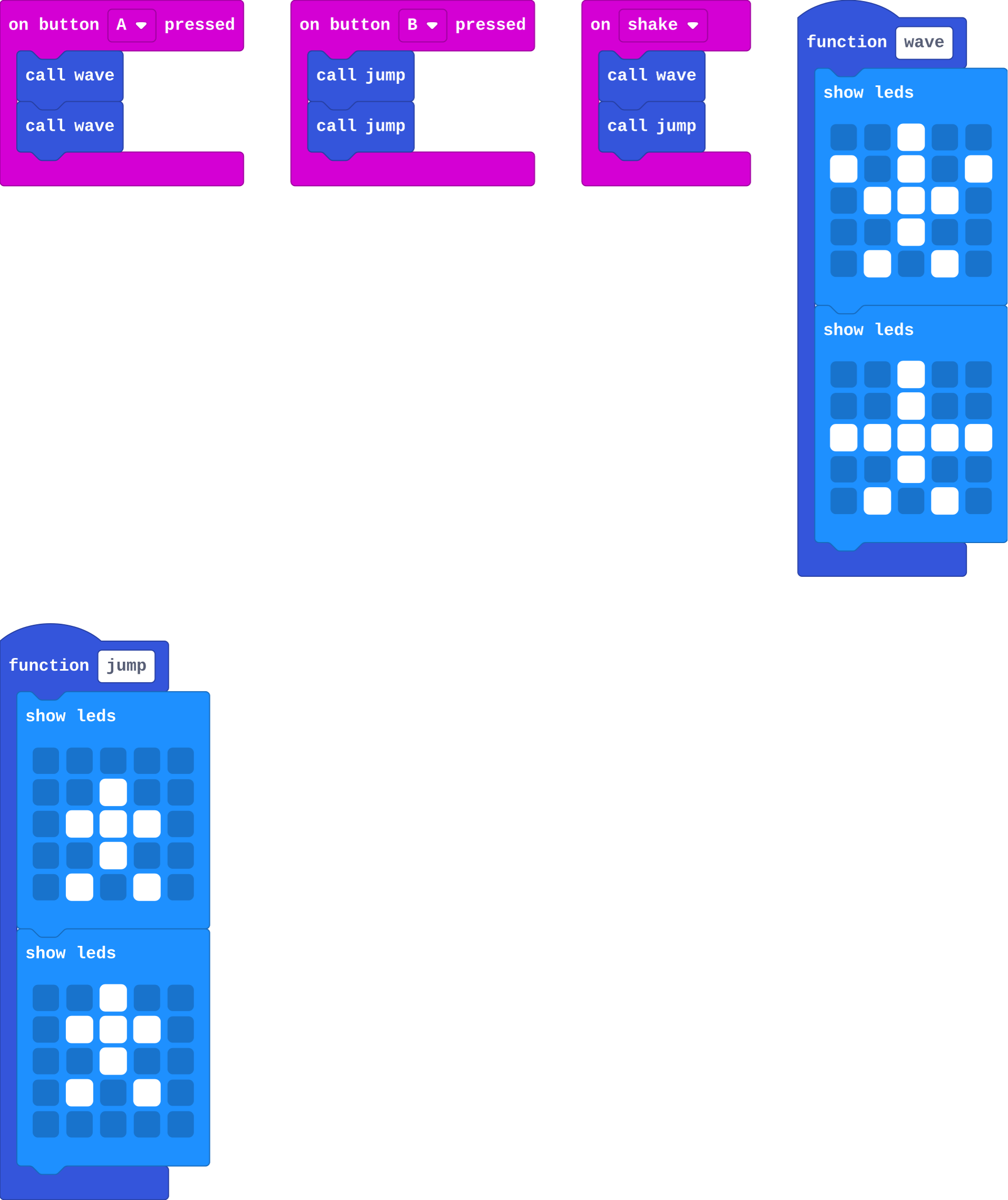
Show as code
function wave () {
    basic.showLeds(`
        . . # . .
        # . # . #
        . # # # .
        . . # . .
        . # . # .
        `)
    basic.showLeds(`
        . . # . .
        . . # . .
        # # # # #
        . . # . .
        . # . # .
        `)
}
function jump () {
    basic.showLeds(`
        . . . . .
        . . # . .
        . # # # .
        . . # . .
        . # . # .
        `)
    basic.showLeds(`
        . . # . .
        . # # # .
        . . # . .
        . # . # .
        . . . . .
        `)
}
input.onButtonPressed(Button.A, function () {
    wave()
    wave()
})
input.onButtonPressed(Button.B, function () {
    jump()
    jump()
})
input.onGesture(Gesture.Shake, function () {
    wave()
    jump()
})
Change an alarm
Open task: any program that does what the step asks.
Stretch and support
Stretch: Make a third move and a routine of all three, called from A+B.
Support: Give students the two dance functions already made with one picture each, and ask them to add a second picture and the calls.
Exit ticket
You make a function, but never call it. What happens when the program runs?
Nothing from that function: its blocks only run when something calls it.
What each step is for
- Investigate: A function's blocks run only when it is called, once per call, so one copy serves every place that calls it. Every event block is a function too.
- Modify: Calling a function more times reuses it for free, and a second function names a second job.
- Mix it up: A random place must reach from 0 to length − 1, or some items never come up.
Where it leads
Next unit: radio. on radio received is one more event block, so one more function the micro:bit calls. Class idea: a class dance where each group writes one move as a function.