<button>
A button.
<button>Click me</button>Example
<button>Start</button>
Layout and components · In any playground, open Reference to copy these.
A button.
<button>Click me</button><button>Start</button>A link to a place on the same page. id names the place; href starts with # and the same name.
<a href="#results">Link text</a>

<h2 id="results">Section title</h2><nav>
<ul>
<li><a href="#results">Results</a></li>
<li><a href="#join">Join</a></li>
</ul>
</nav>
<h2 id="results">Results</h2>
<p>The Owls won.</p>
<h2 id="join">Join</h2>
<p>Come on Wednesday.</p>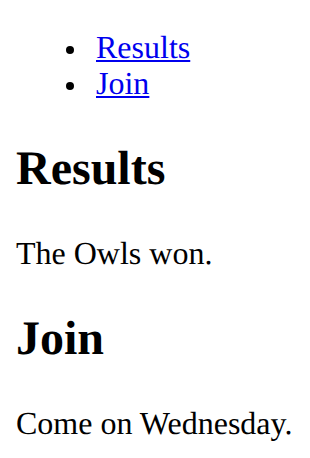
A drop-down list: one option to choose.
<select id="house">
  <option>Owls</option>
  <option>Hawks</option>
</select><label for="size">Size</label>
<select id="size">
<option>Small</option>
<option>Large</option>
</select>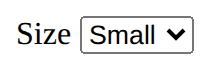
Put it on the box that holds the items: its children are placed in rows and columns (with grid-template-columns).
display: grid;<style>
.grid {
display: grid;
grid-template-columns: 1fr 1fr;
gap: 8px;
}
p {
background-color: lavender;
}
</style>
<div class="grid">
<p>A</p>
<p>B</p>
<p>C</p>
<p>D</p>
</div>
When the element with id="go" is clicked, run the lines inside. # means id, as . means class.
document.querySelector('#go').addEventListener('click', function () {
  what to do
});A table: <tr> is a row, <th> a heading cell, <td> a normal cell.
<table>
  <tr>
    <th>Name</th>
    <th>Score</th>
  </tr>
  <tr>
    <td>Sam</td>
    <td>10</td>
  </tr>
</table><table>
<tr>
<th>Team</th>
<th>Points</th>
</tr>
<tr>
<td>Owls</td>
<td>12</td>
</tr>
<tr>
<td>Hawks</td>
<td>9</td>
</tr>
</table>
Align text: left, center or right.
text-align: center;<style>
h2 {
text-align: center;
}
</style>
<h2>Centred</h2>
<p>Left</p>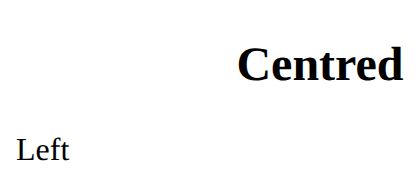
The width of each column, in order. 1fr means one share of the space left; repeat(3, 1fr) makes three equal columns.
grid-template-columns: 200px 1fr;<style>
.grid {
display: grid;
grid-template-columns: 80px 1fr;
gap: 8px;
}
.cell {
background-color: lightblue;
}
</style>
<div class="grid">
<div class="cell">80px</div>
<div class="cell">The rest</div>
</div>
Replace the words inside the element with id="message".
document.querySelector('#message').textContent = 'Go!';