If, every frame
Students put an if inside on game update to make wrap-around and a safe zone, and find that an if in on start is asked only once.
Classroom resources
Load these into Waypoints Prepare: choose Load URL and paste the copied address, or download the file and import it. In Prepare, the worksheet's Teacher edition shows the answers; the student copy hides them.
Students will be able to
- I can put an if inside on game update so the game keeps checking a question.
- I can compare a sprite's x or y with a number using < and >.
- I can explain why an if in on start does not keep checking.
Timing
Predict and Run 8 min · Investigate 12 min · Modify 12 min · Make 10 min · Lift 3 min
Before class
An if block asks a yes-or-no question (a condition), such as car x > 160. When the answer is yes (true), it runs the blocks inside; when no (false), it skips them.
The new idea is when the question is asked. A game draws the screen again about 30 times a second; each drawing is a frame. on game update runs its blocks once every frame, so an if inside it is asked over and over, and acts the moment the answer becomes yes. on start runs its blocks once, before the game begins. An if there is asked one time and then forgotten: this is the planted misconception (Sam's version).
Remember y counts down the screen, so "near the top" is a small y. The comparison block is in Logic; the car x block is in Sprites. Try the Make task yourself first.
Running the lesson
- Predict: most students expect the car to vanish, or to bounce. Wrap-around is a surprise. Ask how often the question is asked.
- Run: ask 'who moves the car back?' Point at the if: the game asks this 30 times a second.
- Investigate: the number task is 150 pixels at 50 a second. Then Sam's version: let them run it, see the car disappear, and drag the if into on game update. Say: on start is once, on game update is always.
- Modify: the left edge is a second if with < 0. Laps: change score goes inside the first if, so it happens only when the car wraps.
- Make: two ifs, one for in the zone and one for out of it. The colour block is in Scene.
- Lift: no new ideas; the third floor is a bigger y than the top.
In class
On the slides at these points. Students can do the whole lesson on their own; these are for the room. In the deck, the Run, Modify and Make slides have the live playground in them (the tutorial link is the backup), and the notes above are in each slide's speaker notes.
- Are we there yet? (investigate, 3 min)
One student walks across the room. Another asks "past the door yet?" every second, and calls "back to start!" the moment the answer is yes.
Asking once at the start would never catch it: that is Sam's if in on start.
The hard part (on purpose)
An if in on start is asked once; in on game update it's asked every frame. When the if never acts, ask which block it is inside.
When students get stuck
| What you will see | A question to ask | The fix |
|---|---|---|
| The if never does anything. | Which block is your if inside: on start or on game update? | on start asks once, before anything moves. Drag the if into on game update. |
| The safe zone colour comes on at the bottom of the screen. | Which way does y count? | Down from the top, so near the top is y < 30, not y > 90. |
| The score shoots up while the car is still on the screen. | Is change score inside the if, or just inside on game update? | Outside the if, it runs every frame. Drag it inside the if, under set car x to 0. |
Answers to the checks
- Predict: The car drives right at speed 50. What happens when it reaches the right edge?
It comes back in on the left, again and again. on game update asks 'is car x more than 160?' every frame; once the car is past the edge the answer is yes, so its x is set to 0. - How long until it wraps?: The car starts at x 10 and moves 50 pixels every second. After how many seconds does it first jump back to the left?
3
It must get from 10 to past 160: that is 150 pixels. At 50 pixels a second, that takes 3 seconds. Until then the question is asked every frame and the answer is no. - How often?: About how often does the if inside on game update ask 'is car x more than 160?'
About 30 times a second, for as long as the game runs
on game update runs every frame, about 30 times a second. Most of the time the answer is no and nothing happens; the frame the car is past the edge, the answer is yes. - Sam's tidy version: Sam thought on game update was untidy, so he moved the if into on start (the playground has his version). The car drives off the screen and never comes back. Why?
on start runs once, before the game begins: the if asks its question one time, when the car is at x 10, and never again
Blocks in on start run once, at the start. Then the car is at x 10, so the answer is no, and the question is never asked again. To keep checking, the if must be in on game update. - Mix it up: This timer runs every 2000 ms and makes one rock each time. How many rocks has it made after 6 seconds?
3
2000 ms is two seconds, so it runs at 2, 4 and 6 seconds: 3 rocks.
Solutions
One possible solution for each task. Other correct programs are fine.
Modify › Both ways
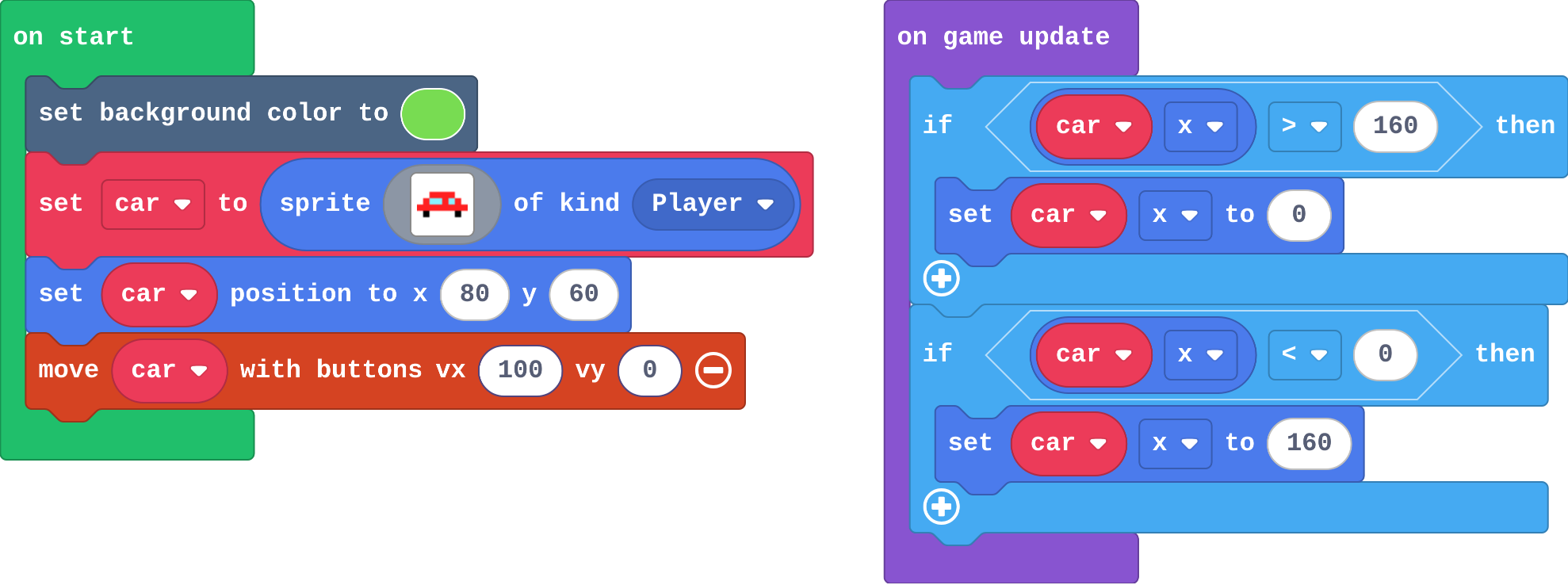
Show as code
scene.setBackgroundColor(7)
let car = sprites.create(img`
    . . 2 2 2 2 . .
    . 2 9 9 2 9 2 .
    2 2 2 2 2 2 2 2
    . f . . . . f .
    `, SpriteKind.Player)
car.setPosition(80, 60)
controller.moveSprite(car, 100, 0)
game.onUpdate(function () {
    if (car.x > 160) {
        car.x = 0
    }
    if (car.x < 0) {
        car.x = 160
    }
})
Modify › Count the laps
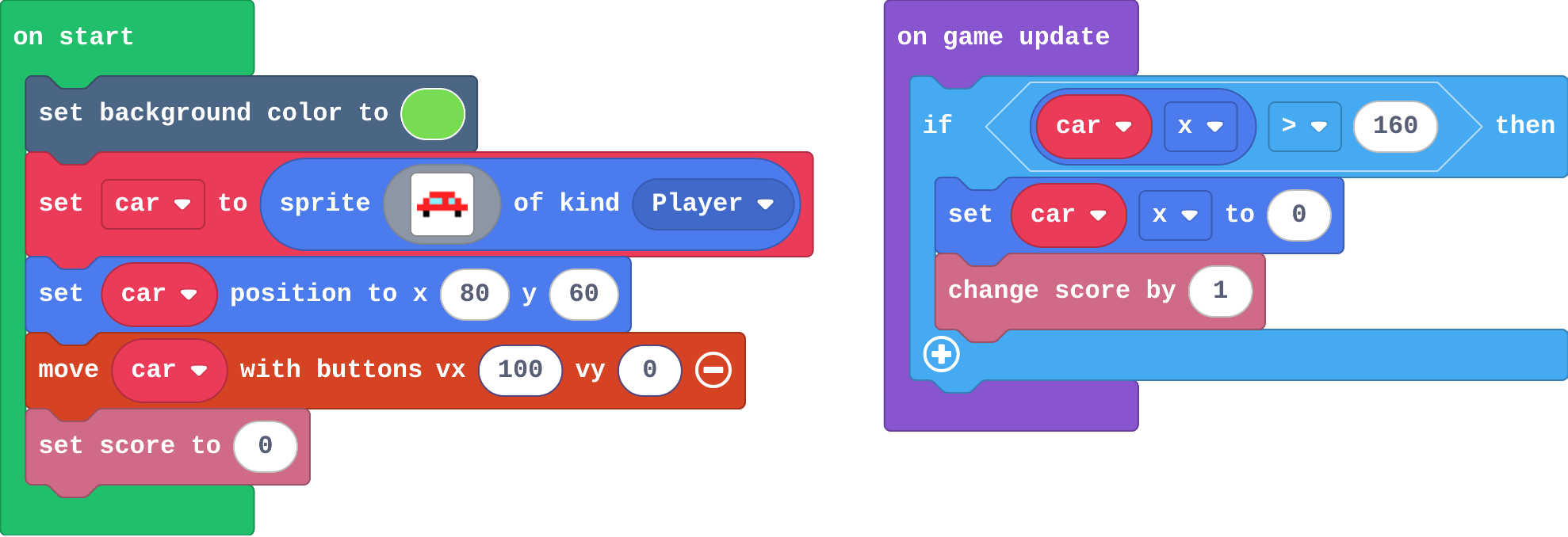
Show as code
scene.setBackgroundColor(7)
let car = sprites.create(img`
    . . 2 2 2 2 . .
    . 2 9 9 2 9 2 .
    2 2 2 2 2 2 2 2
    . f . . . . f .
    `, SpriteKind.Player)
car.setPosition(80, 60)
controller.moveSprite(car, 100, 0)
info.setScore(0)
game.onUpdate(function () {
    if (car.x > 160) {
        car.x = 0
        info.changeScoreBy(1)
    }
})
Make
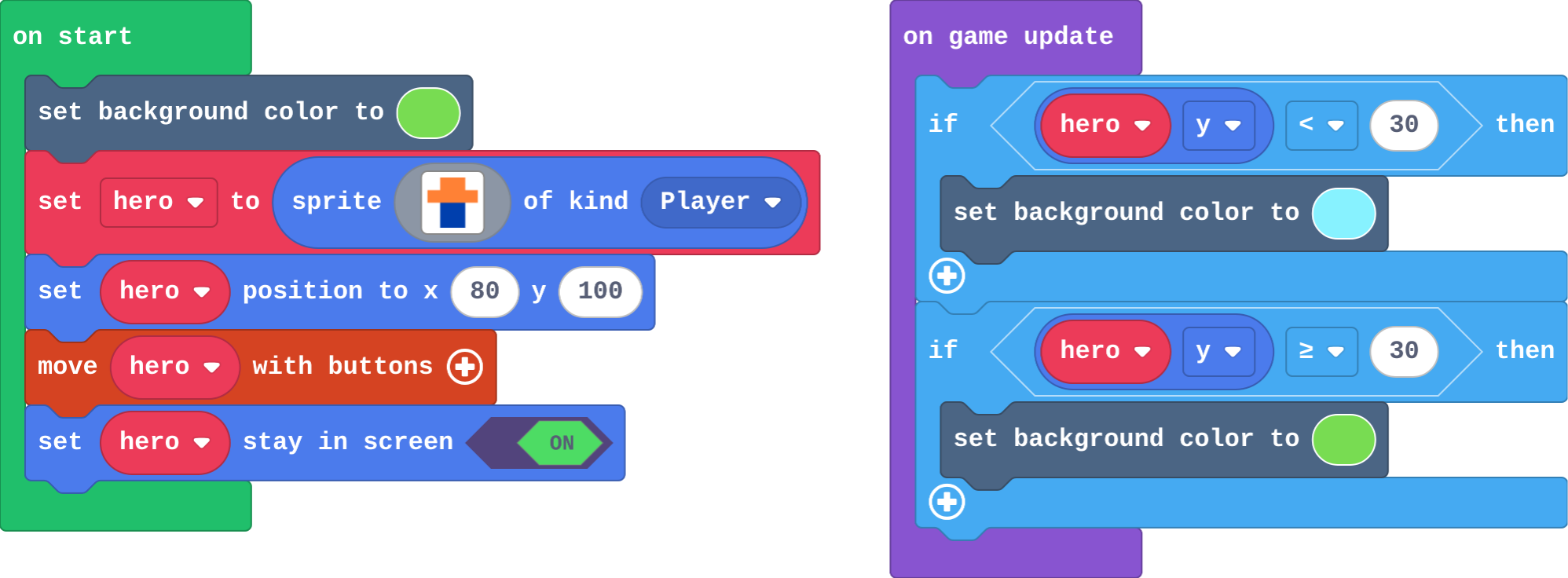
Show as code
scene.setBackgroundColor(7)
let hero = sprites.create(img`
    . 4 4 .
    4 4 4 4
    . 8 8 .
    . 8 8 .
    `, SpriteKind.Player)
hero.setPosition(80, 100)
controller.moveSprite(hero)
hero.setStayInScreen(true)
game.onUpdate(function () {
    if (hero.y < 30) {
        scene.setBackgroundColor(9)
    }
    if (hero.y >= 30) {
        scene.setBackgroundColor(7)
    }
})
Change a lift
Open task: any program that does what the step asks.
Stretch and support
Stretch: Make the safe zone a box in the middle of the screen: the hero is safe only when x and y are both inside it (an if inside an if).
Support: Give students the on game update block with an empty if already in it, and ask them only to build the question and choose the colour.
Exit ticket
Why does an if that checks 'player x > 150' work in on game update but not in on start?
on game update runs every frame, so the question keeps being asked while the player moves. on start runs once, before the game begins, so the question is asked one time and never again.
What each step is for
- Investigate: on game update runs its blocks every frame, so an if there keeps asking its question and acts the moment it becomes true; an if in on start is asked once, before the game begins.
- Modify: Each edge needs its own question; anything can go inside the if, such as a point for every lap.
- Mix it up: A timer runs its blocks every so many milliseconds; a smaller number means more often.
Where it leads
Next lesson: else, and an enemy that chases you by comparing its position with yours. Class ideas: a screen where all four edges wrap (like Asteroids); a 'lava floor' that changes colour when the player is near the bottom.