<h2> subheading
A smaller heading for a section.
<h2>Subheading</h2>Example
<h1>Robotics Club</h1>
<h2>This term</h2>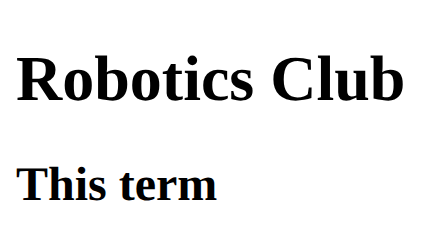
Your site, for real · In any playground, open Reference to copy these.
A smaller heading for a section.
<h2>Subheading</h2><h1>Robotics Club</h1>
<h2>This term</h2>A link. The address goes in href; the words between the tags are what people click.
<a href="https://example.com">Link text</a><p>Read the <a href="https://example.com">club rules</a>.</p>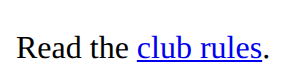
A picture. src is the picture file; alt describes it for people who cannot see it. There is no closing tag.
<img src="trophy.svg" alt="A gold trophy"><img src="medal.svg" alt="A silver medal" width="100">
<p>Second place</p>
A centred column with space at the sides. Most Bootstrap pages put everything inside one.
<div class="container">
  content
</div>m is margin and p is padding; then t, b, s, e (top, bottom, start, end), x (both sides) or y (top and bottom), then a size from 0 to 5: mt-3 is a space above. text-center centres text; lead makes a larger opening paragraph; fw-bold makes it bold.
<p class="mt-3 p-2 text-center">Text</p><link rel="stylesheet" href="bootstrap.min.css">
<p class="lead text-center">Welcome!</p>
<p class="mt-4 p-3 border">A box with space above and padding inside.</p>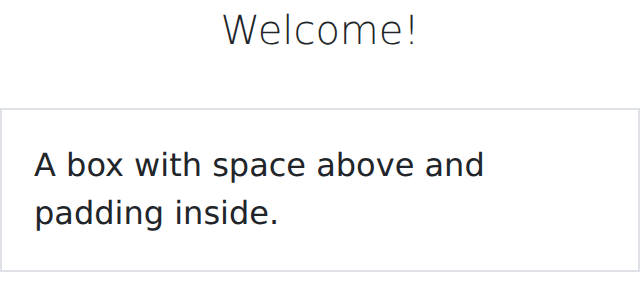
What a page file needs around its content: the language, the text encoding, a phone-friendly width and a title for the tab. The Download button adds it for you.
<!DOCTYPE html>
<html lang="en">
<head>
  <meta charset="utf-8">
  <meta name="viewport" content="width=device-width, initial-scale=1">
  <title>My page</title>
</head>
<body>
  the page
</body>
</html>A paragraph of text.
<p>Some text</p><p>We meet on Tuesdays.</p>
<p>Everyone is welcome.</p>
A bulleted list. Each item is an <li>.
<ul>
  <li>First</li>
  <li>Second</li>
</ul><ul>
<li>Apples</li>
<li>Pears</li>
<li>Plums</li>
</ul>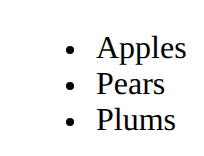
A button.
<button>Click me</button><button>Start</button>
An input is a box to type in. Its label says what to type; for and id must match, so clicking the label puts the cursor in the box.
<label for="name">Name</label>
<input id="name" type="text"><label for="age">Age</label>
<input id="age" type="number">
Says what a picture shows, for anyone who can't see it (screen readers read it aloud). Use alt="" for a picture that is only decoration.
<img src="trophy.svg" alt="A gold trophy">Headings are the page's outline: one h1, then h2 for each part, h3 inside those. Never pick a level for its size; set the size with CSS.
<h1>Page title</h1>
<h2>A part of the page</h2>
<h3>A part of that part</h3>A file name with no folder means "beside this page"; images/trophy.svg means "in the images folder beside this page". Never a path from your own computer (C:/Users/…).
<img src="trophy.svg" alt="…">
<link rel="stylesheet" href="style.css">