setheading
Face a direction. 0 is right, 90 is up, 180 is left.
setheading(0)Example
setheading(90)
forward(60)
Python functions and events · In any playground, open Reference to copy these.
Face a direction. 0 is right, 90 is up, 180 is left.
setheading(0)setheading(90)
forward(60)Set the background colour.
bgcolor("lightblue")bgcolor("lightblue")
forward(80)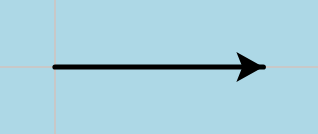
Wipe the drawing.
clear()Run a function every time the picture is clicked. It receives the click position.
def stamp(x, y):
    goto(x, y)
    dot(20)

onscreenclick(stamp)
listen()
mainloop()def stamp(x, y):
goto(x, y)
dot(20)
penup()
stamp(-60, 30)
stamp(50, -20)
hideturtle()
Write text at the turtle's position.
write("Hello")write("Hello", False, "left", ("Arial", 20, "normal"))
hideturtle()
Hide the turtle so only the drawing shows.
hideturtle()forward(80)
hideturtle()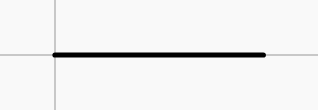
Start the total at 0 once, then add to it on every pass.
total = 0
while total < 10:
total += int(input("Add: "))Run a function every time a key is pressed. Click the picture first so it receives keys.
def go_up():
    forward(20)

onkey(go_up, "Up")
listen()
mainloop()def go_up():
forward(20)
go_up()
go_up()
go_up()