<button>
A button.
<button>Click me</button>Example
<button>Start</button>
Structure and style a page · In any playground, open Reference to copy these.
A button.
<button>Click me</button><button>Start</button>The top part of a page: usually the title and the menu. Looks like a div; the name tells browsers and screen readers what it is.
<header>
  <h1>Site name</h1>
</header><header>
<h1>Chess club</h1>
</header>
<p>Page content</p>
The main menu of links.
<nav>
  <a href="#">Home</a>
</nav><nav>
<a href="#">Home</a>
<a href="#">Games</a>
</nav>
One part of the page, usually with its own heading.
<section>
  <h2>Part</h2>
</section><section>
<h2>Results</h2>
<p>We won 3 games.</p>
</section>
The parts of a page, named: header, nav, main with its sections, and footer. They look like plain blocks; the names are for screen readers and search engines.
<header>
  <h1>Site name</h1>
  <nav>
    <ul>
      <li><a href="https://example.com">Home</a></li>
    </ul>
  </nav>
</header>
<main>
  <section>
    <h2>Section title</h2>
    <p>Some text.</p>
  </section>
</main>
<footer>
  <p>Contact us</p>
</footer><header>
<h1>Chess club</h1>
<nav>
<ul>
<li><a href="https://example.com">Home</a></li>
<li><a href="https://example.com/rules">Rules</a></li>
</ul>
</nav>
</header>
<main>
<section>
<h2>When we meet</h2>
<p>Wednesdays at lunch.</p>
</section>
</main>
<footer>
<p>Contact the teacher in charge.</p>
</footer>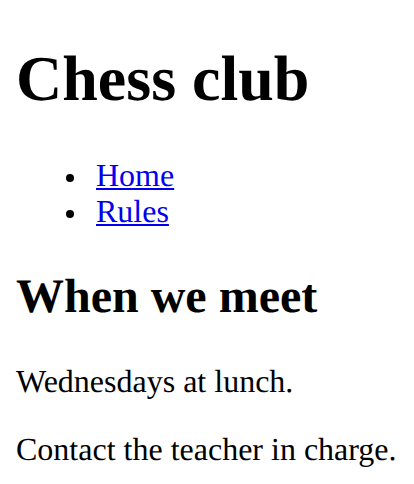
An input is a box to type in. Its label says what to type; for and id must match, so clicking the label puts the cursor in the box.
<label for="name">Name</label>
<input id="name" type="text"><label for="age">Age</label>
<input id="age" type="number">
The background colour.
background-color: lightyellow;<style>
h2 {
background-color: lightyellow;
}
</style>
<h2>Notice</h2>
A table: <tr> is a row, <th> a heading cell, <td> a normal cell.
<table>
  <tr>
    <th>Name</th>
    <th>Score</th>
  </tr>
  <tr>
    <td>Sam</td>
    <td>10</td>
  </tr>
</table><table>
<tr>
<th>Team</th>
<th>Points</th>
</tr>
<tr>
<td>Owls</td>
<td>12</td>
</tr>
<tr>
<td>Hawks</td>
<td>9</td>
</tr>
</table>
The main content of the page. One per page.
<main>
  The page's main content
</main><main>
<h2>This week</h2>
<p>Practice on Wednesday.</p>
</main>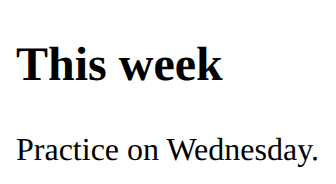
The bottom part of a page: contact details, small print.
<footer>
  Contact and small print
</footer><p>Page content</p>
<footer>
<p>Contact: chess@example.com</p>
</footer>
A link to a place on the same page. id names the place; href starts with # and the same name.
<a href="#results">Link text</a>

<h2 id="results">Section title</h2><nav>
<ul>
<li><a href="#results">Results</a></li>
<li><a href="#join">Join</a></li>
</ul>
</nav>
<h2 id="results">Results</h2>
<p>The Owls won.</p>
<h2 id="join">Join</h2>
<p>Come on Wednesday.</p>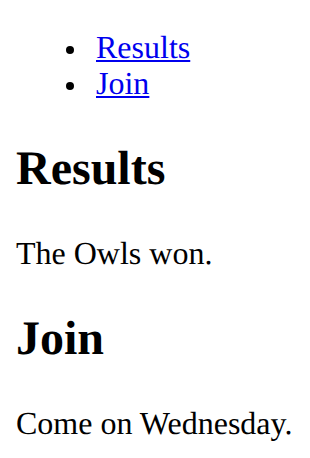
Holds the fields and the button that sends them. On its own, a form sends nowhere: code behind it does the work.
<form>
  fields
  <button>Send</button>
</form><form>
<label for="town">Town</label>
<input id="town" type="text">
<button>Go</button>
</form>
A drop-down list: one option to choose.
<select id="house">
  <option>Owls</option>
  <option>Hawks</option>
</select><label for="size">Size</label>
<select id="size">
<option>Small</option>
<option>Large</option>
</select>