<p> paragraph
A paragraph of text.
<p>Some text</p>Example
<p>We meet on Tuesdays.</p>
<p>Everyone is welcome.</p>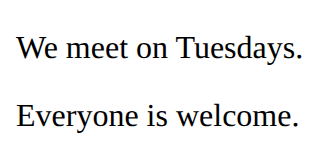
Apps with Vue · In any playground, open Reference to copy these.
A paragraph of text.
<p>Some text</p><p>We meet on Tuesdays.</p>
<p>Everyone is welcome.</p>A note that the browser ignores.
<!-- A note to yourself --><p>You can see this.</p>
<!-- You cannot see this. -->
Read what someone typed into the box with id="name".
const name = document.querySelector('#name').value;Vue looks after everything inside the div with id app. setup makes the data and functions, and returns the names the page can use. vue.js sits beside the page.
<div id="app">
  the page
</div>

<script src="vue.js"></script>
<script>
  const { createApp, ref, computed } = Vue;
  createApp({
    setup() {
      data and functions
      return { names };
    }
  }).mount("#app");
</script><div id="app">
<p>Today: {{ temp }} °C</p>
</div>
<script src="vue.js"></script>
<script>
const { createApp, ref } = Vue;
createApp({
setup() {
const temp = ref(21);
return { temp };
}
}).mount("#app");
</script>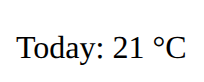
Shows the tag only while the condition is true. v-else on the next tag shows when it is false.
<p v-if="players.length === 0">No players yet.</p>Joins a box to a ref, both ways: typing changes the data, and changing the data changes the box. On a tick box it is true or false.
<input v-model="newName">A function the page can run (return it from setup). In the script, a ref's value is in .value.
function addPoint() {
  score.value++;
}A bulleted list. Each item is an <li>.
<ul>
  <li>First</li>
  <li>Second</li>
</ul><ul>
<li>Apples</li>
<li>Pears</li>
<li>Plums</li>
</ul>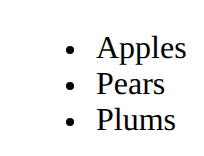
Style every element matching the selector.
p {
  color: blue;
}<style>
li {
color: teal;
}
</style>
<ul>
<li>One</li>
<li>Two</li>
</ul>
Data that Vue watches: when it changes, the page follows. Return it from setup. In the script its value is score.value; on the page, just score.
const score = ref(0);Shows a value from setup on the page, and keeps it up to date. Any short expression works: {{ score * 2 }}.
{{ score }}Runs a function from setup when the button is clicked. A short change works too: @click="score++".
<button @click="addPoint">Add</button>Makes this tag once for each item in the list. Put it on the tag you want more of (the li, not the ul).
<li v-for="name in players">{{ name }}</li><ul id="app">
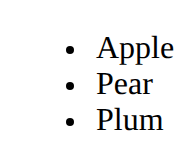
<li v-for="fruit in fruits">{{ fruit }}</li>
</ul>
<script src="vue.js"></script>
<script>
const { createApp, ref } = Vue;
createApp({
setup() {
const fruits = ref(["Apple", "Pear", "Plum"]);
return { fruits };
}
}).mount("#app");
</script>