<h2> subheading
A smaller heading for a section.
<h2>Subheading</h2>Example
<h1>Robotics Club</h1>
<h2>This term</h2>
Apps with Vue · In any playground, open Reference to copy these.
A smaller heading for a section.
<h2>Subheading</h2><h1>Robotics Club</h1>
<h2>This term</h2>Preact and React state: the value, and a function to change it. Always give it a new value: setStars([...stars, item]), never stars.push.
const [stars, setStars] = useState([]);Svelte's data that changes, and a value worked out from it. Change $state data directly (count++, list.push). Show it with {count}; choose with {#if …} … {/if}.
let count = $state(0);
let double = $derived(count * 2);
Preact works like React. A component is a function that returns its page, written in html`…` (htm). Preact runs the function again after every change.
<div id="app"></div>
<script src="preact.js"></script>
<script>
  const { html, render, useState } = htmPreact;
  function App() {
    state and functions
    return html`the page`;
  }
  render(html`<${App} />`, document.querySelector("#app"));
</script>Here a Svelte component sits in a hidden textarea and svelte.js compiles it in the page. In a real project it is its own file, App.svelte.
<textarea data-svelte hidden>
  <script>
    state and functions
  </script>
  the page
</textarea>
<script src="svelte.js"></script><textarea data-svelte hidden>
<script>
let name = $state("world");
</script>
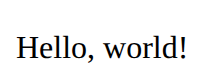
<p>Hello, {name}!</p>
</textarea>
<script src="svelte.js"></script>