Capstone: your own AI sorter
Students build an AI sorter for a problem they choose, in four milestones (test set, model, build, system), and report its scores by group and its limits.
Classroom resources
Load these into Waypoints Prepare: choose Load URL and paste the copied address, or download the file and import it. In Prepare, the worksheet's Teacher edition shows the answers; the student copy hides them.
Students will be able to
- I can build a fair test set before training, with groups for the conditions where the model will be used.
- I can improve a model by changing its data for its weakest group.
- I can make a build act safely on a model's labels and report what it still gets wrong.
Timing
About two to three lessons: Plan 15 min · Test set 20 min · Train and improve 35 min · Build 25 min · System 10 min (typical) · Report 15 min
Before class
The capstone brings the course together on a problem each student (or pair) chooses. The order matters: test set first, from photos the model never trains on, in groups that match where it will be used (place, light, distance). The board keeps the test photos in the student's browser only (testset: own); they are shrunk to small squares and never uploaded. Remind students not to photograph people.
Milestones: (1) at least 24 test photos in at least 3 groups; (2) 80% overall with no group under 60% (the board's acc_min); (3) a micro:bit program with a branch per label, a safe else and a reply; (4) the whole system on the webcam (typical: needs a micro:bit). The report is the assessment piece: scores by group before and after, the data changes made, and the limits.
Choosing problems: steer away from people (faces, emotions, who someone is) and anything where a wrong answer could hurt someone. Good problems have objects students can bring in. Two to four classes plus Neither is plenty.
Without micro:bits: milestones 1, 2 and 3 work without hardware (3 is checked in the editor); milestone 4 is typical.
Running the lesson
- Plan: check class names are exact and that every class has a Neither alternative.
- Test set: check groups are real conditions (window, desk, dim), not just more of the same.
- Improve: ask each student which group is weakest and what its failures share.
- Build: the safe else is the AI robots idea in a new setting.
- Report: ask 'who or what might it fail for?' of every report.
The hard part (on purpose)
Making the test set before training and keeping it separate. When the score is 100% at once, ask whether any test photos were also training photos.
When students get stuck
| What you will see | A question to ask | The fix |
|---|---|---|
| The test score is 100% straight away. | Are any test photos also training photos? Are your groups different enough? | Retake test photos apart from training ones, in harder conditions. |
| One group stays low however much is added. | Do the new training photos look like that group's test photos? | Take training photos in that group's conditions. |
| The board loses the test photos. | Are you in the same browser and not in a private window? | Use the same browser profile; private windows forget them. |
Answers to the checks
- Milestone 1: build the test set first: Add at least 24 test photos in at least 3 groups, with every class in every group.
- Milestone 2: train, test, improve: Get 80% or more overall, with no group below 60%.
- Milestone 4: the whole system: Run the whole system: at least 5 labels sent from the webcam and 5 replies from the micro:bit.
Solutions
One possible solution for each task. Other correct programs are fine.
Milestone 1: build the test set first
Open task: any program that does what the step asks.
Milestone 2: train, test, improve
Open task: any program that does what the step asks.
Milestone 3: the build
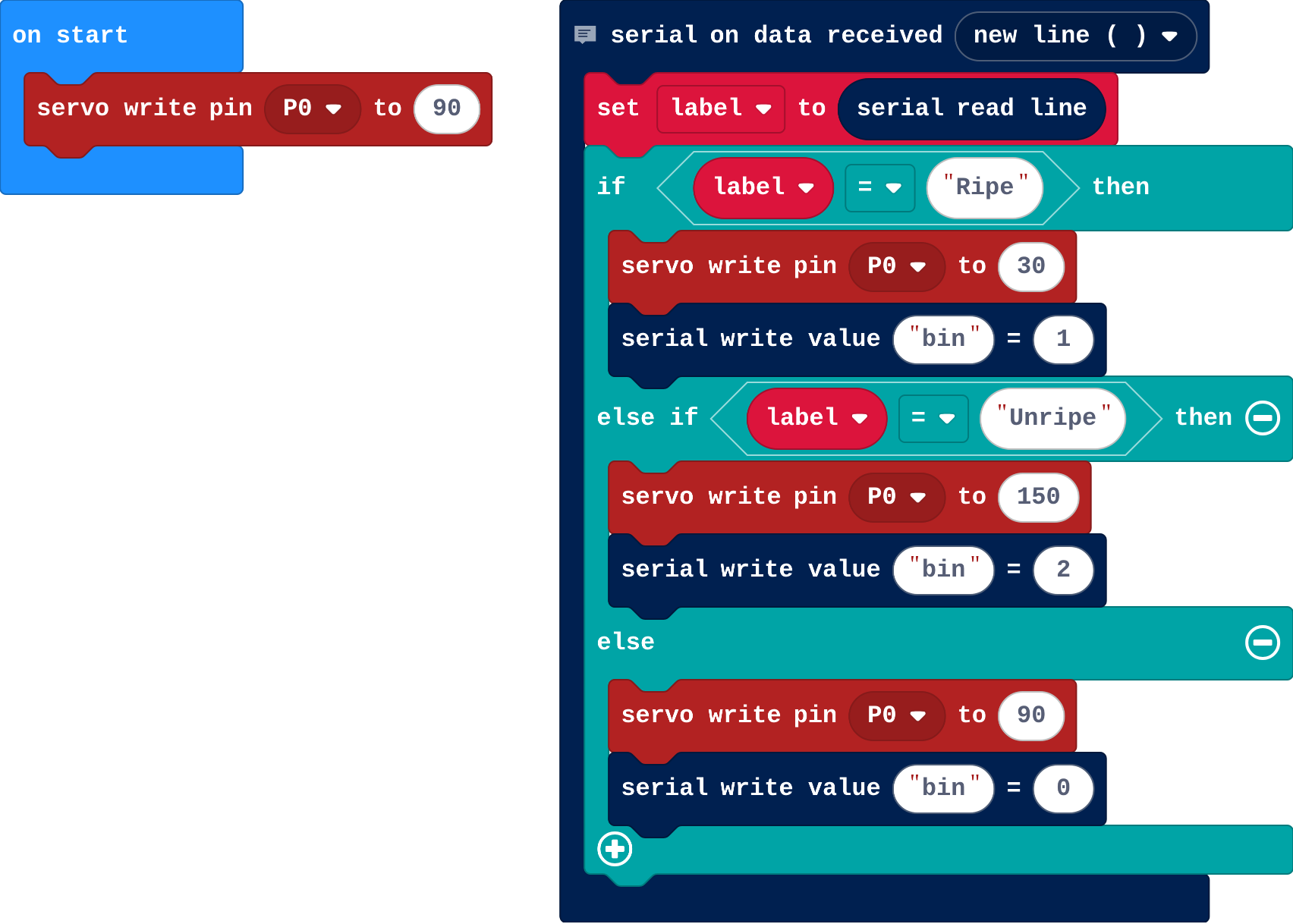
Show as code
// An example for a fruit sorter (Ripe, Unripe, Neither); students use their own classes and actions.
serial.onDataReceived(serial.delimiters(Delimiters.NewLine), function () {
    label = serial.readLine()
    if (label == "Ripe") {
        pins.servoWritePin(AnalogPin.P0, 30)
        serial.writeValue("bin", 1)
    } else if (label == "Unripe") {
        pins.servoWritePin(AnalogPin.P0, 150)
        serial.writeValue("bin", 2)
    } else {
        pins.servoWritePin(AnalogPin.P0, 90)
        serial.writeValue("bin", 0)
    }
})
let label = ""
pins.servoWritePin(AnalogPin.P0, 90)
Stretch and support
Stretch: Add a second model in CreateAI (a movement) that starts or stops the sorter, so the two models work together.
Support: Offer a ready-made problem (the recycling sorter with your school's bins) and a planning template with the four plan questions.
Exit ticket
Why build the test set before training?
So it holds photos the model never trained on, from the conditions where it will be used: a fair test of whether it works there.
What each step is for
- Milestone 1: build the test set first: A fair test is made before training, from photos the model will never train on, taken in the conditions where it will be used.
- Milestone 2: train, test, improve: Improving means finding the weakest group and changing the training data for it, not just raising the overall score.
Where it leads
Where this leads: AI robots (a robot driven by a model, with safety rules), and the Python pathway's Machine learning with Gradio. Real world: model cards and test reports for AI systems.