square (loop)
Draw a square by repeating forward and right four times.
for i in range(4):
    forward(100)
    right(90)
Apps with Gradio · In any playground, open Reference to copy these.
Draw a square by repeating forward and right four times.
for i in range(4):
forward(100)
right(90)Start the total at 0 once, then add to it on every pass.
total = 0
while total < 10:
total += int(input("Add: "))Use the counter i to make each pass different.
for i in range(20):
    forward(i * 5)
right(90)for i in range(30):
forward(i * 5)
right(90)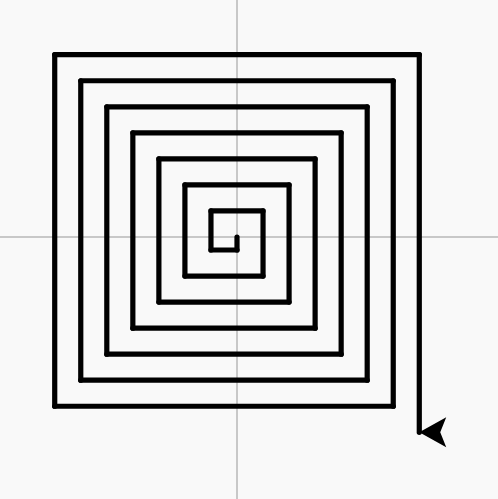
Work through a list, one item at a time.
for c in colours:
passpensize(6)
for c in ["red", "blue", "green"]:
pencolor(c)
forward(40)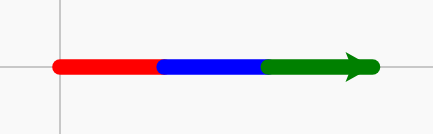
A new kind of object. __init__ runs when one is made; self.name = value stores a value in that object.
class Star:
    def __init__(self, x):
        self.speed = 5

s = Star(100)A question as a dictionary, and a Radio input made from it: the student picks one of the choices, and the function gets that text.
{"q": "What is 7 x 8?", "choices": ["54", "56", "64"], "answer": "56"}

inputs.append(gr.Radio(q["choices"], label=q["q"]))Repeat the indented lines this many times.
for i in range(4):
passfor i in range(5):
forward(15)
penup()
forward(10)
pendown()
i % 2 == 0 is true on every second pass.
for i in range(8):
    if i % 2 == 0:
        pass
    else:
passfor i in range(8):
if i % 2 == 0:
pencolor("red")
else:
pencolor("blue")
pensize(6)
forward(30)
right(45)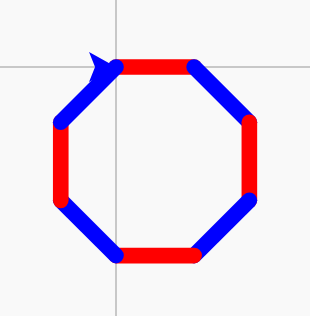
Turn a number into text, so it can be joined: "Score: " + str(score).
str(score)The value stored under that key. The key goes in quotes. Assign to it to change it: star["speed"] = 8.
star["speed"]A function inside a class. Call it on one object: star.move(). self is that object.
    def move(self):
self.turtle.forward(self.speed)True if the item is in the list (or the key is in the dictionary, or the letters are in the text).
if item in bag:
    pass