if / else
Do one thing or the other, depending on a condition.
if x > 0:
    pass
else:
    pass
Example
for x in [-90, -30, 30, 90]:
    penup()
    goto(x, 0)
    if x > 0:
        dot(30, "red")
    else:
        dot(30, "blue")
hideturtle()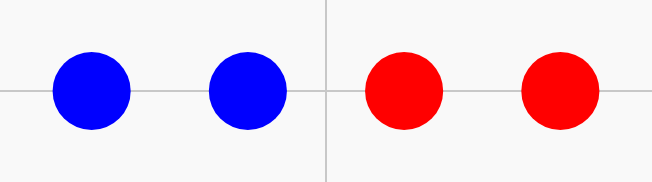
Apps with Gradio · In any playground, open Reference to copy these.
Do one thing or the other, depending on a condition.
if x > 0:
pass
else:
passfor x in [-90, -30, 30, 90]:
penup()
goto(x, 0)
if x > 0:
dot(30, "red")
else:
dot(30, "blue")
hideturtle()Keep many values in order under one name. The first item is place 0.
colours = ["red", "blue", "green"]Name a group of steps, then run it by calling its name.
def shape():
    pass

shape()def zigzag():
left(45)
forward(30)
right(90)
forward(30)
left(45)
zigzag()
zigzag()
zigzag()
strip() removes spaces at the ends; lower() and upper() change the capitals. Each gives back new text.
command = command.strip().lower()Give a value a name, so you can reuse and change it.
size = 50length = 120
forward(length)
left(90)
forward(length / 2)
Change a value every pass: read the old one, store a new one.
size = 5
for i in range(20):
    forward(size)
    right(90)
size = size + 5size = 5
for i in range(30):
forward(size)
right(90)
size = size + 5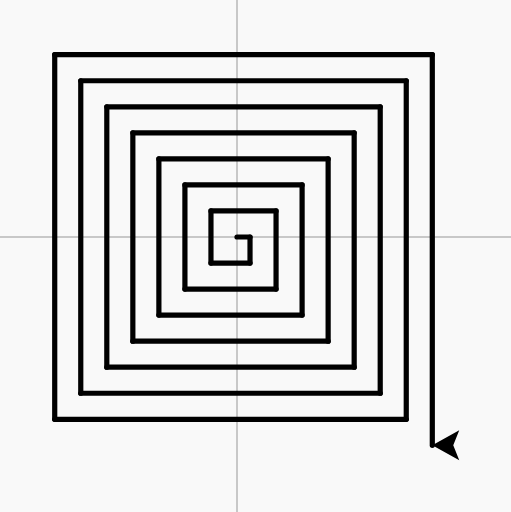
Show text or a value in the output box.
print("Hello")Join pieces of text into one with +. Spaces only appear where they are inside the quotes.
"Hello, " + nameTurn text made of digits, such as "12", into a whole number you can calculate with.
int(text)Gradio calls your function with what was chosen, and shows what it returns.
import gradio as gr

def answer(choice):
    return "You chose " + choice

gr.Interface(fn=answer, inputs=gr.Dropdown(["pop", "rock"]), outputs="text").launch()