<p> paragraph
A paragraph of text.
<p>Some text</p>Example
<p>We meet on Tuesdays.</p>
<p>Everyone is welcome.</p>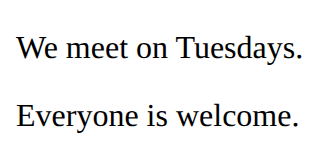
The DOM and the browser console · In any playground, open Reference to copy these.
A paragraph of text.
<p>Some text</p><p>We meet on Tuesdays.</p>
<p>Everyone is welcome.</p>Style every element matching the selector.
p {
  color: blue;
}<style>
li {
color: teal;
}
</style>
<ul>
<li>One</li>
<li>Two</li>
</ul>
The text colour.
color: red;<style>
em {
color: crimson;
}
</style>
<p>A <em>red</em> word</p>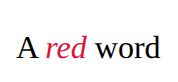
Which font to use.
font-family: sans-serif;<style>
p {
font-family: monospace;
}
</style>
<p>Code font</p>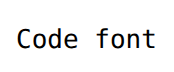
A box with room inside (padding), a line around it (border) and space outside it (margin). Width sets the content only.
.card {
  width: 200px;
  padding: 16px;
  border: 2px solid navy;
  margin: 12px;
}<style>
.card {
width: 200px;
padding: 16px;
border: 2px solid navy;
margin: 12px;
}
</style>
<section class="card">
<h2>Chess</h2>
<p>Wednesdays at lunch.</p>
</section>
A row that moves items to a new line when there is no room. flex: 1 lets items share the space and min-width stops them getting too narrow.
.gallery {
  display: flex;
  flex-wrap: wrap;
  gap: 12px;
}
.item {
  flex: 1;
  min-width: 150px;
}<style>
.gallery {
display: flex;
flex-wrap: wrap;
gap: 12px;
}
.item {
flex: 1;
min-width: 150px;
background-color: lightyellow;
}
</style>
<section class="gallery">
<p class="item">One</p>
<p class="item">Two</p>
<p class="item">Three</p>
<p class="item">Four</p>
</section>
When the element with id="go" is clicked, run the lines inside. # means id, as . means class.
document.querySelector('#go').addEventListener('click', function () {
  what to do
});Replace the words inside the element with id="message".
document.querySelector('#message').textContent = 'Go!';Where CSS lives. Each rule is: selector { property: value; }
<style>
  h1 {
    color: red;
  }
</style><style>
h2 {
color: purple;
}
</style>
<h2>Purple heading</h2>
<p>Normal text</p>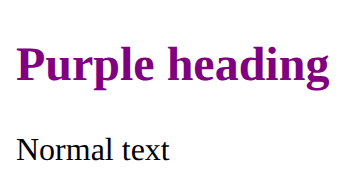
Style only the elements you mark with class="note" in the HTML. The dot is only in the CSS.
.note {
  color: red;
}<style>
.tip {
font-style: italic;
}
</style>
<p>A normal paragraph.</p>
<p class="tip">A paragraph with class="tip".</p>
How big the text is.
font-size: 20px;<style>
h2 {
font-size: 40px;
}
</style>
<h2>Big</h2>
<p>Normal</p>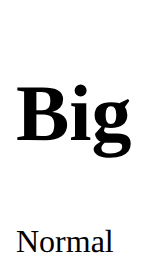
Space inside an element, between its edge and its content.
padding: 10px;<style>
p {
background-color: lightblue;
padding: 20px;
}
</style>
<p>Room inside</p>
A row of items. gap is the space between them, justify-content places them along the row, align-items lines them up across it.
.row {
  display: flex;
  gap: 16px;
  justify-content: space-between;
  align-items: center;
}<style>
.bar {
display: flex;
gap: 16px;
justify-content: space-between;
align-items: center;
}
</style>
<section class="bar">
<h2>Chess club</h2>
<p>Join us</p>
</section>
A chunk of HTML with a class. Copy the section for each card; one rule styles every copy.
<style>
  .card {
    padding: 16px;
    border: 1px solid gray;
  }
</style>
<section class="card">
  <h2>Title</h2>
  <p>Some text.</p>
</section><style>
.card {
padding: 16px;
border: 1px solid gray;
}
</style>
<section class="card">
<h2>Chess</h2>
<p>Wednesdays.</p>
</section>
<section class="card">
<h2>Art</h2>
<p>Thursdays.</p>
</section>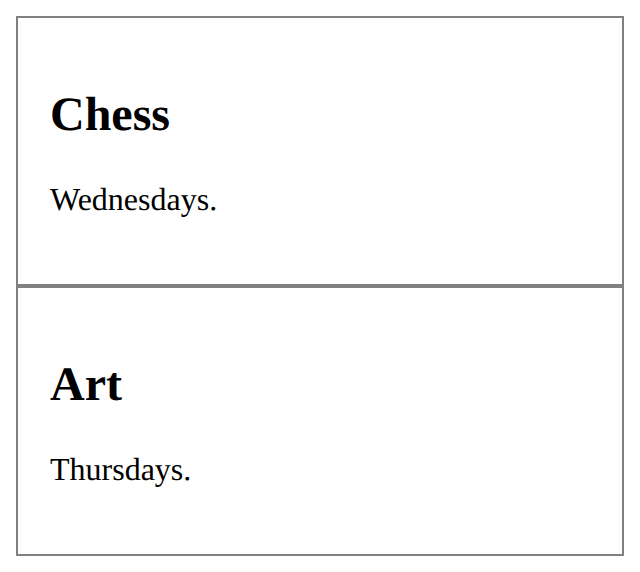
Read what someone typed into the box with id="name".
const name = document.querySelector('#name').value;A function the page can run (return it from setup). In the script, a ref's value is in .value.
function addPoint() {
  score.value++;
}Asks for a file or web address, waits for the reply, then turns it into data (objects and arrays). Both lines need await, inside an async function.
const response = await fetch("weather.json");
const data = await response.json();<p id="out">Loading…</p>
<script>
async function load() {
const response = await fetch("weather.json");
const data = await response.json();
document.querySelector("#out").textContent = "Days: " + data.daily.time.length;
}
load();
</script>
A function that may wait for slow things with await. Call it like any function; the rest of the page keeps going while it waits.
async function load() {
  … await …
}
load();