When the model is unsure
Students make a model-driven robot safe when the model is unsure (the board sends Unsure) and when it goes quiet (a watchdog stops the robot after a few seconds of silence).
Classroom resources
Load these into Waypoints Prepare: choose Load URL and paste the copied address, or download the file and import it. In Prepare, the worksheet's Teacher edition shows the answers; the student copy hides them.
Students will be able to
- I can make a robot stop when the model is unsure.
- I can make a robot stop when it hears nothing for a while (a watchdog).
- I can explain why the board repeats its label every second.
Timing
Predict and Run 8 min · With your model 10 min (typical) · Investigate 8 min · Modify 8 min · Make 10 min
Before class
The idea: a robot driven by a model needs a safe action for two different problems:
- The model can't decide (no label above 80%): the board sends Unsure, and the robot's else (or an Unsure branch) stops it.
- Nothing arrives (laptop asleep, cable out, out of radio range): a watchdog remembers when the last message came (
lastHeard = running time) and stops the robot when too long has passed.
For the watchdog to work, a robot that is working fine must keep hearing from the board, so the board repeats the current label every second (a heartbeat). Without the repeat, holding Forward steadily would trip the watchdog.
Without robots: in the simulator, A+B sends Forward once and B sends Unsure; the model step is typical.
Running the lesson
- Predict: most say it never stops (that was last lesson). Ask: what does lastHeard remember?
- Run: count the seconds aloud together.
- With your model: unplugging the bridge is the most convincing moment; do it at the front.
- Investigate: the why repeat question is the hard one; draw a timeline of messages.
The hard part (on purpose)
Deciding what the robot does when the model isn't sure, and the watchdog timing. Ask what should happen when nothing has been heard for a while, before they build it.
When students get stuck
| What you will see | A question to ask | The fix |
|---|---|---|
| The robot stops every two seconds even while the gesture is held. | Is the board repeating the label (repeat: 1)? Is the robot's radio group right? | Use this lesson's board; check the group. |
| The robot never stops after silence. | Is lastHeard set in on radio received string? Is the check in forever? | Set lastHeard on every message and compare in forever. |
| The robot beeps over and over. | Does it beep only when the mode first becomes Lost? | Beep only if the mode wasn't Lost already. |
Answers to the checks
- Predict: You press A+B once, then nothing else. What does the other robot do?
About two seconds forward, then it stops. Each message resets lastHeard; when two seconds pass with no message, the watchdog sets the mode to Stop. - With your model: Show a gesture half in the frame, or none, until the board sends Unsure.
- Unsure or silent: Match each problem with what keeps the robot safe.
The model is 55% Forward and 45% Left → C. the board sends Unsure, and the robot stops; The laptop goes to sleep → A. the watchdog stops the robot after 2 seconds of silence; The model sends a word the robot doesn't know → B. else: stop - Why repeat: The board stopped repeating the label every second, and only sent it when it changed. What would happen when you hold Forward steadily?
The robot stops after 2 seconds, even though you're still showing Forward
The watchdog can't tell silence because nothing changed from silence because something broke. Repeating the label every second says: still here, still Forward. - Why stop: Why stop, rather than keep doing the last thing, when unsure?
For a moving robot, stopping is the action least likely to hurt someone or break something
A safe default depends on the machine: for a robot on wheels it is stop. (For a plane it would not be!)
Solutions
One possible solution for each task. Other correct programs are fine.
Modify › A quicker watchdog
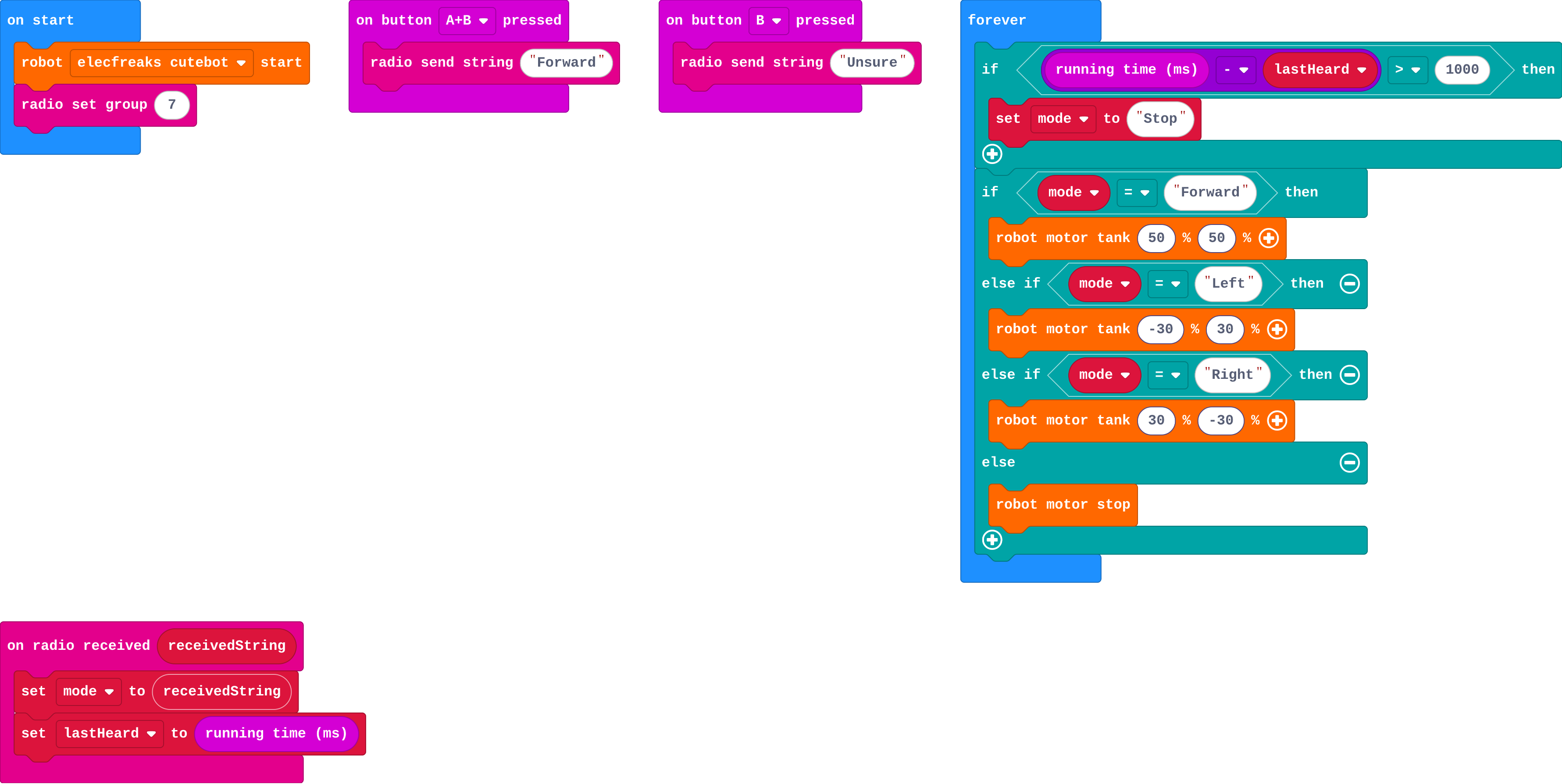
Show as code
radio.onReceivedString(function (receivedString) {
    mode = receivedString
    lastHeard = input.runningTime()
})
basic.forever(function () {
    if (input.runningTime() - lastHeard > 1000) {
        mode = "Stop"
    }
    if (mode == "Forward") {
        robot.motorTank(50, 50)
    } else if (mode == "Left") {
        robot.motorTank(-30, 30)
    } else if (mode == "Right") {
        robot.motorTank(30, -30)
    } else {
        robot.motorStop()
    }
})
input.onButtonPressed(Button.AB, function () {
    radio.sendString("Forward")
})
input.onButtonPressed(Button.B, function () {
    radio.sendString("Unsure")
})
let lastHeard = 0
let mode = ""
robot.elecfreaksCuteBot.start()
radio.setGroup(7)
Modify › Show unsure
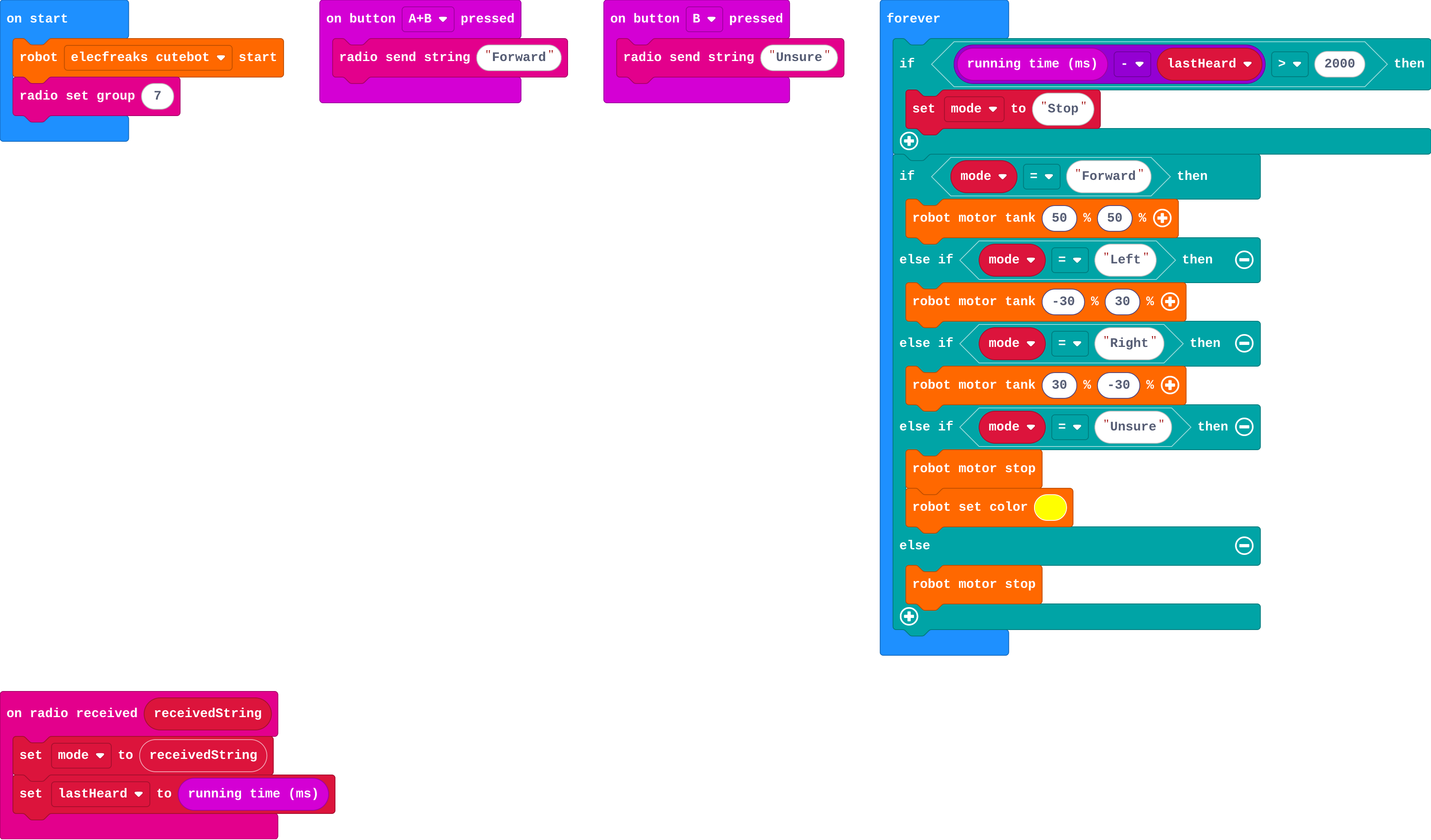
Show as code
radio.onReceivedString(function (receivedString) {
    mode = receivedString
    lastHeard = input.runningTime()
})
basic.forever(function () {
    if (input.runningTime() - lastHeard > 2000) {
        mode = "Stop"
    }
    if (mode == "Forward") {
        robot.motorTank(50, 50)
    } else if (mode == "Left") {
        robot.motorTank(-30, 30)
    } else if (mode == "Right") {
        robot.motorTank(30, -30)
    } else if (mode == "Unsure") {
        robot.motorStop()
        robot.setColor(0xffff00)
    } else {
        robot.motorStop()
    }
})
input.onButtonPressed(Button.AB, function () {
    radio.sendString("Forward")
})
input.onButtonPressed(Button.B, function () {
    radio.sendString("Unsure")
})
let lastHeard = 0
let mode = ""
robot.elecfreaksCuteBot.start()
radio.setGroup(7)
Make
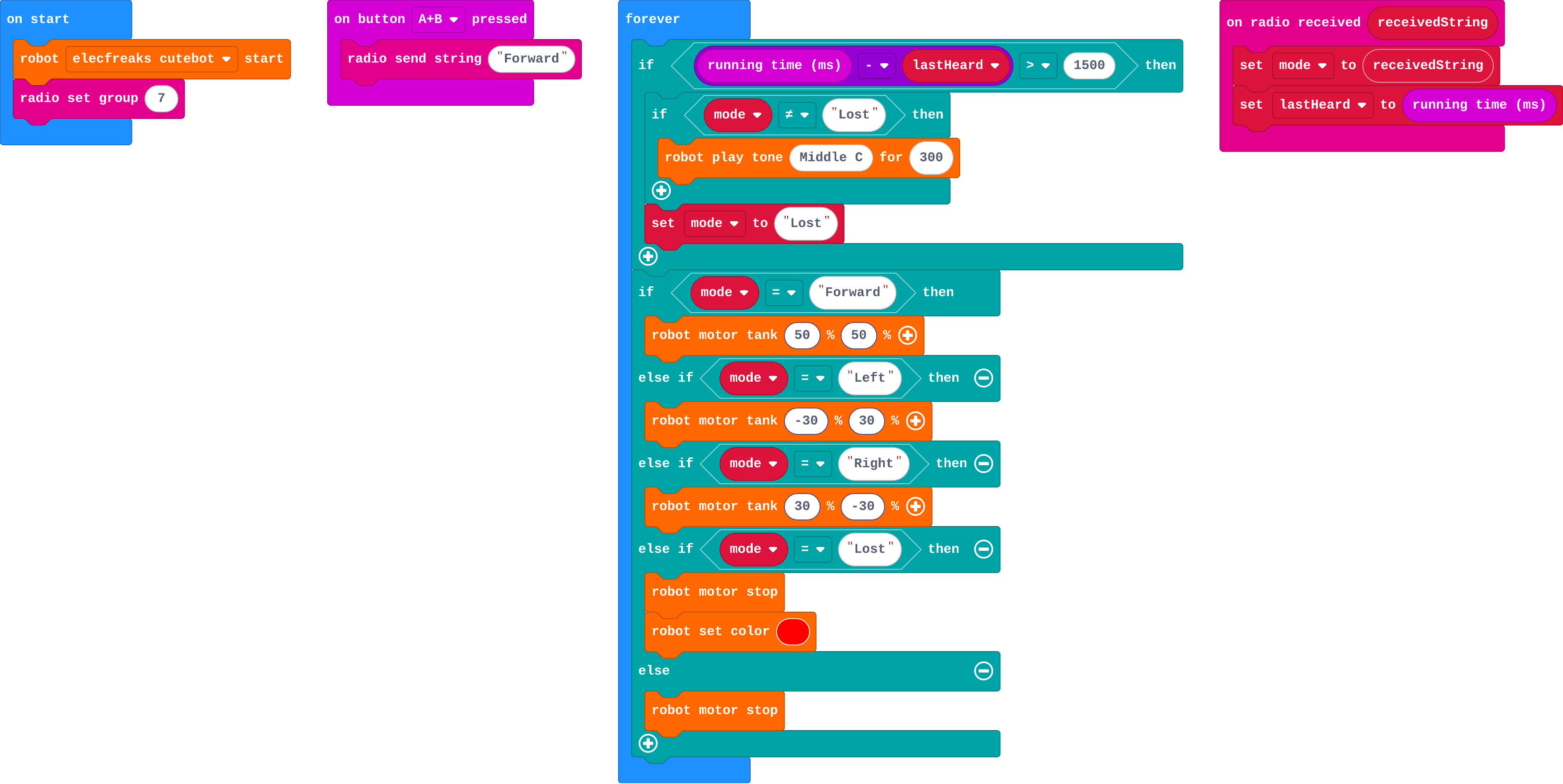
Show as code
radio.onReceivedString(function (receivedString) {
    mode = receivedString
    lastHeard = input.runningTime()
})
basic.forever(function () {
    if (input.runningTime() - lastHeard > 1500) {
        if (mode != "Lost") {
            robot.playTone(262, 300)
        }
        mode = "Lost"
    }
    if (mode == "Forward") {
        robot.motorTank(50, 50)
    } else if (mode == "Left") {
        robot.motorTank(-30, 30)
    } else if (mode == "Right") {
        robot.motorTank(30, -30)
    } else if (mode == "Lost") {
        robot.motorStop()
        robot.setColor(0xff0000)
    } else {
        robot.motorStop()
    }
})
input.onButtonPressed(Button.AB, function () {
    radio.sendString("Forward")
})
let lastHeard = 0
let mode = ""
robot.elecfreaksCuteBot.start()
radio.setGroup(7)
Stretch and support
Stretch: Slow down instead of stopping when Unsure arrives once, and stop only after three Unsures in a row.
Support: Give the watchdog's if complete; students add only the actions inside it.
Exit ticket
Why does a robot need both an Unsure action and a watchdog?
Unsure handles a model that can't decide; the watchdog handles getting no messages at all. Both make the robot stop.
What each step is for
- With your model: With a real model, half-shown gestures and an empty frame produce Unsure, and the robot stops instead of carrying on.
- Investigate: Unsure covers a model that can't decide; the watchdog covers silence. Both lead to the safe action, stop, and the repeated label keeps a working robot from tripping the watchdog.
- Modify: The watchdog's time and the Unsure action are design choices: shorter is safer but less forgiving of a slow connection.
Where it leads
Next: some mistakes cost more than others. Real world: dead man's switches on trains, heartbeat checks in drones and delivery robots.