Signs: some mistakes cost more
Students drive a robot with printed signs read by their own model, and make it more careful where a mistake costs more (a higher threshold for Go, and Go twice in a row).
Classroom resources
Load these into Waypoints Prepare: choose Load URL and paste the copied address, or download the file and import it. In Prepare, the worksheet's Teacher edition shows the answers; the student copy hides them.
Students will be able to
- I can explain why some mistakes by a model cost more than others.
- I can explain how a higher threshold trades speed for safety.
- I can make a robot act on a costly label only when it is sure.
Timing
Predict and Run 6 min · Read the signs 15 min (typical) · Investigate 8 min · Modify 10 min · Make 10 min
Before class
The idea: a model is sometimes wrong, and not all mistakes are equal. Mistaking Stop for Go can send a robot off a table; mistaking Left for Right only wastes time. So the board here needs 95% confidence before it sends Go and 70% for the others (anything less is Unsure), and the robot adds its own caution: it drives only after hearing Go twice in a row (about a second, since the board repeats the label every second), while Stop acts at once.
The cost of caution: a higher threshold means more Unsures, so the robot stops more often. Put the caution where mistakes are costly, not everywhere.
Materials: the printable signs (linked in the lesson; two to an A4 page, colour if possible). Training tip: hold each sign at different distances and angles, in different light, and add a Nothing class (no sign) if the model guesses a sign for an empty frame.
Without robots: the simulator's buttons stand in for the model; the board step is typical.
Running the lesson
- Predict: ask for a reason with each answer: what breaks?
- Read the signs: the moment Go turns into Unsure while Left still counts is the lesson.
- Investigate: the sort generalises; ask for one more example from each group.
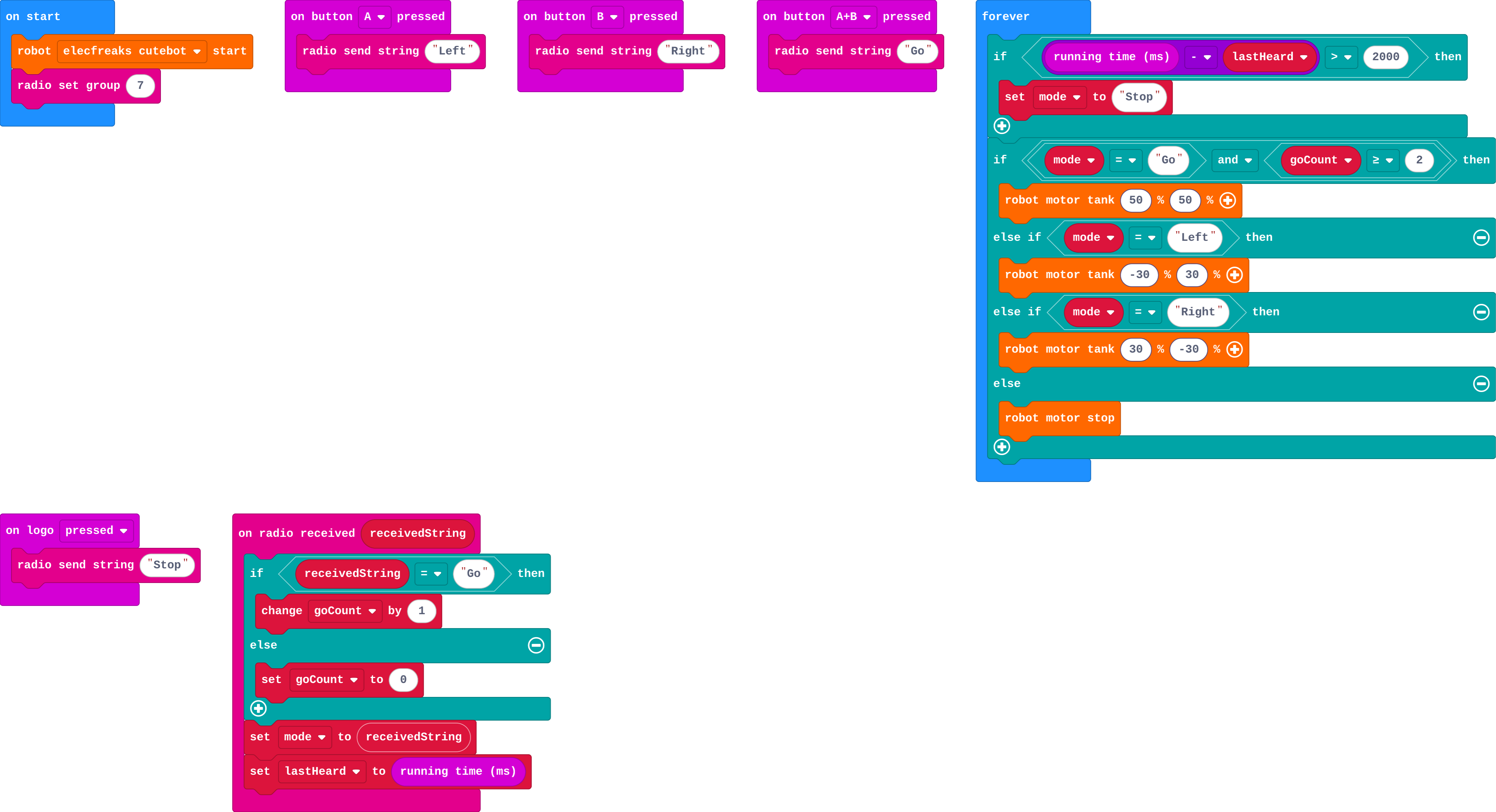
- Modify: goCount is the robot's own threshold; link it back to the board's 95%.
The hard part (on purpose)
Accepting that some mistakes matter more, so the thresholds differ. Ask which wrong answer would be worst, and set that label's threshold first.
When students get stuck
| What you will see | A question to ask | The fix |
|---|---|---|
| Go never gets sent. | What confidence does the board show for Go? | Retrain Go with more photos (closer, steadier, better light) until it passes 95%. |
| The robot turns the wrong way. | Which way did the arrow point when you trained? | Check the class names; retrain if Left and Right photos were swapped. |
| The robot never drives even with a clear Go. | Does goCount reset only for words other than Go? | Add 1 for Go, set 0 for anything else, and drive when goCount ≥ 2. |
Answers to the checks
- Predict: The robot is near the edge of a table. Which mistake by the model is worst?
Seeing Go when the sign says Stop: the robot drives off the table. The other mistakes waste time; this one breaks something. So Go should need the most confidence. - Read the signs: Drive with the signs: send Go and Stop, and find a way of holding Go that makes the board say Unsure.
- Lower: What happens if Go also needed only 70%?
The robot moves sooner, but a Stop sign mistaken for Go now and then makes it drive on
A lower threshold sends Go more often, including the times the model is wrong. - Higher everywhere: What happens if every label needed 95%?
The robot is very safe but often stops (Unsure) when a sign is clear enough to a person
Too much caution everywhere makes a robot that keeps stopping. Caution goes where mistakes are costly. - Where caution goes: Sort each decision: should it need high confidence or is lower fine?
A car decides the road ahead is clear → High confidence; A music app guesses which song to play next → Lower is fine; A robot decides it is safe to drive forward → High confidence; A photo app suggests who might be in a picture, for you to confirm → Lower is fine
Solutions
One possible solution for each task. Other correct programs are fine.
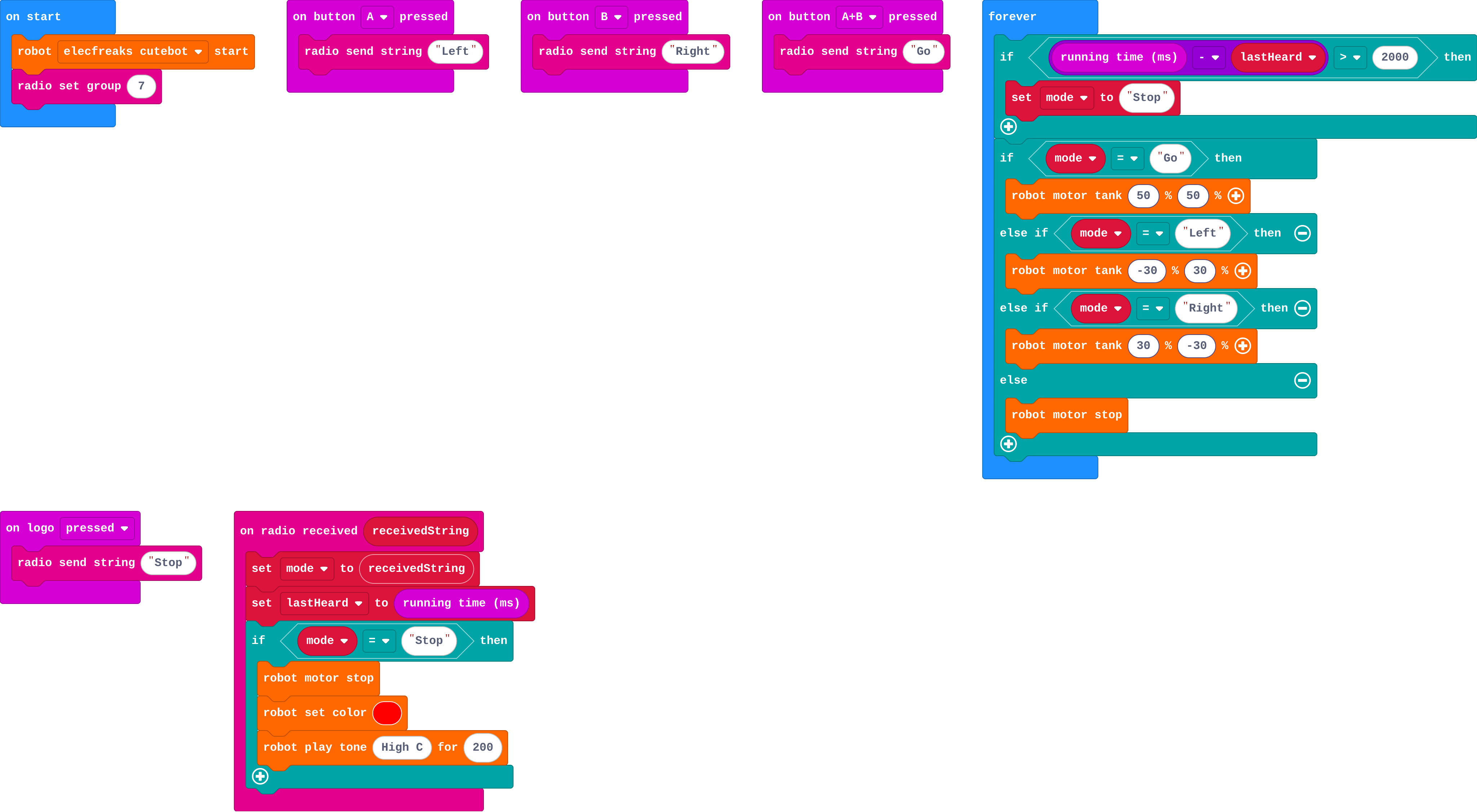
Modify › Stop at once
Show as code
radio.onReceivedString(function (receivedString) {
    mode = receivedString
    lastHeard = input.runningTime()
    if (mode == "Stop") {
        robot.motorStop()
        robot.setColor(0xff0000)
        robot.playTone(523, 200)
    }
})
basic.forever(function () {
    if (input.runningTime() - lastHeard > 2000) {
        mode = "Stop"
    }
    if (mode == "Go") {
        robot.motorTank(50, 50)
    } else if (mode == "Left") {
        robot.motorTank(-30, 30)
    } else if (mode == "Right") {
        robot.motorTank(30, -30)
    } else {
        robot.motorStop()
    }
})
input.onButtonPressed(Button.A, function () {
    radio.sendString("Left")
})
input.onButtonPressed(Button.B, function () {
    radio.sendString("Right")
})
input.onButtonPressed(Button.AB, function () {
    radio.sendString("Go")
})
input.onLogoEvent(TouchButtonEvent.Pressed, function () {
    radio.sendString("Stop")
})
let lastHeard = 0
let mode = ""
robot.elecfreaksCuteBot.start()
radio.setGroup(7)
Modify › Go twice
Show as code
radio.onReceivedString(function (receivedString) {
    if (receivedString == "Go") {
        goCount += 1
    } else {
        goCount = 0
    }
    mode = receivedString
    lastHeard = input.runningTime()
})
basic.forever(function () {
    if (input.runningTime() - lastHeard > 2000) {
        mode = "Stop"
    }
    if (mode == "Go" && goCount >= 2) {
        robot.motorTank(50, 50)
    } else if (mode == "Left") {
        robot.motorTank(-30, 30)
    } else if (mode == "Right") {
        robot.motorTank(30, -30)
    } else {
        robot.motorStop()
    }
})
input.onButtonPressed(Button.A, function () {
    radio.sendString("Left")
})
input.onButtonPressed(Button.B, function () {
    radio.sendString("Right")
})
input.onButtonPressed(Button.AB, function () {
    radio.sendString("Go")
})
input.onLogoEvent(TouchButtonEvent.Pressed, function () {
    radio.sendString("Stop")
})
let goCount = 0
let lastHeard = 0
let mode = ""
robot.elecfreaksCuteBot.start()
radio.setGroup(7)
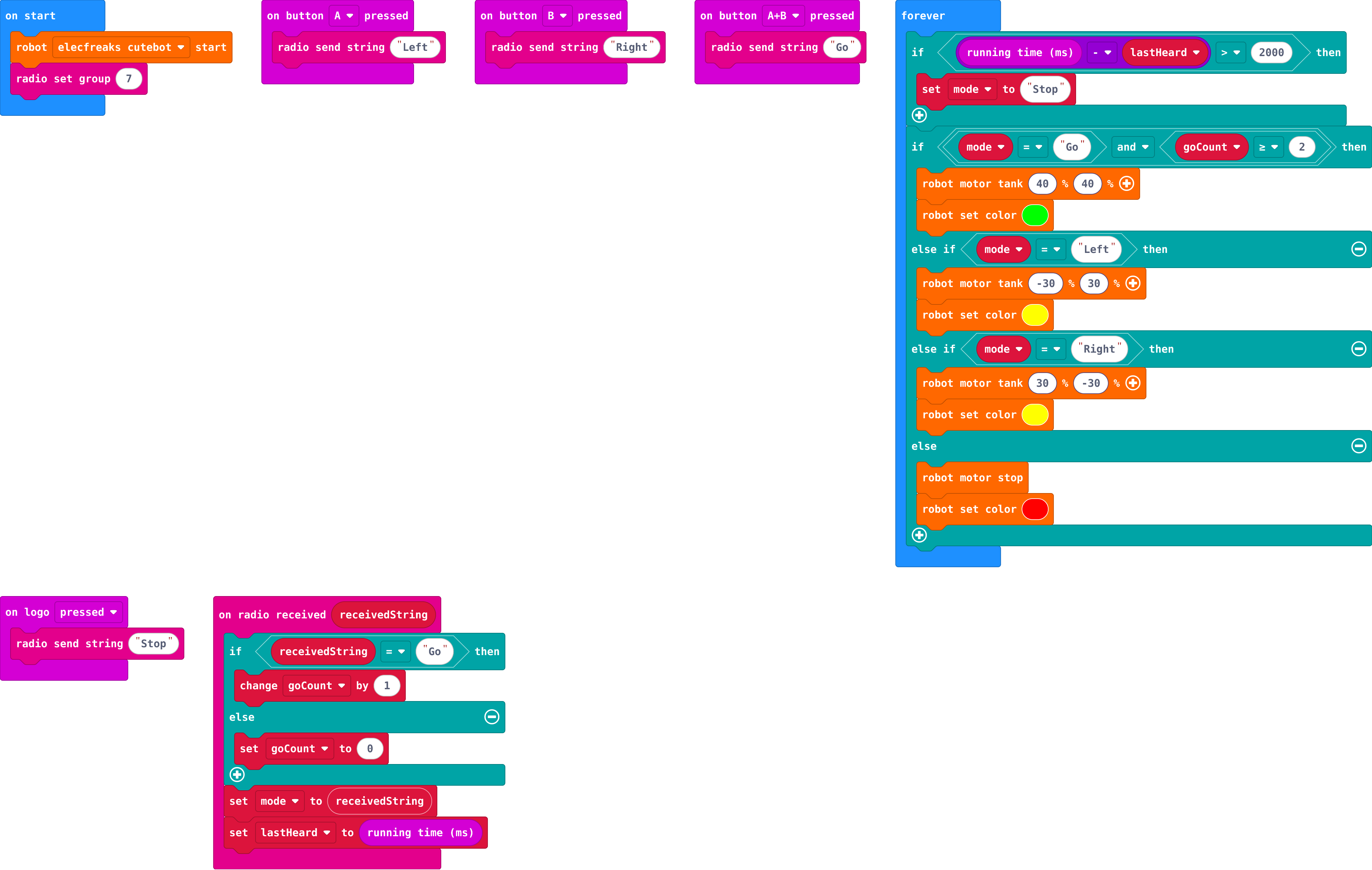
Make
Show as code
radio.onReceivedString(function (receivedString) {
    if (receivedString == "Go") {
        goCount += 1
    } else {
        goCount = 0
    }
    mode = receivedString
    lastHeard = input.runningTime()
})
basic.forever(function () {
    if (input.runningTime() - lastHeard > 2000) {
        mode = "Stop"
    }
    if (mode == "Go" && goCount >= 2) {
        robot.motorTank(40, 40)
        robot.setColor(0x00ff00)
    } else if (mode == "Left") {
        robot.motorTank(-30, 30)
        robot.setColor(0xffff00)
    } else if (mode == "Right") {
        robot.motorTank(30, -30)
        robot.setColor(0xffff00)
    } else {
        robot.motorStop()
        robot.setColor(0xff0000)
    }
})
input.onButtonPressed(Button.A, function () {
    radio.sendString("Left")
})
input.onButtonPressed(Button.B, function () {
    radio.sendString("Right")
})
input.onButtonPressed(Button.AB, function () {
    radio.sendString("Go")
})
input.onLogoEvent(TouchButtonEvent.Pressed, function () {
    radio.sendString("Stop")
})
let goCount = 0
let lastHeard = 0
let mode = ""
robot.elecfreaksCuteBot.start()
radio.setGroup(7)
Stretch and support
Stretch: Add a Slow sign that drives at half speed, and decide what threshold it needs.
Support: Give the goCount blocks; students only add the and in forever.
Exit ticket
Why does Go need a higher threshold than Left?
Mistaking Stop for Go can cause a crash; mistaking Left for Right only wastes time. Costly actions need more confidence.
What each step is for
- Read the signs: A borderline Go becomes Unsure while a borderline Left still counts: the same model behaves more carefully exactly where a mistake costs more.
- Investigate: A threshold trades caution for speed: a higher one means fewer wrong Gos but more Unsures (stops). Put the high threshold where a mistake costs most.
- Modify: The robot can add its own caution: act on a Stop at once, but act on Go only when it has heard it twice in a row.
Where it leads
Next: the delivery robot challenge, where the robot's own sensor can overrule the model. Real world: thresholds in self-driving cars, medical screening and spam filters.